19 Rev.B
DAB+ RADIO SETUP
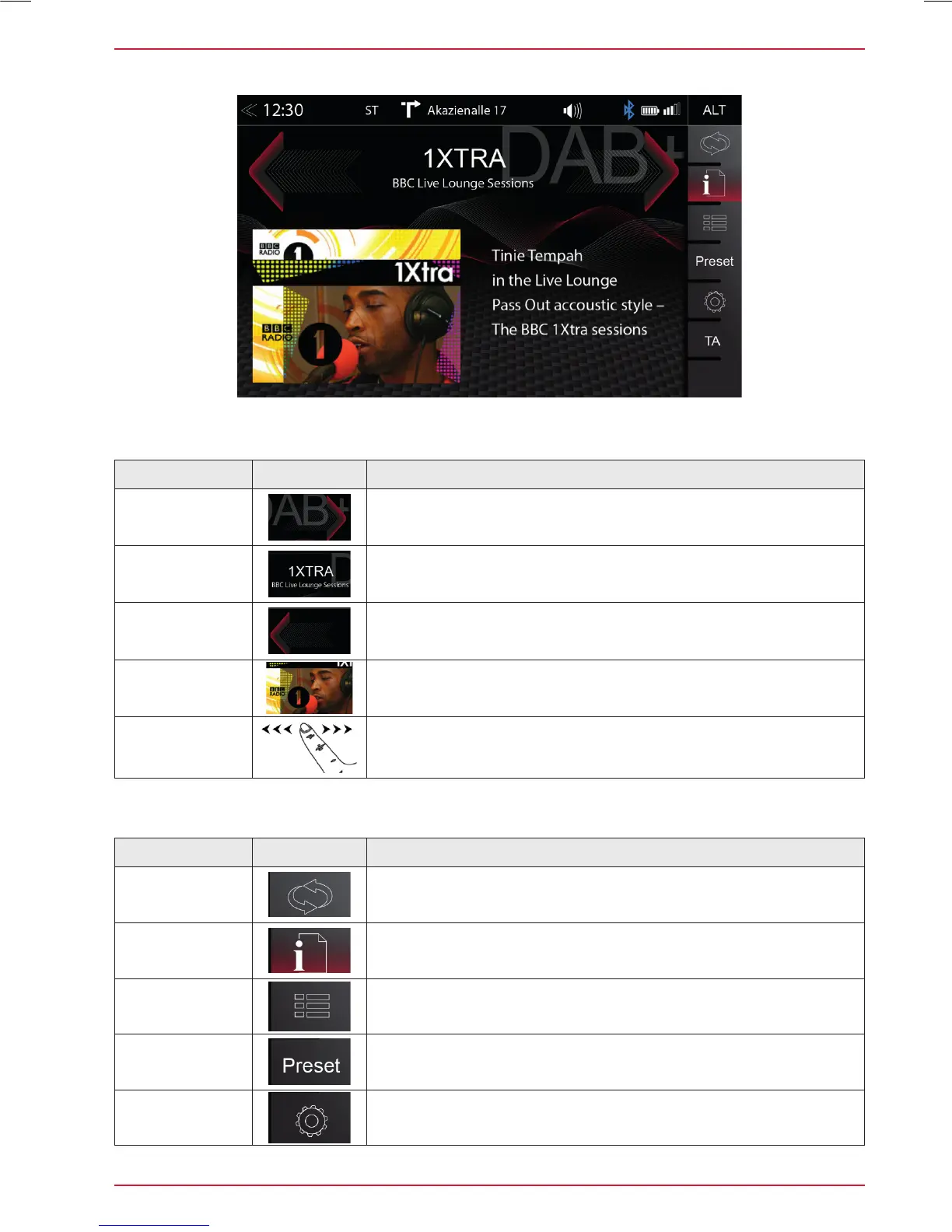
Function Icon Operation
UKW / DAB+
Switch
Tap to switch between FM / DAB +
Info
Tap to show station information - main display
List
Tap to open the station list (showing all currently receivable
radio stations in the environment)
Preset
Tap to show the stored DAB station list
Setup
Tap to change settings for DAB+ functions
Function Icon Operation
Station up
Tap to jump to next station
Press and hold to jump to next Ensemble
Station
Station Name / Ensemble Name
Station down
Tap to jump to previous station
Press and hold to jump to previous Ensemble
Slideshow
Radio station artwork / artist display (”MOT Slideshow”)
Info Display
Area
Finger swiping left and right to switch between Preset stations
The DAB+ source menu offers a control- + operating section on the right side of the display, allowing
for simple and convenient direct adjustments in the playback menu.
Control- and Operating Section



 To Next Page