59 Rev.B
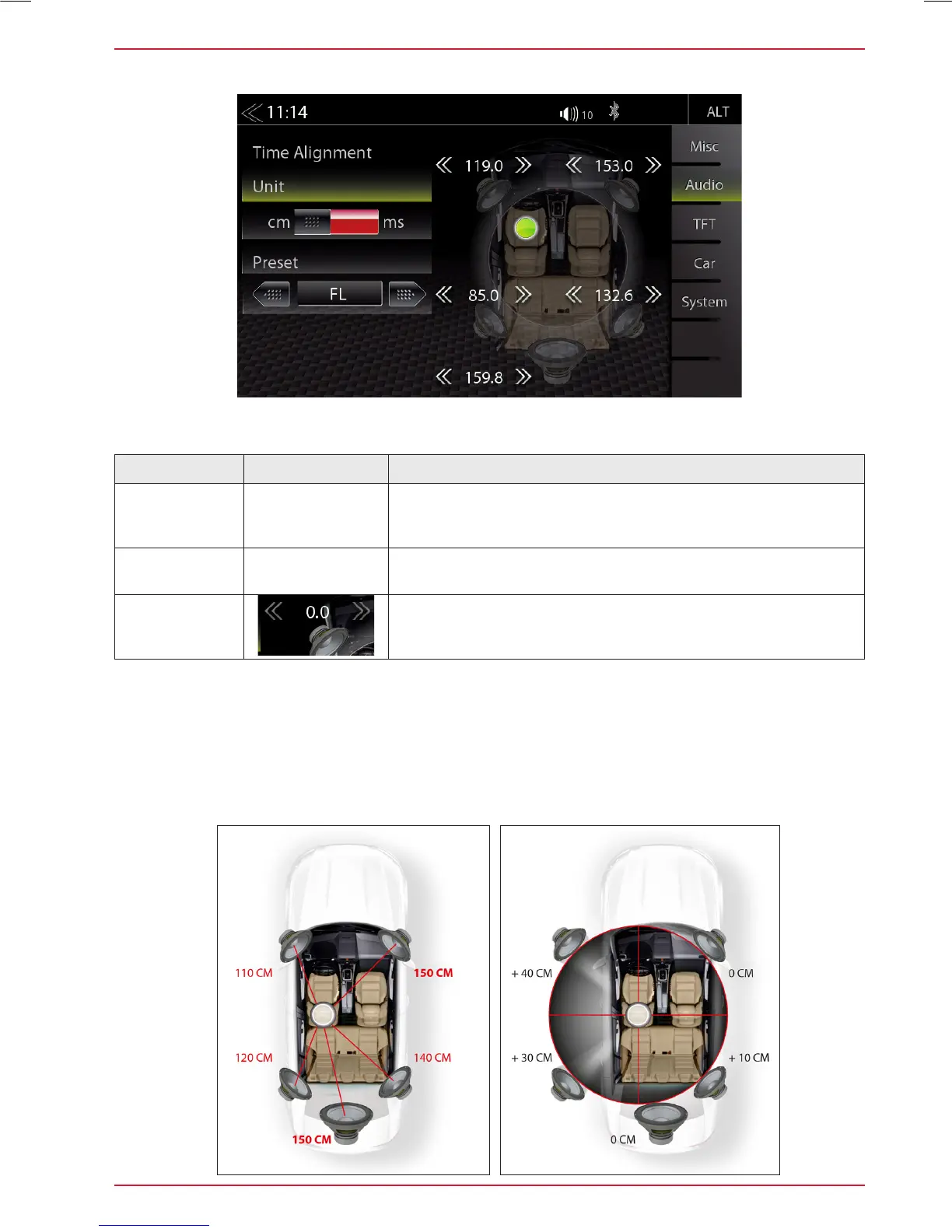
TIME ALIGNMENT
Function Icon Operation
Unit
Selection of desired unit
ms = time
cm = distance
Preset
Touch to select the desired speaker
(OFF / FL / FR / Front / All)
Delay
ms = 0.0 < > 10 in approx. 0.1 ms steps
cm = 0 < > 340 in approx. 3 cm steps
In this menu you can set the time delay correction for the loudspeakers in your vehicle.
The distance between the ears and the speaker system installed in the vehicle varies considerably
due to the given arrangement of the installed speakers. This menu gives you the option to delay the
audio signal at each of the speakers so that you have a ”center stage” effect.
Set your central listening position. Measure the distance from this position to each speaker.
Now you need to add the corresponding delay to move the speakers to same distance from selected
position. Enter these distance. You can ne tune values ”by ear”.



 To Next Page