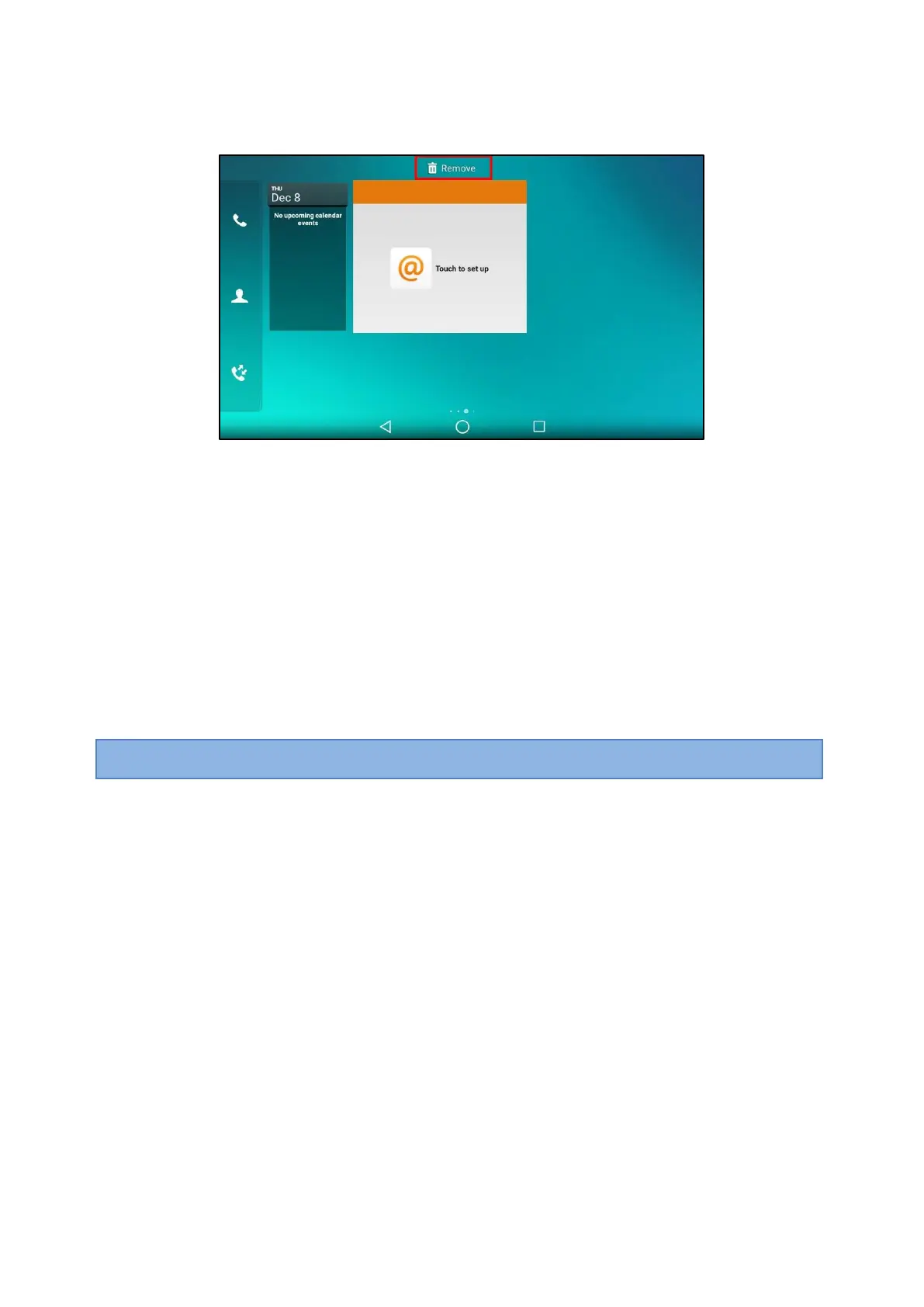
1.
Long tap the desired item for about 2 seconds.
The Remove field will appear on the top of the phone screen.
2.
Drag the item to the Remove field to remove it.
APP Accounts
Before using Email and Calendar, or you want to sync contacts with Google, you need to register an APP
account.
Topics
Adding APP Accounts
Syncing APP Account Information
Removing APP Accounts
Adding APP Accounts
You can add Exchange, personal (IMAP), or Google accounts for your Email and Calendar. The Google
account
can be also used to sync the Google contacts.
Note
: If you cannot add a Google account, contact your system administrator for help installing the core GMS package on
your phone.
You can choose the following email account type when adding an APP account. Check with your network
administrator for the correct email account settings.
l
POP3: When using POP3, all emails are stored locally instead of on the server side.
l
IMAP: When using IMAP, all emails are stored on the server side and you can see them from the phone or
other
mail clients as well.
l
Exchange: When using Exchange, all emails are stored in the central Exchange mail server and can
be
checked using a compatible mail client such as Microsoft Outlook.
Procedure
1.
Swipe left or right to go to the second idle screen.
2.
Go to Settings > Basic Settings > APP Accounts.
3.
Tap Add account.



 To Next Page