l Avoid tapping or rustling papers near the microphone.
l
Speak in your normal voice without shouting.
Topics
Local Conference
Network Conference
Local Conference
You can create up to ten-way audio-only and video mixed local conference including a maximum of three-
way video calls.
Topics
Setting Up a Local Conference Call
Merging Two Calls into a Conference
Creating a Hybrid Conference
Creating a Multi-Party Conference with a Conference Key
Holding or Resuming a Conference Call
Muting or Unmuting a Conference
Call
Splitting a Conference Call
Managing Conference
Participants
Ending a Conference
Call
Setting Up a Local Conference Call
Procedure
1.
Place a call to the first party.
2.
Select Invite to place a new call.
The active call is placed on hold.
3.
Dial the second party’s number.
4.
Repeat the above steps to add more parties to the conference.
Note
: you can also select >
Send
to dial out several parties at the same time.
Merging Two Calls into a Conference
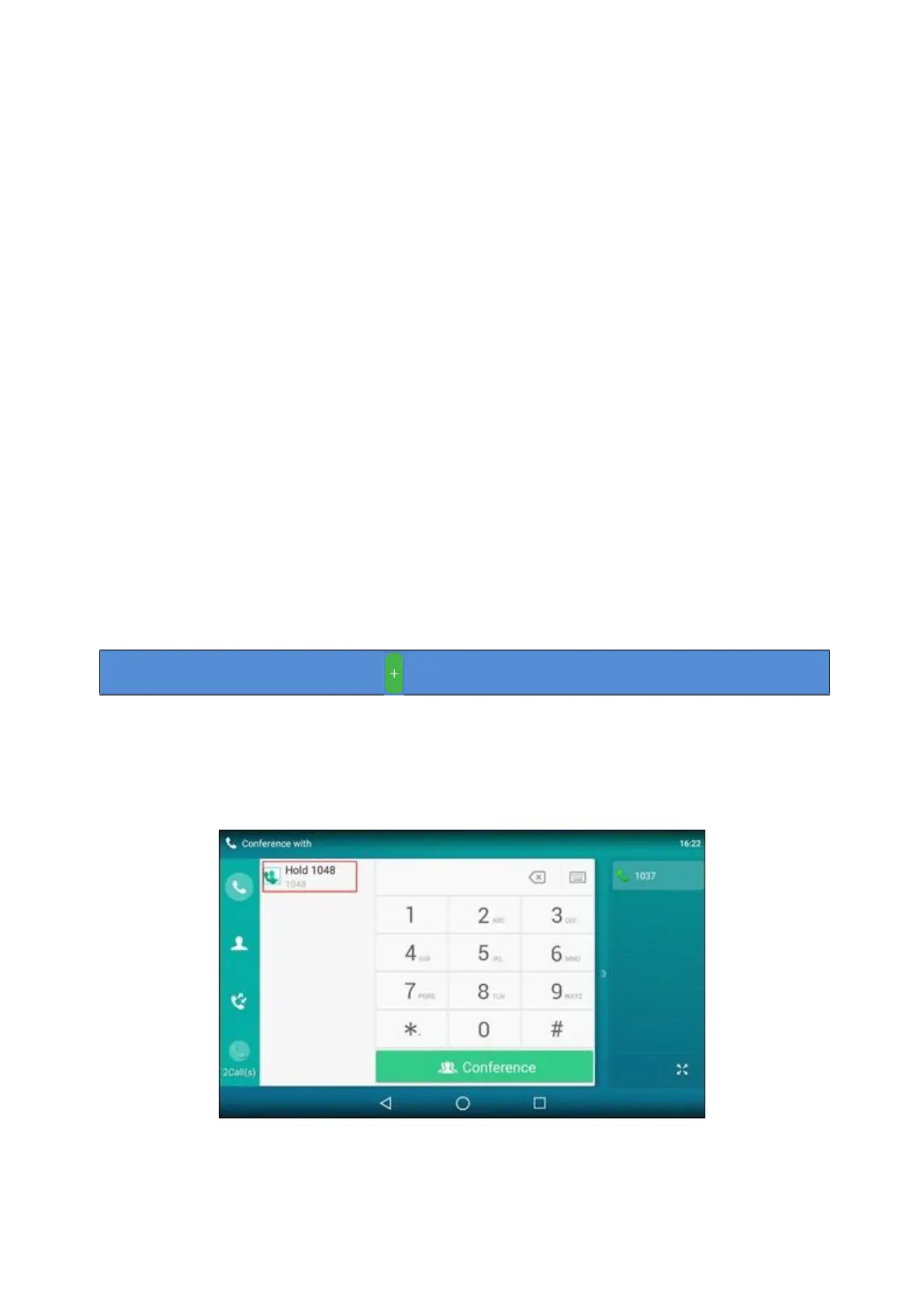
You can invite a held call into a conference call with the active call.
Procedure
On the phone, select Invite.
Tap the Hold call to join the calls in the conference.
Creating a Hybrid Conference
You can merge the calls on your phone and connected mobile phone into a hybrid conference.



 To Next Page