Tap to enter the dialing screen.
Tap to enter the Directory screen and view contacts.
Tap to enter the History screen and view call history.
Indicates which idle screen is displayed.
Shows the specified wallpaper, which can be customized.
Displays the phone’s time and date.
The line key list is displayed on the right of the home screen.
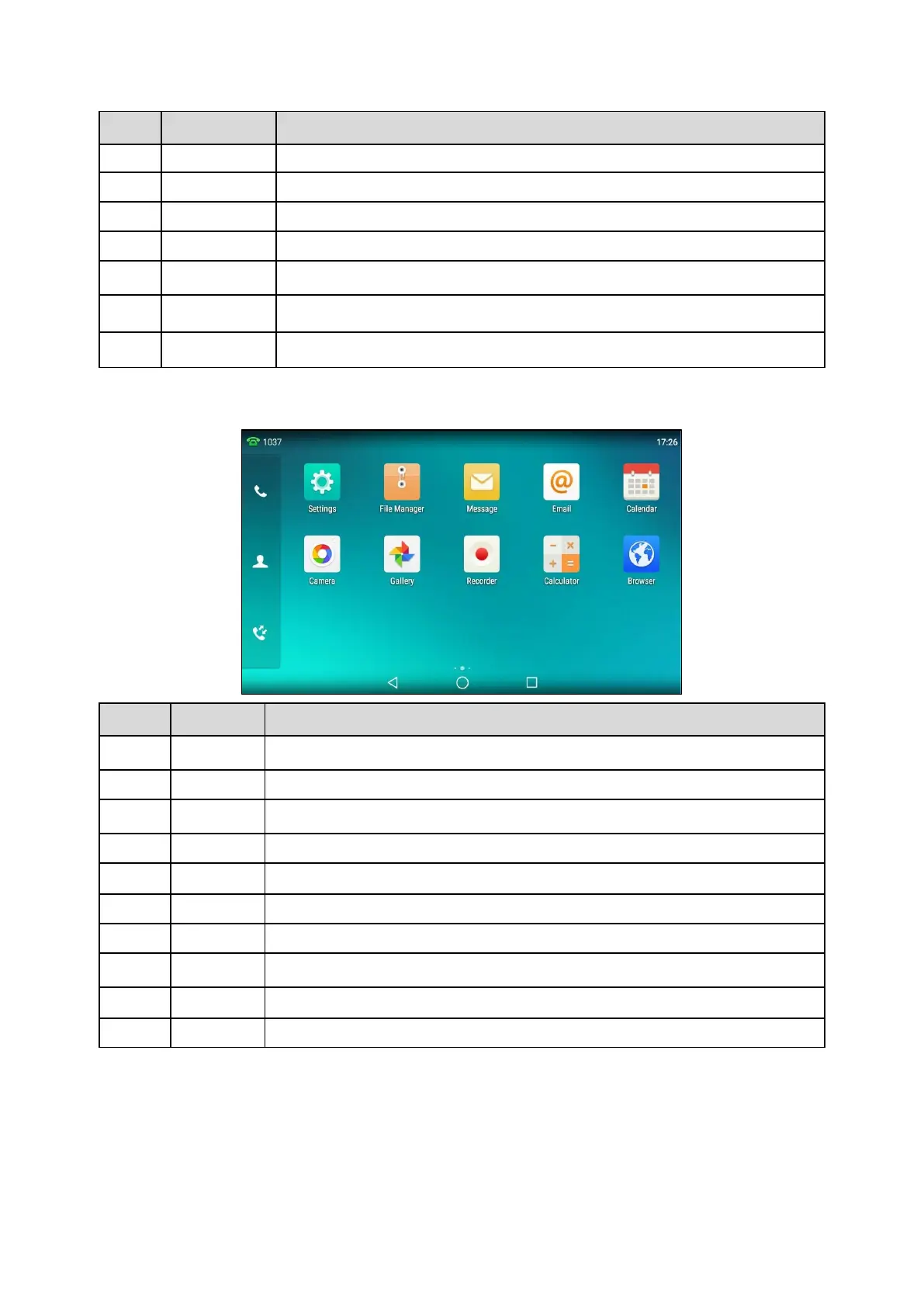
The Second Idle Screen
The second idle screen displays phone’s system applications by default.
To access phone settings and features.
To manage files in the internal SD card as well as USB flash drive.
To access the video/voice mails or leave video/voice mails for someone.
To send and receive emails.
You can use this application as a reminder or to manage and arrange your events.
To take pictures or record videos.
To view photos and videos.
To quickly calculate numbers
To present and explore content on the World Wide Web.
The Third Idle Screen
The third idle screen displays the calendar and email widgets by default.



 To Next Page