Backlight Time: The delay time to change the brightness of the phone screen when the phone is inactive.
Backlight
time includes the following settings:
l
Always On: Backlight is on permanently.
l
30min, 1h, 2h,4h, 6h, 8h or 12h: Backlight is changed when the phone is inactive after the designated time.
Procedure
1.
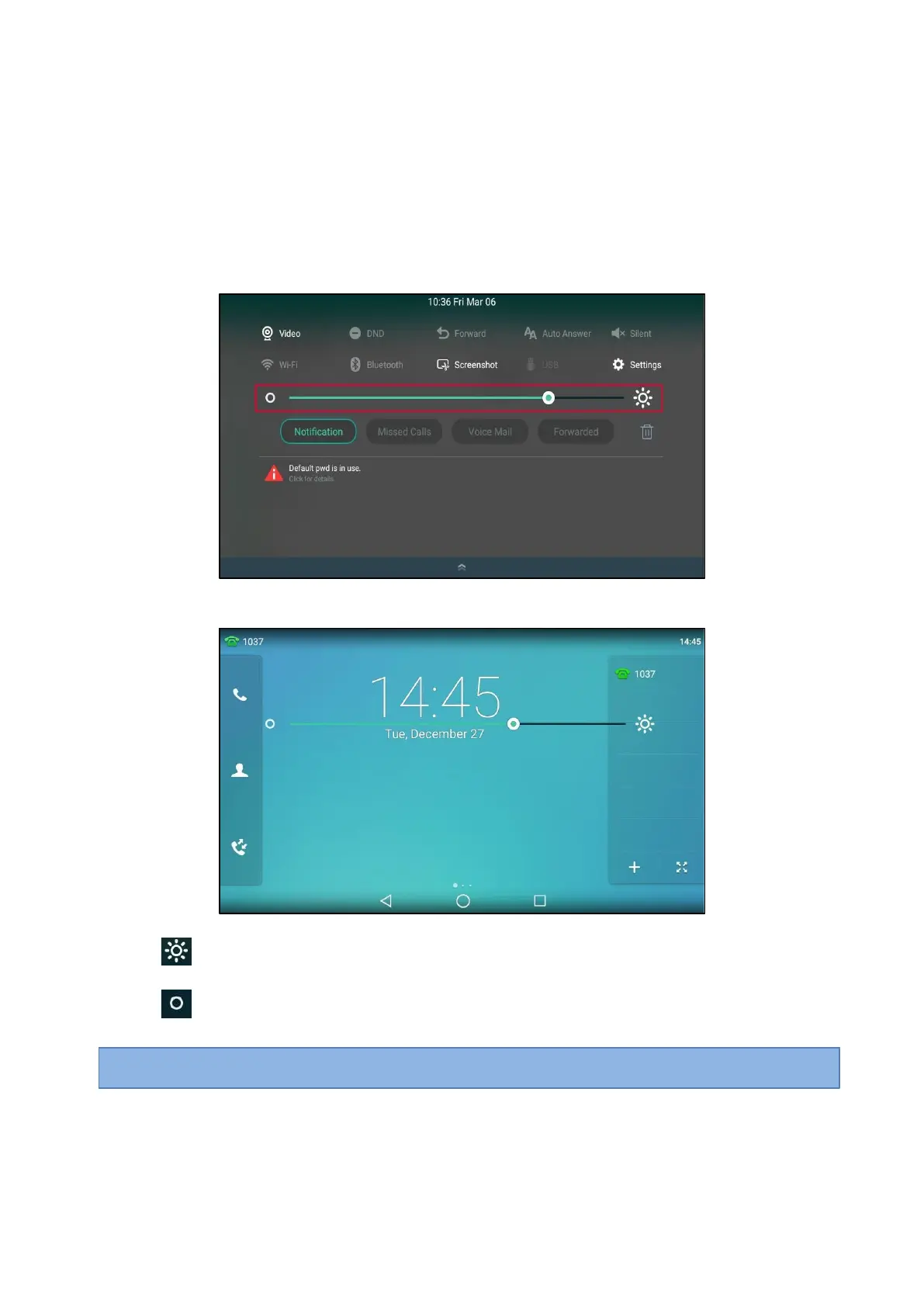
Swipe down from the top of the screen.
2.
Do one of the following:
l
Drag the backlight slider.
When dragging the slider, the control center (except the backlight slider) and notification center will be
hidden. You can view the intensity changes of the phone screen in real-time.
If you lift your finger, the control center and notification center will be shown again.
l
Tap
.
The intensity of the phone screen is changed to the highest.
l
Tap
.
The intensity of the phone screen is changed to the lowest.
Tip
: You can only change the screen intensity during phone activity on the control center. To change the backlight time, go to
Settings > Basic Settings > Display > Backlight.



 To Next Page