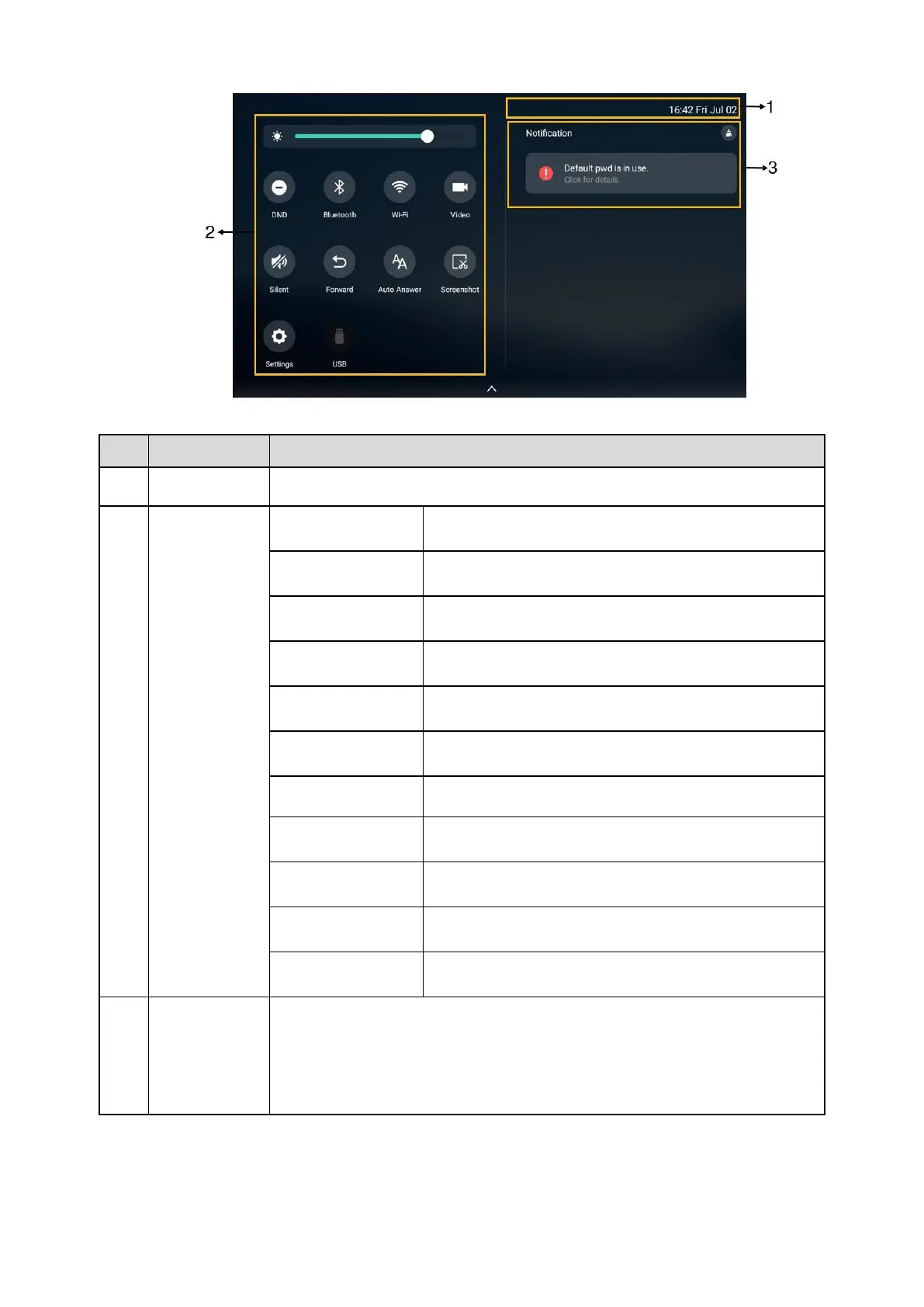
Display the phone’s time and date.
l
Tap to access the Camera when the phone is idle.
l
Tap to stop transmitting video during a video call.
Tap to turn on/off DND quickly.
Tap to enter Call Forward setting screen.
Tap to enter Auto Answer setting screen.
Tap to turn on/off Silent quickly.
l
Tap to turn on/off Wi-Fi quickly.
l
Long tap to enter the Wi-Fi setting screen.
l
Tap to turn on/off Bluetooth quickly.
l
Long tap to enter the Bluetooth setting screen.
Tap to capture a screenshot.
Tap to access the File Manager to manage the files in the
USB
flash drive.
Tap to enter the Settings screen.
Drag the slider to adjust the screen brightness quickly.
l
Tap the desired notification message to view the details.
l
Swipe left or right to delete a specific notification.



 To Next Page