Start-up, ID run and use 21
Start-up, ID run and use
What this chapter contains
• Start up the drive
• Do the identification (ID) run
• Start and stop the drive
• Change the rotation direction
• Set the speed or frequency reference
• Set the drive parameters
• Open Diagnostics
• Change the units
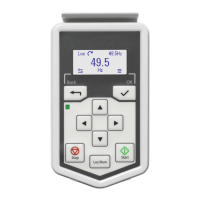
Note: In this chapter the drive uses an integrated panel to perform the start-up, ID
run, and other actions. You can also perform these functions using an external control
panel or a drive composer PC tool.
Start up the drive
1. Power up the drive.
2. Select the unit (international or US) and press OK.
3. In the Motor data view, set the motor type:
AsynM: Asynchronous motor
PMSM: Permanent magnet motor
4. Set the motor control mode:
Vector: Speed reference. This is suitable for most cases. The drive does an
automatic stand-still ID run.
Scalar: Frequency reference.
Use this mode when:
ACS180 FW.book Page 21 Tuesday, March 9, 2021 2:25 PM



 To Next Page