EasyManua.ls Logo

Adixen ASM GRAPH D+ - At the Leak Detector Start up; During the Leak Detector Use; Selection of the Graphic Interface Use Mode

Default Icon
336 pages
Print Icon
To Next Page IconTo Next Page
To Previous Page IconTo Previous Page
Loading...
C
440
Control panel with graphic
inter
face
5
/
14
GB 02669
-
Edition 03
- June
08
Selection of
the
graphic interface
use
mode
At the leak detector
star
t
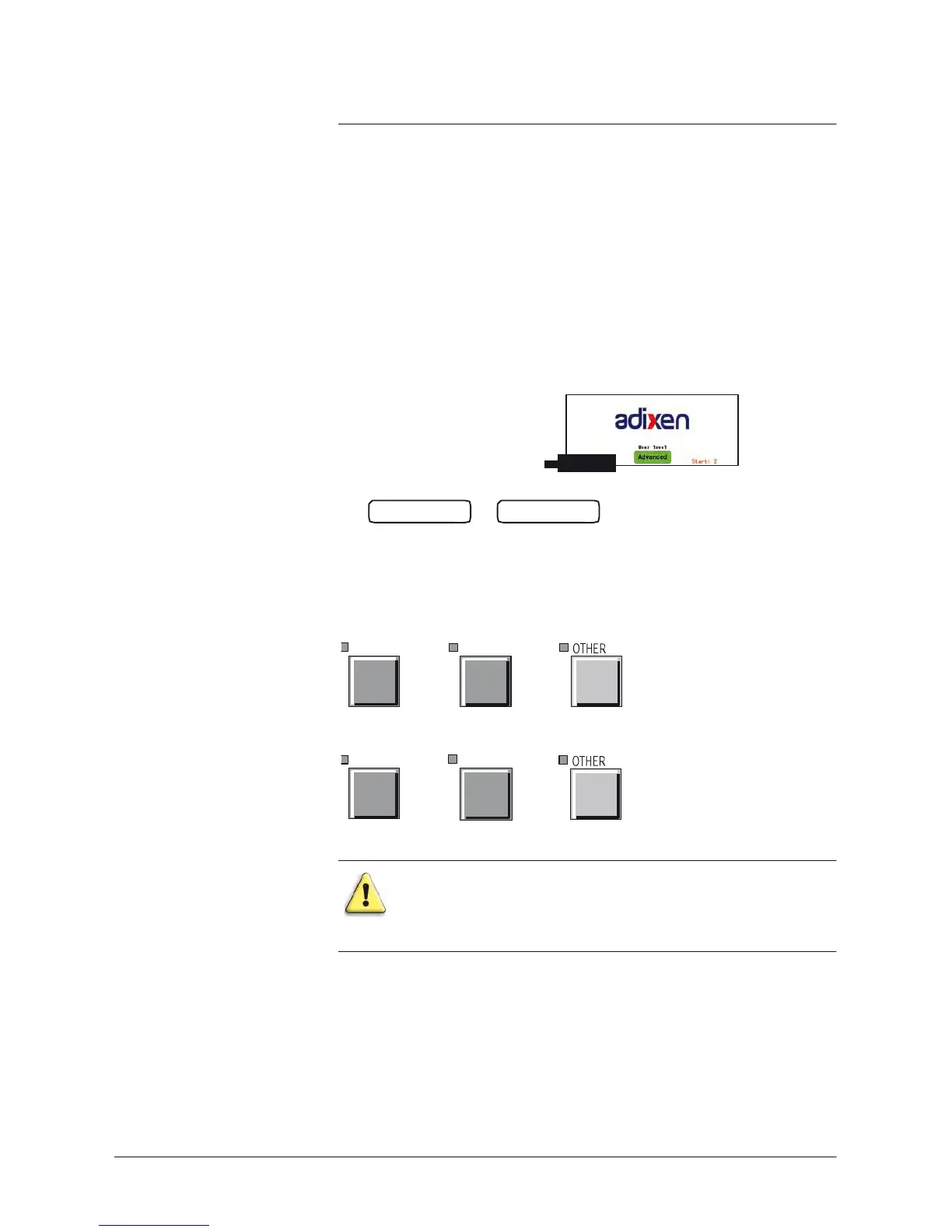
up When we switch on the leak detector, the starting
screen
displays the
selected
mode.
Graphic interface
software version
The
operator has 6
seconds
to change it with a simple
press
on the
key
ADVANCED
or
BASIC
.
During the leak detector
use
In order to return to the starting
screen, press
the following
keys
at the
same
time:
SET
POINTS
SPECTRO
+
+
or
SET POINTS
MAINTENANCE
+
+
These
operations are equivalent to do a
complete reset
: the
dynamic and memorized graphs will be erased.

Table of Contents

Related product manuals