General
Operator
interface A
500
Graphic
inter
face
option
Control
keys
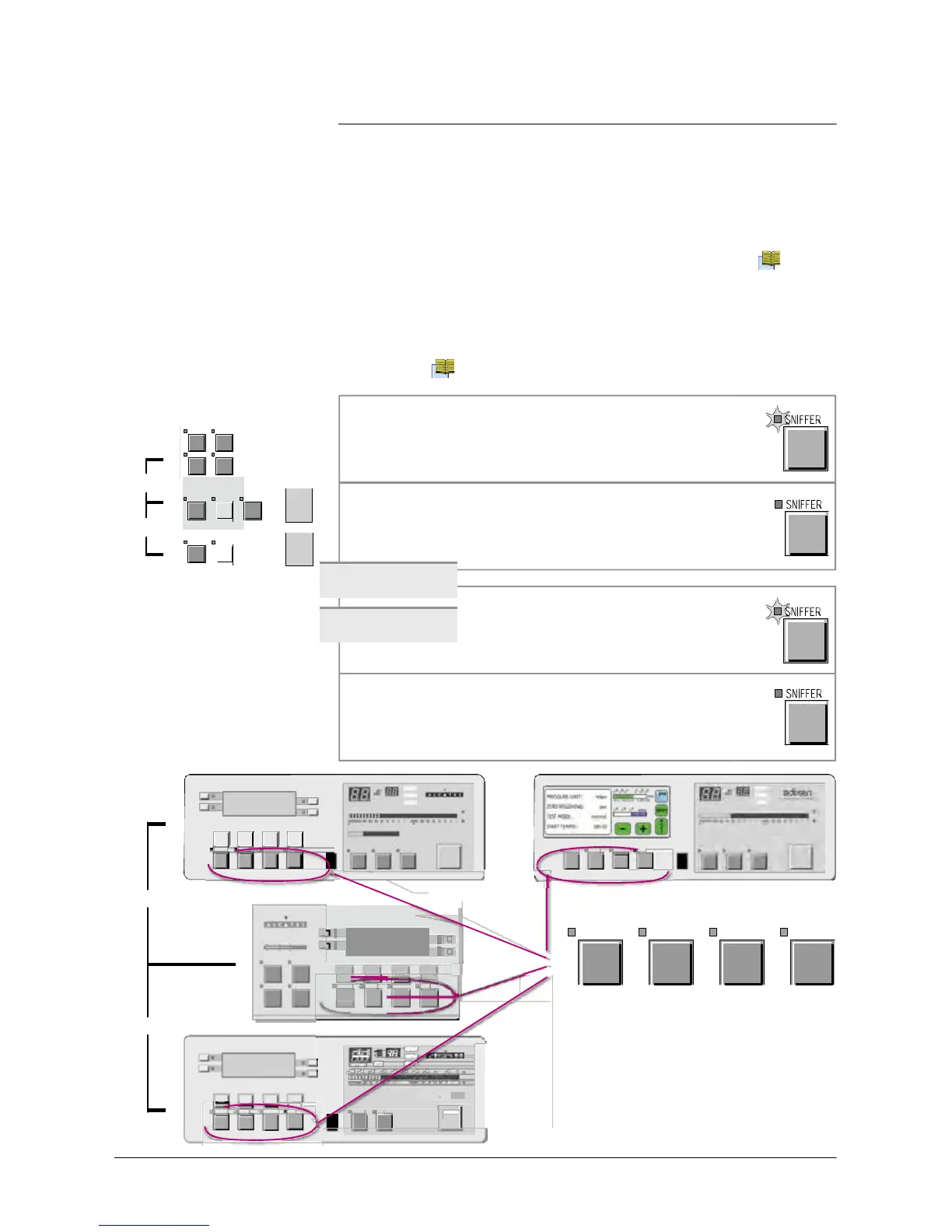
AUTO CAL MUTE
CYCLE
SNIFFER
or
or
If
a
key (sensing switch) is
depressed
when its function is not
available
or not
authorized, a
brief audio signal is
emitted
.
If
your control panel is
equipped
with
a graphic
interface, please
refer
to the sheet C 440 which completed this
sheet.
The
LED
indicator is ON when the control
key is activated (ex.: Sniffer
ON).
The
LED
indicator is OFF when the control
key is
deactivated
(ex.: Sniffer OFF).
Menu
selection
access
keys
The
LED
indicator comes ON after
depressing
the key
.
It
activates the
menu.
Then the
corresponding
menu is shown
on
the
alphanumeric display
.
Pressing the
corresponding
Menu selection key
a
second time
deactivates
the menu. The
LED
indicator
is then turned OFF and the previous screen is
displayed
again.
F1
F2
LEA K
RAT E
COR
F3
mba r.l/
s
Pa.m
3
/s
Torr.l/s
LEA K
RAT E
COR
mbar.l/
s
Pa.m
3
/s
Tor r.l/s
F4
10
-12
10
-11
10
-10
10
-9
10
-8
10
-7
10
-6
10
-5
10
-4
10
-3
10
-2
10
-3
10
-2
10
-1
1
10
1
10
2
10
3
mbar
10
-12
10
-11
10
-10
10
-9
10
-8
10
-7
10
-6
10
-5
10
-4
10
-3
10
-2
NEXT
-
+
RESE T
INLE T
PRESSUR E
hP
a
Tor r
STD BY
EVAC
TEST
STD BY
EVAC
TEST
SET POINT S S PECT RO MAI NTEN ANCE OTHER
AUTO CAL
SNIFFER
ZERO
CYCLE
SET POINT S SPE CT RO MAINT ENA NCE OTHER
AUTO CAL
SNIFFER
ZERO
CYCLE
or
(standard)
(option/accessory)
F
10
-3
10
-2
10
-1
Pa
F
2
SPECTRO
F3
10
-5
10
-4
10
-3
mba r
F
4
SET POINTS
SPECTRO
MAINTENANCE
OTHER
AUTO CAL MUTE
CYCLE
SNIFFER
SET POINTS
SPECTRO
Menu selection access
keys
or
F1
F2
LEA K RATE
F3
COR
m
b
ar.l/
P
a
.m
3
/
s
To
rr.l/
F4
10
-10
10
-9
10
-8
10
-7
10
-6
10
-5
10
-4
10
-3
10
10
-1
NE XT
RES ET
WARNING
STDBY
TE
S
T
SET POINT S SPECTRO MAINTENANCE OTHE R
AUTO CAL
ZER
O
S
N
I
FFER



 To Next Page