8
8
2 5 6
7
1
3
1
7
4
2 3
4
Mode
“Basic“
3
4
5
6
7
8
Mode
“Advanced“
•
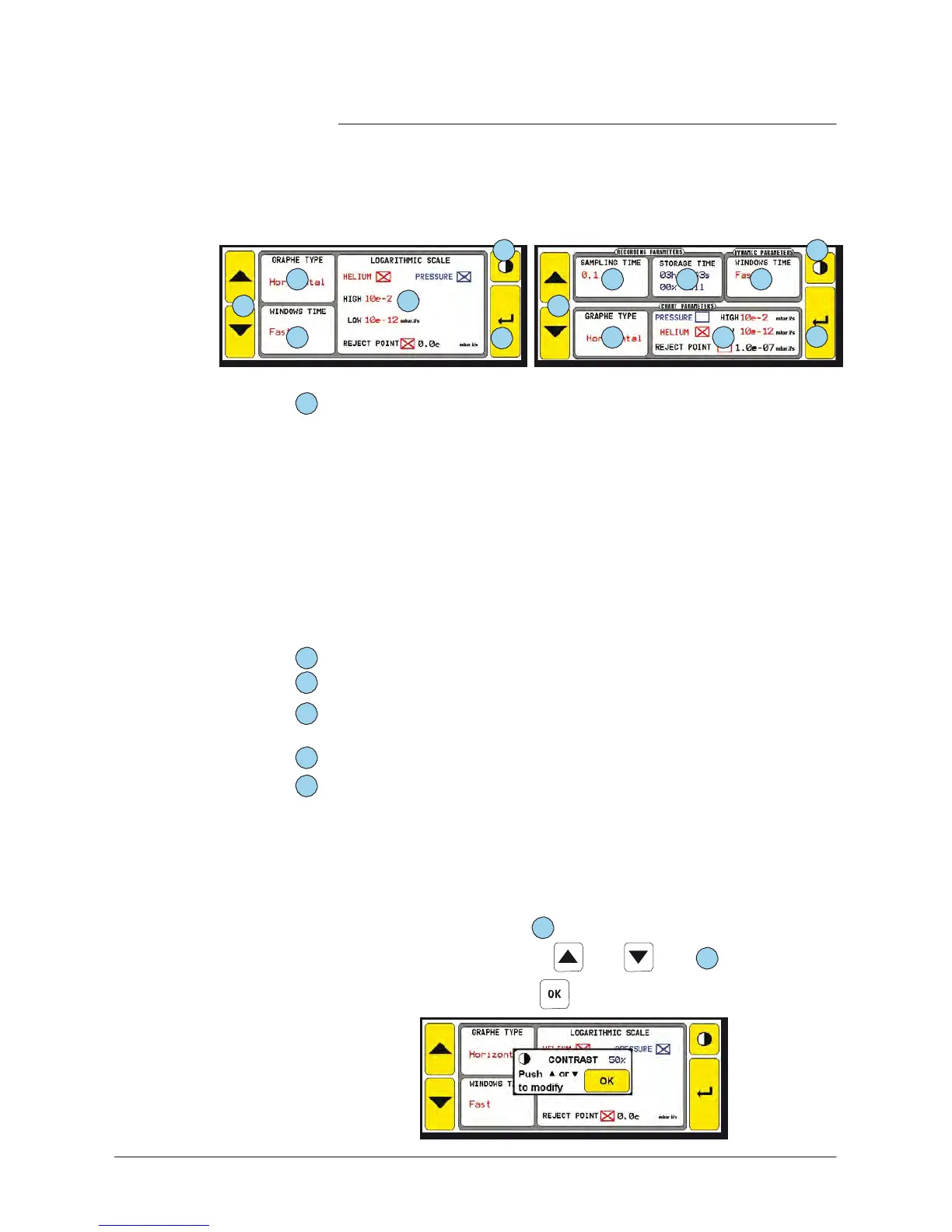
Curves
to show/recorder
selection
with a simple
press
on the
square: inlet
pressure (PRESSURE),
helium signal
(HELIUM)
and
reject
threshold
(REJECT
POINT).
-
The
reject
threshold
and the unit of
measurements
in this menu
can also be adjusted in the
SET POINTS
and
OTHER menus.
Any
modification will be applied to the 3
menus (SET
POIN
T
,
OTHER
and graphic interface).
•
Display area
setting
of the inlet
pressure
and helium signal curves.
-
If only one curve is
selected,
the display area applies to this
curve.
-
If the both are
selected,
the display area applies to the helium
signal : the inlet
pressure
display area will be automatically
5 decades higher than the helium signal display area.
Modification validation or return to the graph
.
Sampling rate between 2
measurements
= 2
consecutive
points of the
memorized curve.
Maximum recording time possible according to the sampling time set
for the memorized
graph.
Time
window displayed for the dynamic graph
.
-
“fast“
represents
the
maximum
signal scrolling speed.
Adjustment
of the contrast.
Contrast
adjustment
From
the
setting
menu, you can adjust the
screen
contrast.
Optimum
brightness
after 5mn switch on.
This
panel is delivered with
an optimum
setting
of the brightness.
Note:
The screen
lifetime is the best with a
contrast
adjusted to 50 %.
•
Press
on the
contrast
key
8
•
Adjust the
contrast
with the and keys
1
•
Validate the modifications



 To Next Page