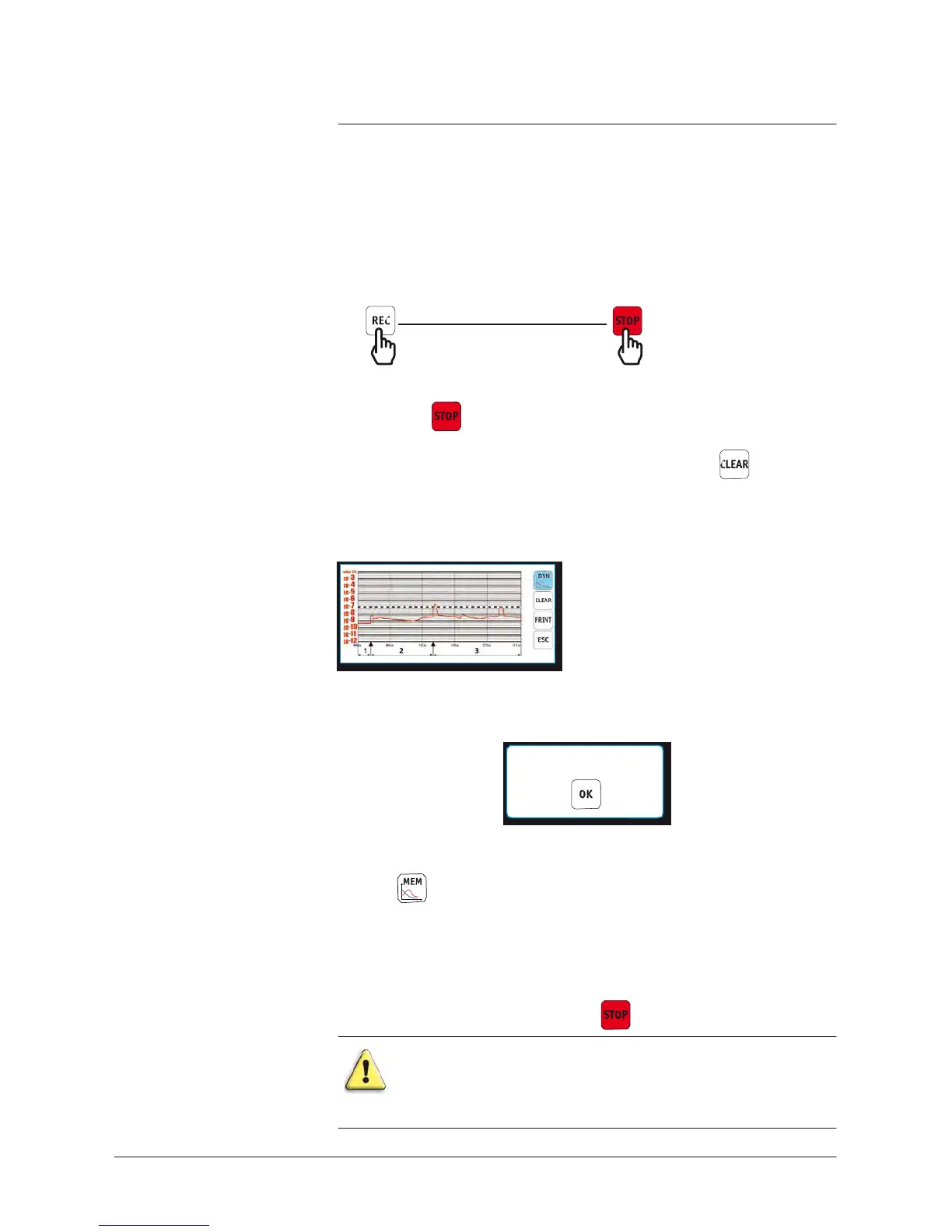
Memorized graph
Dynamic graph on the screen
Recording
Start End
The
recording time is displayed at the bottom left of the screen.
The red key is displayed as soon as a recording is in process.
Notes:
•
If the
memory
is not erased between 2 recordings
(
)
all the
successive
recordings are on the
same
memorized graph. A cursor
indicates the end of each recording. A cursor indicates the end of
each recording
.
example:
3 recordings on a
same
memorized
graph
•
When the
memory
is full and a recording is in
process,
the recording
is automatically stopped and the following
message
displayed:
MEMORY FULL
•
It is possible during a recording to show or to enlarge the curve
portions already memorized, without stopping it.
To
do this,
press
Similarly, it is possible to
use
all the control panel
functions
: menu
access,
start a cycle, auto-calibration, …
Note:
In the case of an auto-calibration with an external leak,
set
the standard interface in order to follow in the
screen
the
instructions
given by the leak detector.
•
Recording continues
until we press
.
Every
leak
detector
stop or control panel
disconnection
will
erase
the memory.
Save
the memorized graph (if required)
before
these
operations.



 To Next Page