LOCAL OPERATION RTBB OPTION 008 MODULATION: INT IQ GENERIC
IQ
MOD
B5553
SIG
GEN
B5563
...
B5734
3-57
IQ mod. RTBB
Generic modulation set-up
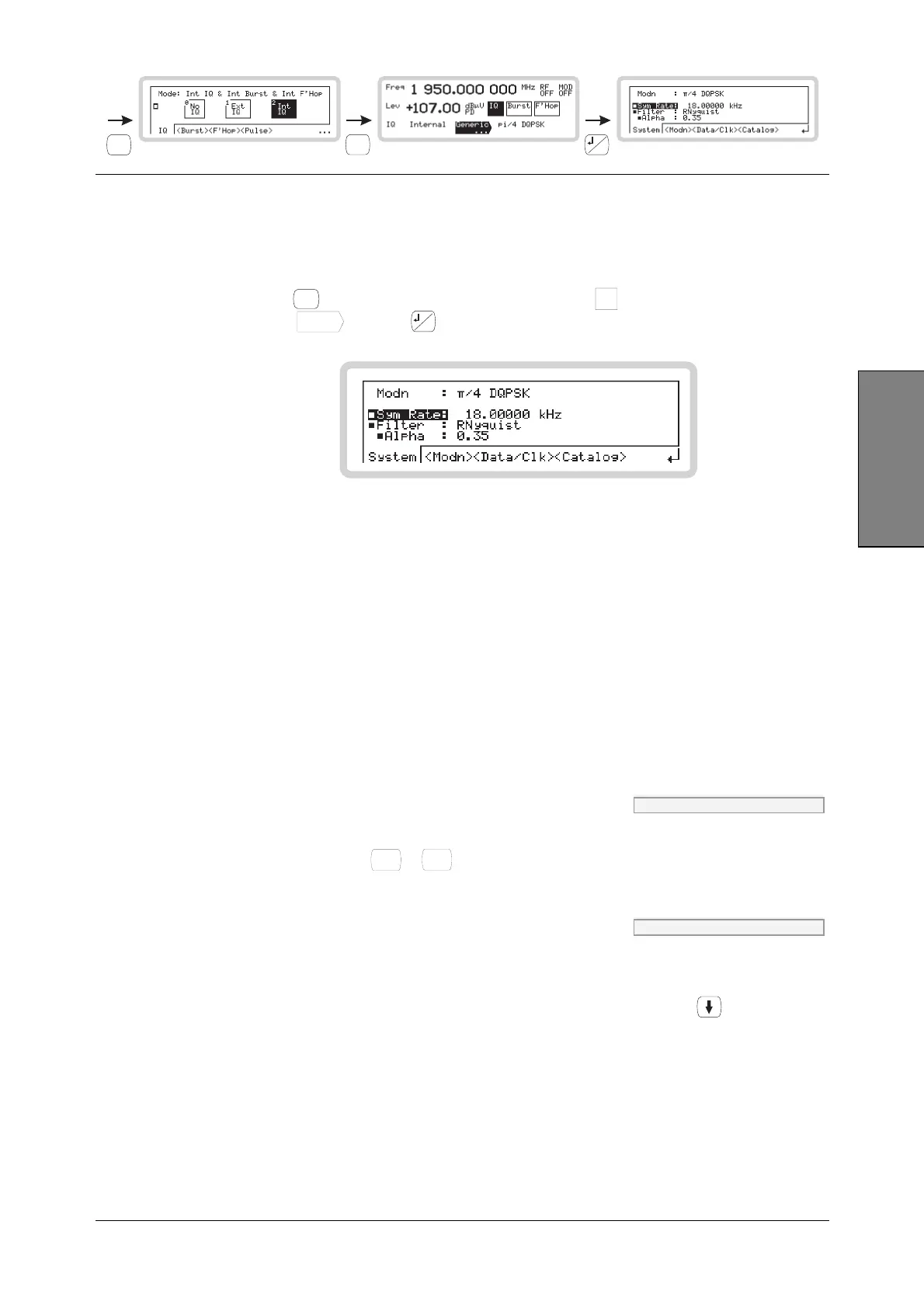
From this screen you can set up all aspects of the instrument’s generic modulation.
1 Configure the modulation mode for internal IQ modulation (page 3-54).
2 Press
SIG
GEN
to show the main screen, and touch the
IQ
soft box to select the function.
Touch
Generic
...
and press
...
to view the Generic modulation menu (Fig. 3-40).
B5734
Fig. 3-40 Generic modulation
Generic mod — <System>
From this menu, you can:
• Select the filter type and set its response
• Set the symbol rate
• Set the deviation (FSK only).
The currently selected modulation type and data source are displayed.
Sym Rate IQ:DM:GEN:SRAT page 4-132
Use the numeric keypad to specify the symbol rate. Enter up to nine characters (including decimal
point) and terminate with
kHz
%
VV
or
MHz
ms
mV
.
Filter IQ:DM:GEN:FILT page 4-128
A pop up selection of filter types (or none) appears. Use the numeric keypad to specify the
filtering to be applied to the generic IQ data entering the instrument.
If a filter parameter is displayed (for example Alpha), you can select it (use
) and change its
value.



 To Next Page