UTILITIES SYSTEM
UTIL
B5737
3-134
System: RS-232 Config.
From this screen, you can set up RS-232 communication parameters. The RS-232 port is used for
downloading upgrades to the instrument’s firmware.
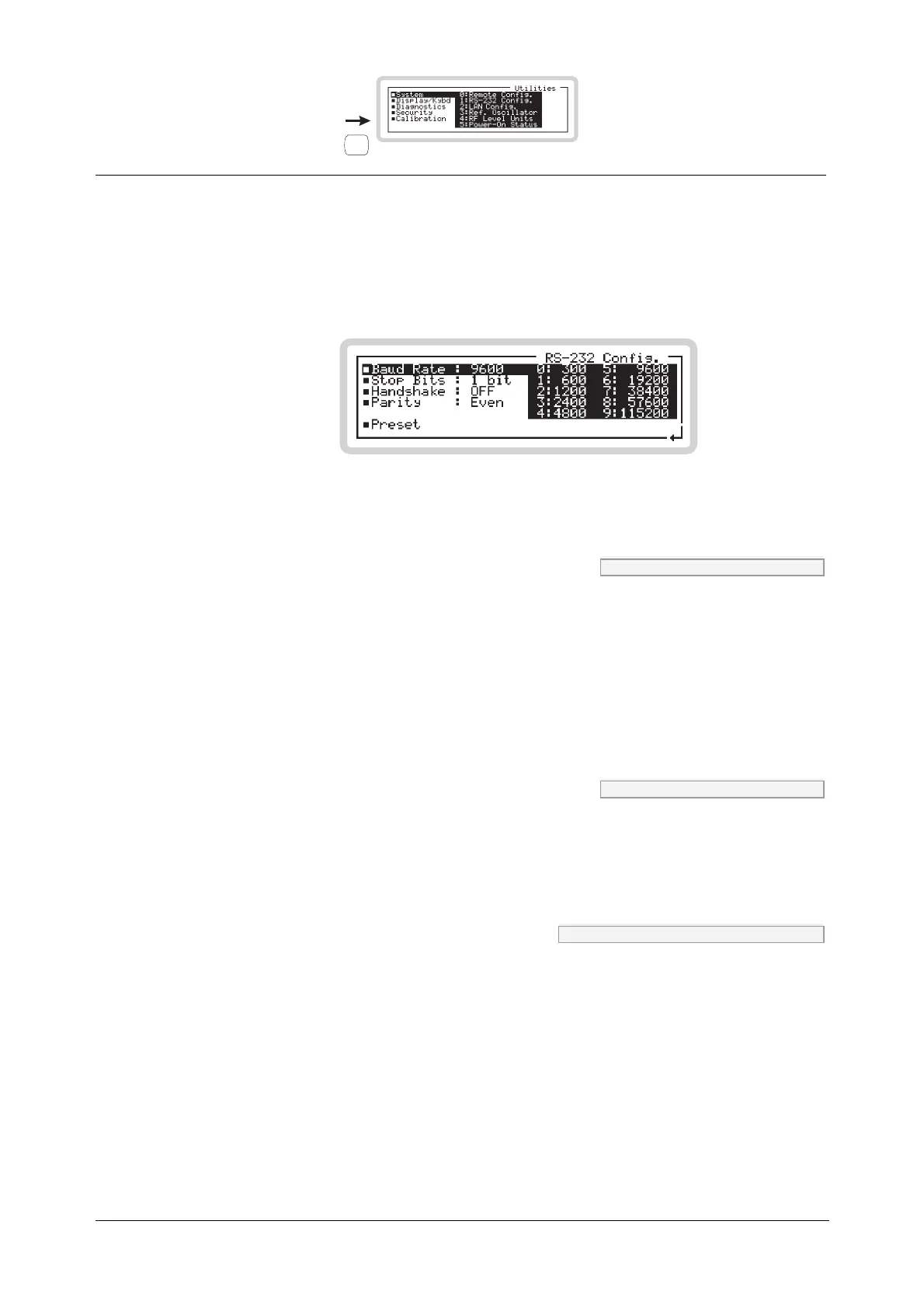
Press 1 on the numeric keypad to see the RS-232 configuration screen (Fig. 3-97).
B5298
Fig. 3-97 RS-232 configuration
Baud Rate SYST:COMM:SER:BAUD page 4-165
Use the numeric keypad to specify the baud rate, in the range 300 to 115200 bit/s.
0 300 bit/s 5 9600 bit/s
1 600 bit/s 6 19200 bit/s
2 1200 bit/s 7 38400 bit/s
3 2400 bit/s 8 57600 bit/s
4 4800 bit/s 9 115200 bit/s
Stop Bits SYST:COMM:SER:SBIT page 4-167
Use the numeric keypad to specify the number of stop bits:
0 1 bit
1 2 bits
Handshake SYST:COMM:SER:CONT:HAND page 4-166
Use the numeric keypad to set hardware or software handshaking:
0 OFF
1 H/W
2 S/W
3 BOTH



 To Next Page