LOCAL OPERATION ARB OPTION 005 IQ MODULATION
IQ
MOD
B5612
3-35
IQ mod. ARB
Internal IQ modulation — ARB option
Note: This section applies if you have an arbitrary waveform generator (ARB, Option 005) fitted
to your instrument.
Maximum output power is reduced by 6 dB at frequencies below 100 MHz when using IQ
modulation.
The ARB is the dual-channel arbitrary waveform IQ baseband source generator for the 3410 Series
signal generators. It is used to generate signals from samples stored in non-volatile memory.
Three digital signals (marker bits) may be stored with the samples, and these are processed to
maintain their time relationship to the output waveforms.
Press
IQ
MOD
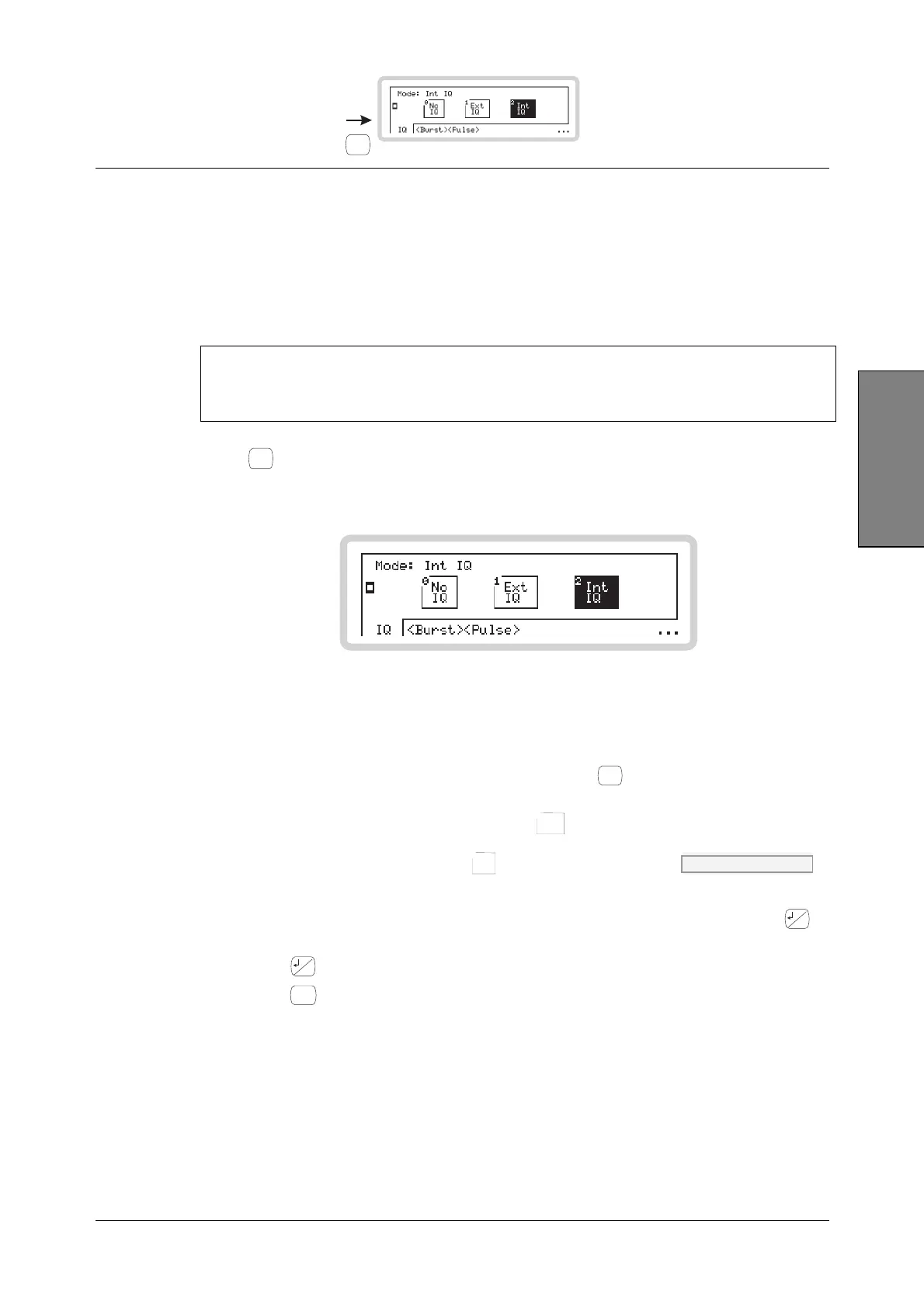
to see the IQ modulation mode screen (Fig. 3-26). Use this to choose the type of IQ
modulation to apply to the RF carrier. This screen’s appearance may differ, depending on the
options fitted to your instrument.
B5612
Fig. 3-26 Digital modulation mode
1 The screen shows the available configurations for the type of modulation selected on the
soft tab at the bottom of the screen. The current modulation configuration is highlighted.
2 Touch any soft tab or scroll along the soft tabs using
<TAB>
to see the configurations of the
various forms of modulation — IQ, burst and pulse.
3 Touch the appropriate soft box (for example,
Int
IQ
2
) to choose the modulation required
or
switch modulation off by touching
No
IQ
0
. IQ:SOUR page 4-103
For example, in Fig. 3-26 the current selection is for internal IQ.
4 The three dots in the right-hand bottom corner of the screen show that you can press
...
to
see a relevant sub-menu that allows you to set up basic modulation parameters directly.
5 Press
...
again to view the modulation mode screen.
6 Press
SIG
GEN
to view the main screen, showing the current modulation mode.



 To Next Page