LOCAL OPERATION RTBB OPTION 008 MODULATION: INTERNAL IQ
IQ
MOD
B5553
SIG
GEN
B5681
...
B5555
3-55
IQ mod. RTBB
Internal IQ set-up
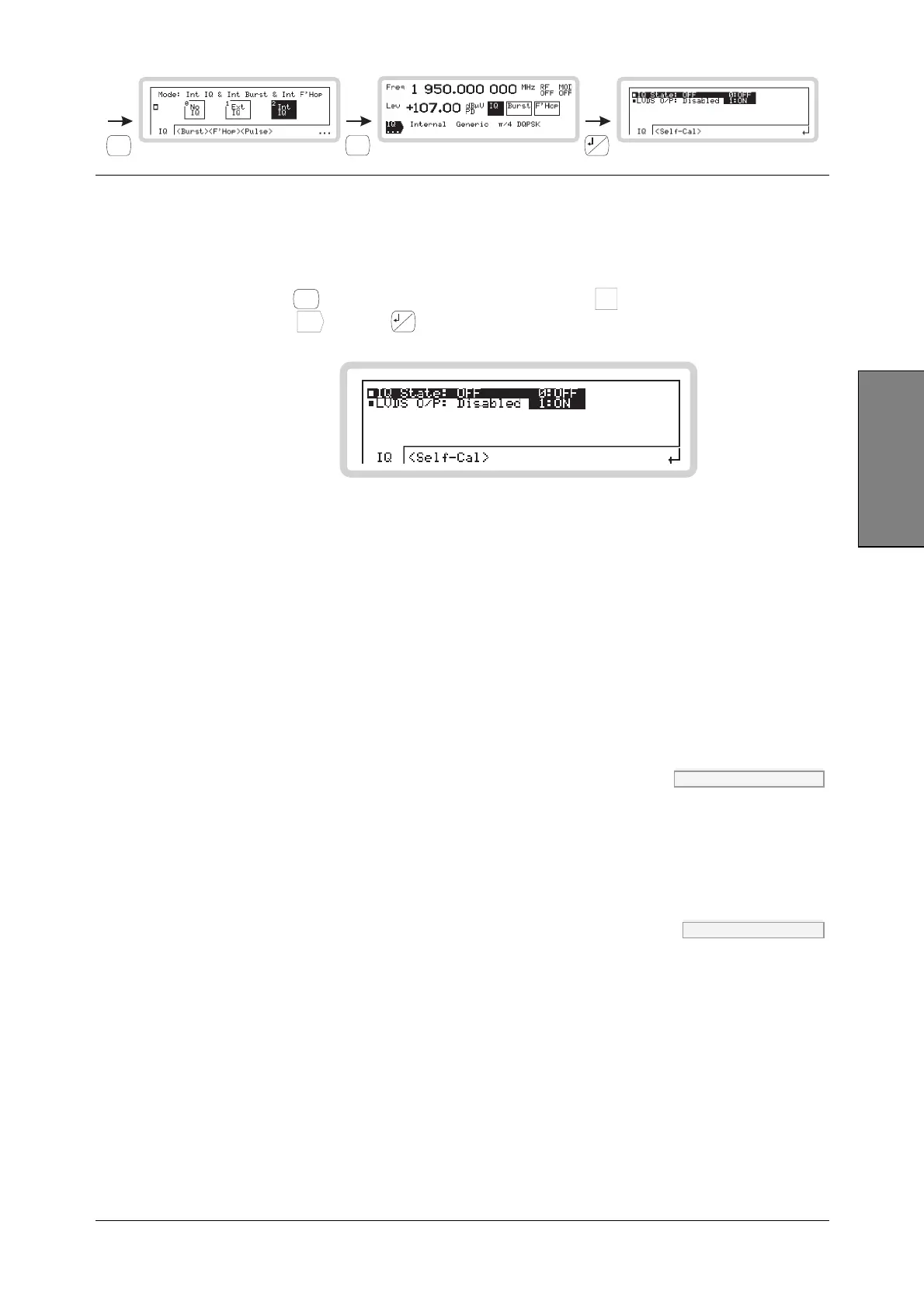
You can configure internal IQ modulation directly from the IQ sub-menus on the main screen.
1 Configure the modulation mode for internal IQ modulation (page 3-53).
2 Press
SIG
GEN
to show the main screen, and touch the
IQ
soft box to select the function.
Touch
IQ
...
and press
...
to view the internal IQ modulation menu (Fig. 3-39).
B5555
Fig. 3-39 Internal IQ, real-time baseband
From this screen you can:
• Turn internal IQ modulation on or off
• Enable or disable the LVDS connector on the rear panel
• Configure and perform a self-calibration on the I and Q signals.
Internal IQ menu — <IQ>
IQ State OUT:MOD:IQ page 4-22
Use the numeric keypad to turn internal IQ modulation on or off:
0 Off
1 On
LVDS O/P OUTP:LVDS page 4-20
Use the numeric keypad to turn the LVDS connector’s output on or off. IQ data, marker bits and
frequency hopping bits are output when the output is enabled.
0 Disabled
1 Enabled



 To Next Page