UTILITIES SECURITY
UTIL
B5293
3-152
Security
A user password allows you to access protected utilities
(see box).
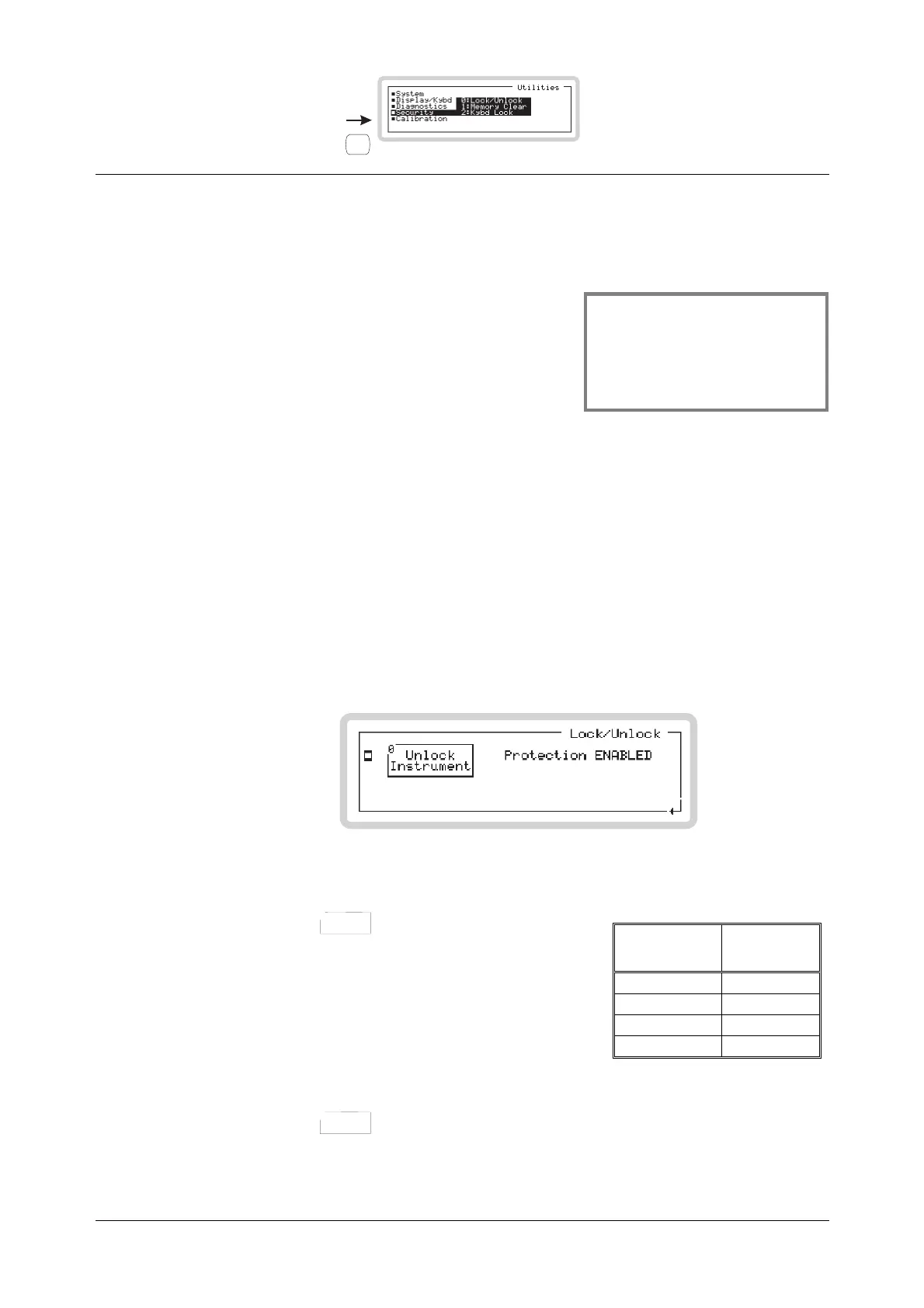
Get to the security utilities by scrolling on the Utilities
main screen (Fig. 3-93).
Select a security utility using the numeric keypad:
0 Lock/Unlock the whole instrument (this page)
1 Memory Clear (page 3-153)
2 Kybd Lock (page 3-154)
Note: This section deals with the user password. A more secure password, which allows additional
diagnostic and hardware settings to be made, is reserved for administrators. Refer to the
Maintenance Manual for details of the administrator password.
Security: Lock/Unlock
Press 0 on the numeric keypad to see the instrument’s protection utility screen (Fig. 3-122).
From this screen, you can use the user password to lock and unlock the instrument in order to
make adjustments to its set-up.
B5308
Fig. 3-122 Protection utility
1 Touch the
Unlock
Instrument
0
soft box or key 0.
2 Enter the six-digit user password (see box). An
asterisk appears as each digit is entered. Press
ENTER to finish. The display shows
Protection DISABLED.
3 You can now access the keyboard-locking facility,
clear the memory and adjust the reference
oscillator.
4 Touch the
Unlock
Instrument
0
soft box or key 0 again to re-establish protection for the instrument.
Instrument
type
User
password
3412 341201
3413 341301
3414 341401
3416 341601
Protected by the user password
• Keyboard locking
• Memory clear
• Reference oscillator ad
ustment



 To Next Page