UTILITIES SYSTEM
UTIL
B5737
3-142
System: Power-On Status
From this screen, you can:
• Define whether the instrument starts up from the factory default or a memory setting
• Define which memory location is used
• Force the instrument to adopt its preset hardware configuration (currently the same as factory
default).
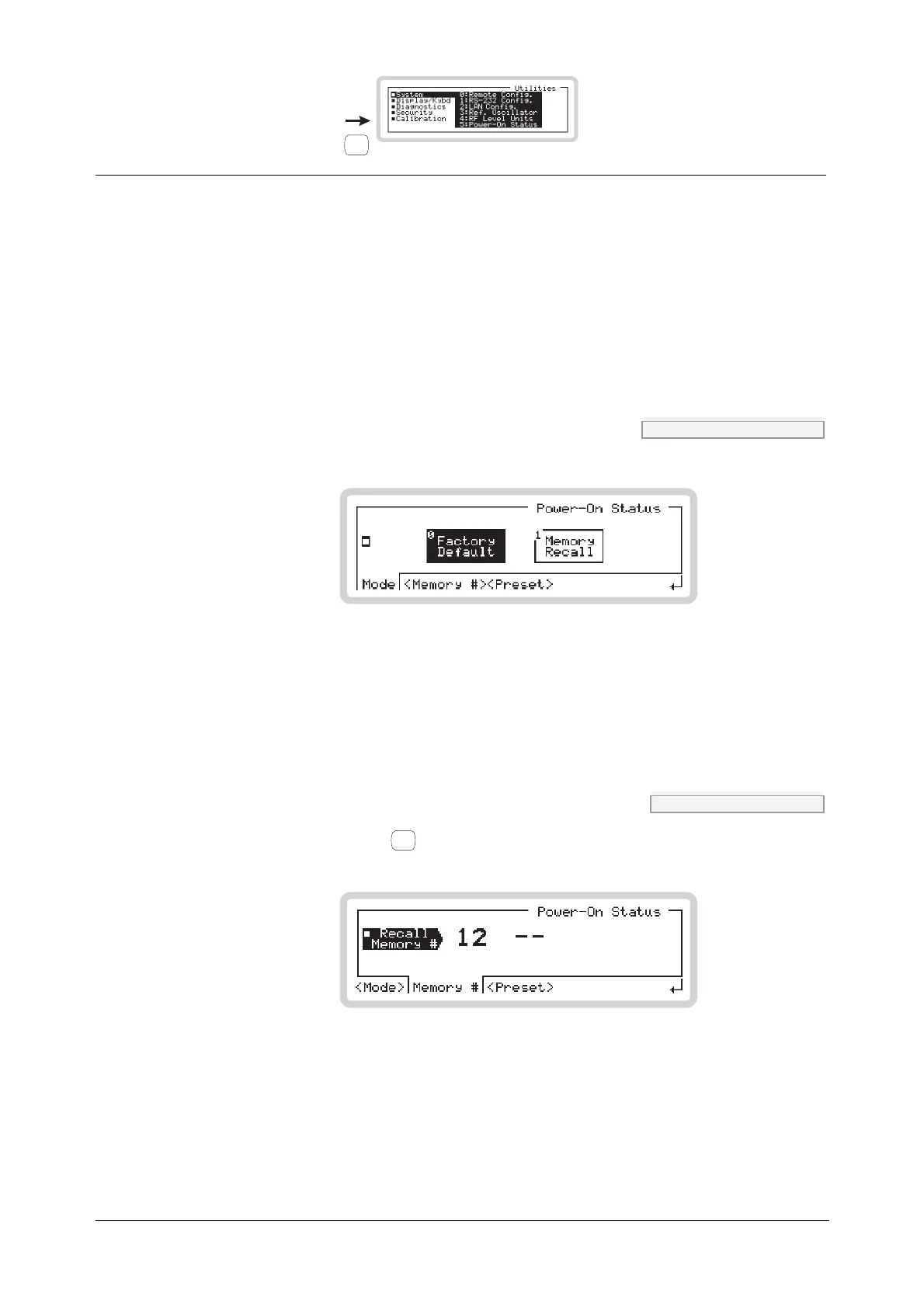
Press 4 on the numeric keypad to see the power-on status screen (Fig. 3-105).
Power-On Status menu — <Mode> SYST:PON:TYPE page 4-170
B5303
Fig. 3-105 Power-on mode
Touch the appropriate soft box or equivalent numeric key to define whether the instrument:
• Starts up with the factory default settings (page 3-156)
• Starts up from the memory location defined by <Memory #> below.
Power-On Status menu — <Memory #> SYST:PON:MEM page 4-169
Touch <Memory #> or press
<TAB>
to display the memory recall screen (Fig. 3-106).
B5304
Fig. 3-106 Power-on memory recall
Enter the required memory location using the numeric keypad and press ENTER to terminate.
This location is used to set up the instrument at power-on if Memory Recall is selected above.



 To Next Page