LOCAL OPERATION CONTROLS AND CONNECTORS
3-6
Keyboard
The keyboard is functionally color-coded:
• Keys for navigating around the screen are light blue
• Keys for numeric entry and incrementing/decrementing are white
• Remaining keys are dark gray.
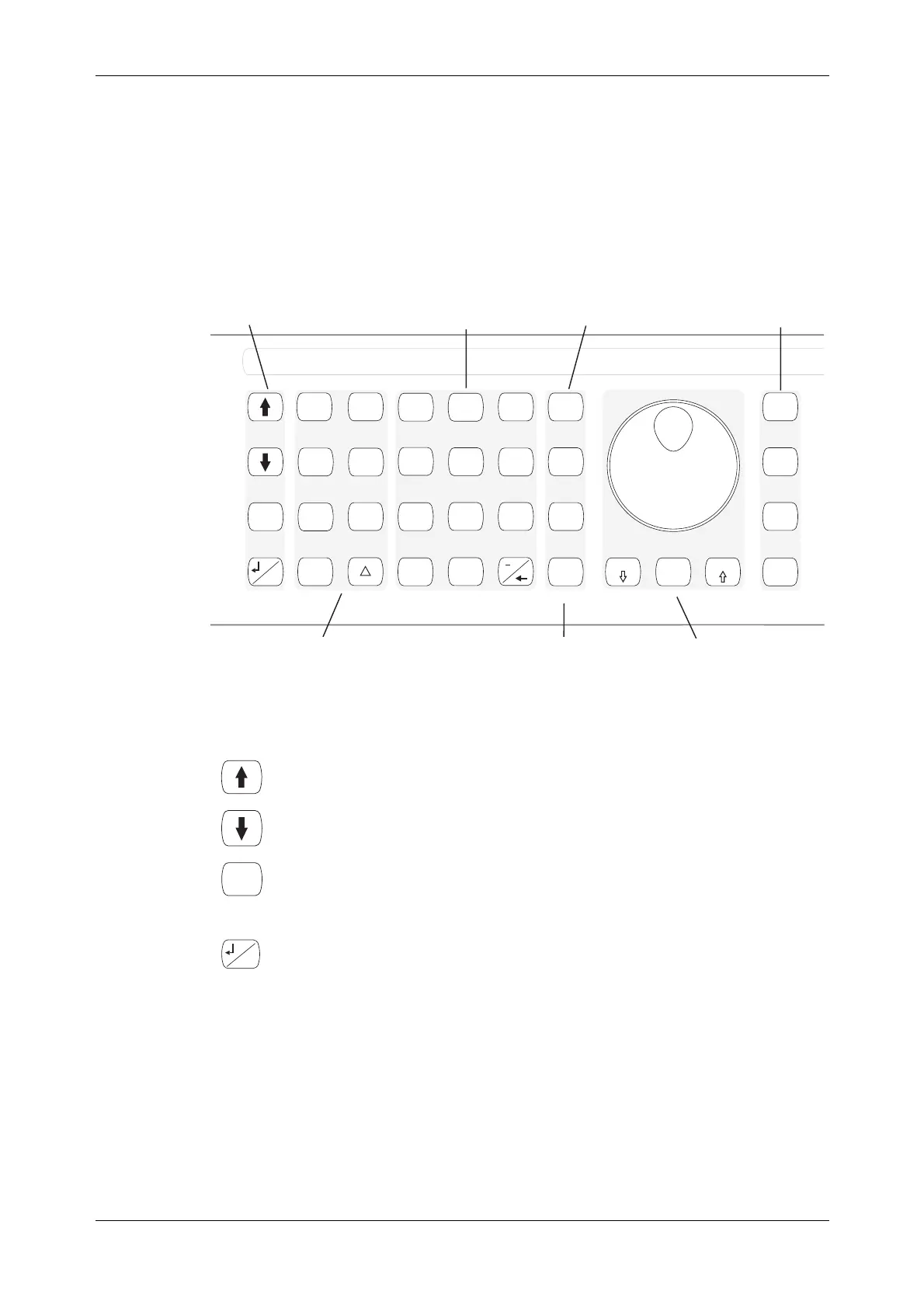
Fig. 3-2 identifies all the items on the keyboard.
C5650
SIG
GEN
IQ
MOD
RECALL
UTIL
SAVE
<TAB>
...
SWEEP
GHz
MHz
kHz
Hz
rad
s
%
V
mV
V
dB
KNOB
STEP
ERROR
STATUS
SOURCE
ON/OFF
MOD
ON/OFF
RF
ON/OFF
x10
10
7
8
9
6
5
4
1
0
.
2
3
ms
ANALOG
MOD
LOCAL
ENTER
Numeric keypadNavigation keys Terminator keys
Press this key
to enter a value
Function keys
Increment/decrement keys
and rotary control
Output control
and diagnostic keys
Fig. 3-2 Keyboard
Navigation keys
Scrolls backwards through a menu list or selects the previous main-screen
function.
Scrolls forwards through a menu list or selects the next main-screen
function.
<TAB>
Selects the next ‘soft tab’.
With the main screen displayed, scrolls through the modulation summary
list.
...
LOCAL
Enters/exits a function’s sub-menu.
Transfers control from remote operation to front-panel operation (local
lockout not asserted).



 To Next Page