UTILITIES DIAGNOSTICS
UTIL
B5291
3-150
Diagnostics: Build Config.
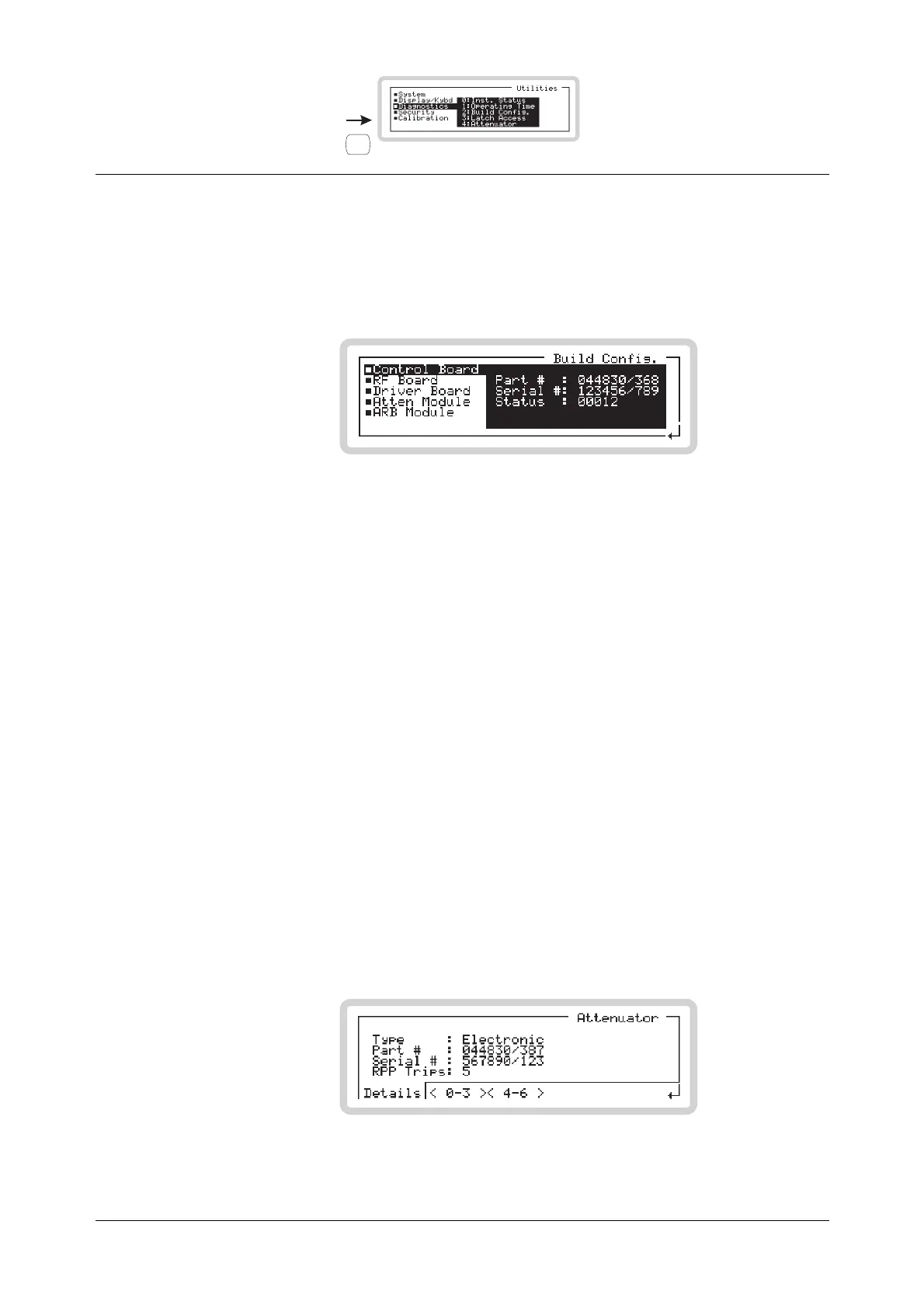
From this screen, you can view the part number, serial number and build status for major sub-
assemblies within the instrument.
Press 2 on the numeric keypad to see the build configuration screen (Fig. 3-118).
B5370
Fig. 3-118 Build configuration
Diagnostics: Latch Access
From this screen, you can view and change the data that has been sent to latches within the
instrument. This is a useful diagnostic aid during fault identification. It is protected by the user
password.
For further information, refer to the Maintenance Manual.
Diagnostics: Attenuator (not available if Option 001 is fitted)
From this screen, you can:
• View the type, part number and serial number of the attenuator
• View the number of times the RPP has tripped.
• View the attenuator pad values and switch the pads in or out.
Press 4 on the numeric keypad to see the attenuator status screen (Fig. 3-119).
Attenuator menu — <Details>
B5318
Fig. 3-119 Attenuator details



 To Next Page