LOCAL OPERATION MODULATION: INTERNAL
ANALOG
MOD
B5499
SIG
GEN
B5237
...
B5212
3-102
Internal source set-up
The internal source can modulate the carrier through up to three modulation paths (see Fig. 3-68).
You can configure these either:
• via the AM/FM/
Φ
M sub-menus on the main screen, or
• directly from the Int sub-menu on the main screen.
In this section, we set up the internal source directly.
Modulation path 1
1 Configure the modulation mode to select a first modulation path (for example, AM1)
(page 3-91).
2 Press
SIG
GEN
to show the main screen. Touch the appropriate modulation soft box, followed
by
Int
...
, to select the function. Press
...
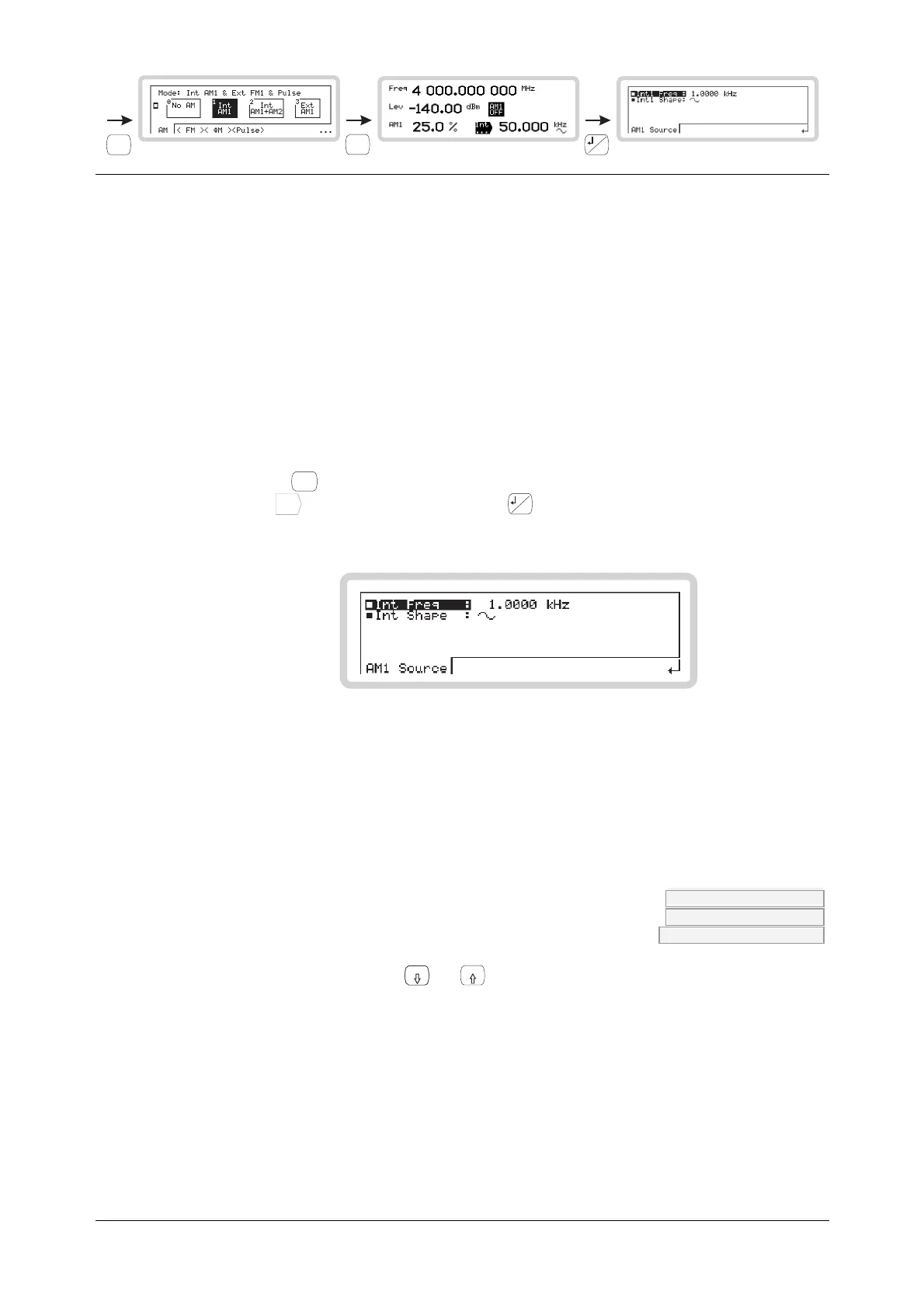
to view the internal source menu for path 1
(Fig. 3-75).
B5212
Fig. 3-75 Internal source, modulation path 1
The soft tab shows the modulation path that Int is associated with — in this example, AM1. It
could also be FM1 or
Φ
M1.
From this menu you can:
• Specify the source’s frequency and waveshape
Int Freq AM:INT:FREQ page 4-53
FM:INT:FREQ page 4-85
PM:INT:FREQ page 4-137
Use the numeric keypad or the
x10
and
10
keys to specify the frequency of the internal source.



 To Next Page