LOCAL OPERATION CARRIER FREQUENCY
SIG
GEN
B5190
...
B5192
3-23
Carrier/RF
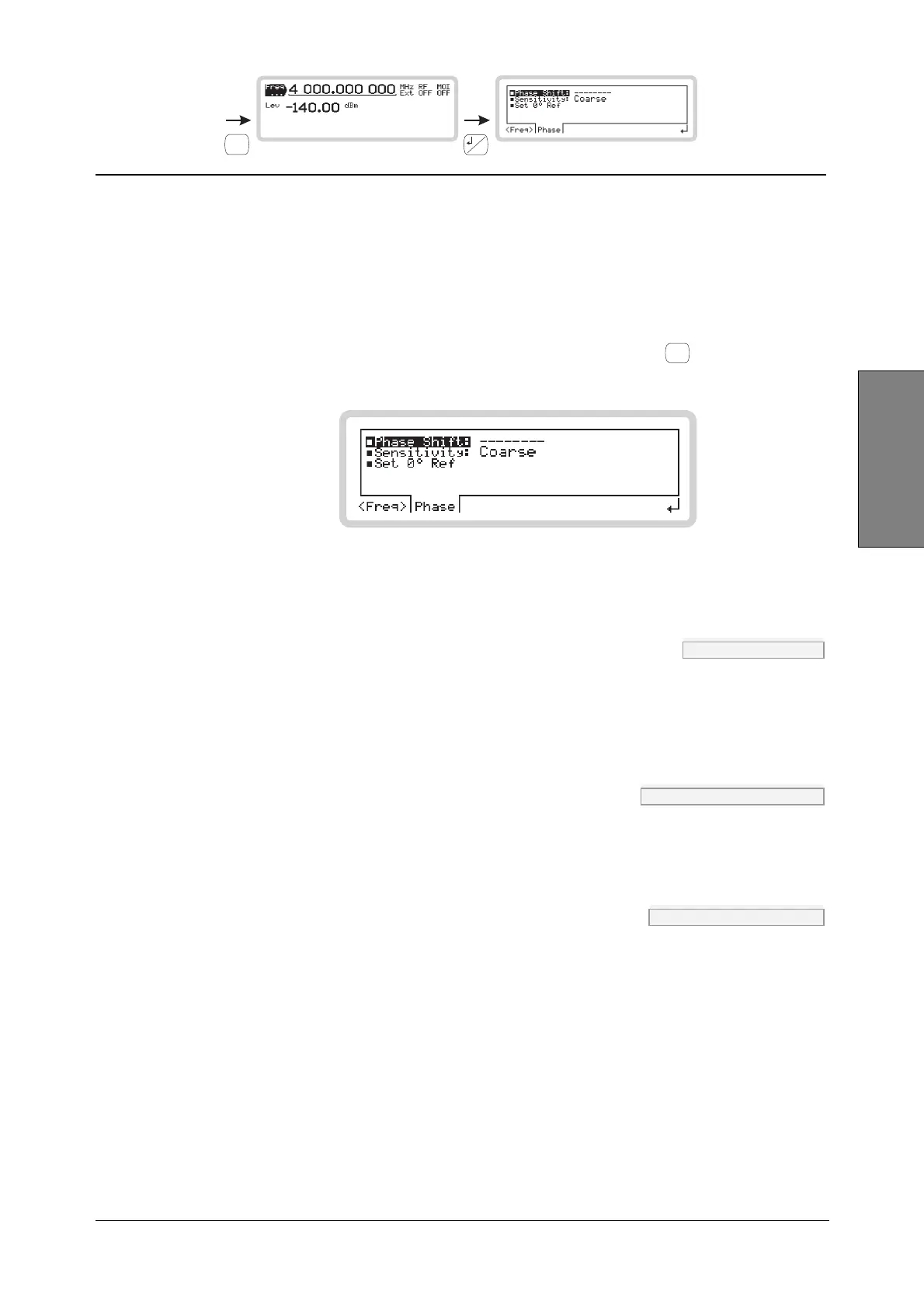
Carrier frequency menu — <Phase>
From this menu, you can:
• Adjust the phase offset of the carrier from the internal reference oscillator
• Set the rotary control sensitivity
• Set the carrier’s phase as the reference.
From the carrier frequency menu of Fig. 3-18, touch <Phase> or press
<TAB>
to display the carrier
phase screen (Fig. 3-19).
B5192
Fig. 3-19 Carrier phase
Phase Shift FREQ:PHAS page 4-35
Adjust the phase offset of the carrier, which is displayed on the screen, using the control knob.
Tip: If you subsequently change the carrier frequency, the established phase relationship is
upset, and dashes appear on the display to indicate this.
Sensitivity FREQ:PHAS:SENS page 4-37
Use the numeric keypad to set the sensitivity (resolution) of the rotary control: select from fine
(0.036°), medium (0.360°) or coarse (1.440°).
Set 0°Ref FREQ:PHAS:REF page 4-36
Press ENTER to establish the current phase shift as the reference value. The indicated phase shift
value is set to 0°.



 To Next Page