LOCAL OPERATION OPTION 009 MODULATION: DIFFERENTIAL IQ
IQ
MOD
B5639
SIG
GEN
B5677
...
B5221
3-81
Differential IQ
Differential IQ waveform set-up
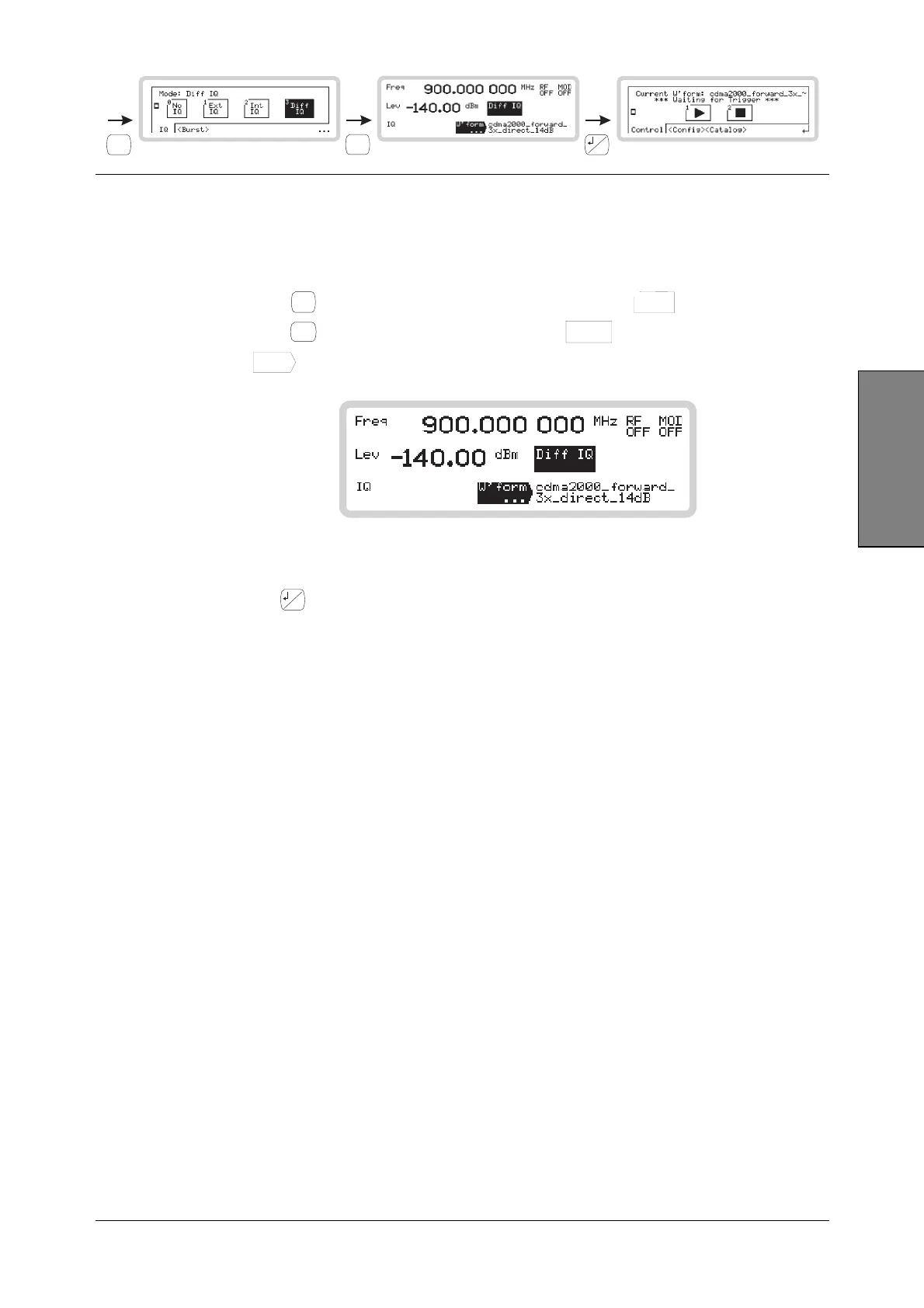
From this screen you can set up the instrument’s differential IQ signal generation. To do this, you
use the ARB set-up menu, which you access from the main screen below.
1 Press
IQ
MOD
to see the IQ modulation mode screen. Touch the
Diff
IQ
3
soft box.
2 Press
SIG
GEN
to show the main screen, and touch the
Diff IQ
soft box to select the function.
Touch
W’form
...
to view the ARB waveform menu main screen (Fig. 3-61).
B5677
Fig. 3-61 ARB set-up main screen
Now press
...
and follow the ARB generator set-up, starting on page 3-39.



 To Next Page