UTILITIES SYSTEM
UTIL
B5737
3-132
System
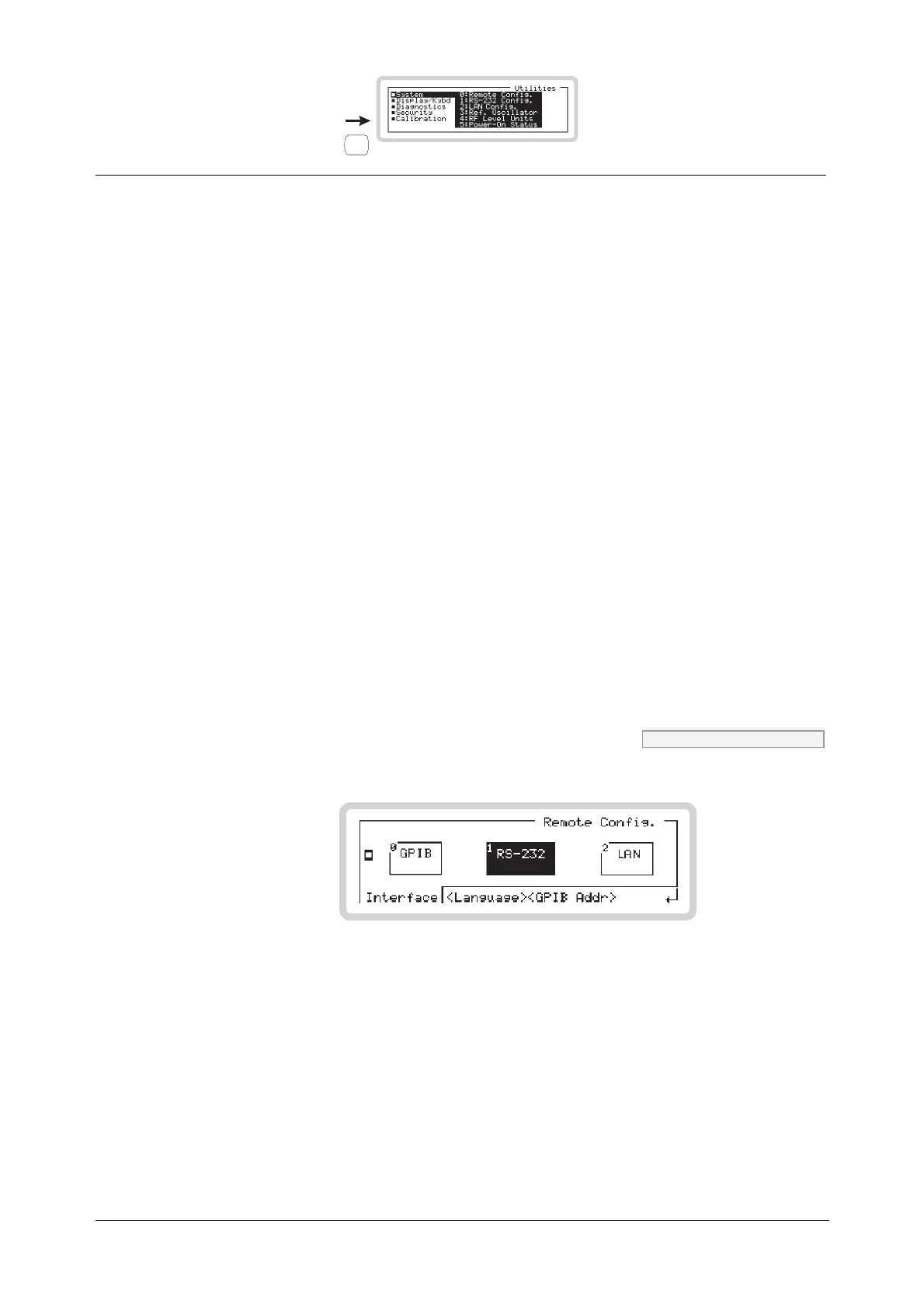
Get to the system utilities by scrolling on the Utilities main screen (Fig. 3-93).
Select a system utility using the numeric keypad:
0 Remote Config. (this page)
1 RS-232 Config. (page 3-134)
2 LAN Config. (page 3-136)
3 Ref. Oscillator (page 3-138)
4 RF Level Units (page 3-141)
5 Power-On Status (page 3-142).
System: Remote Config.
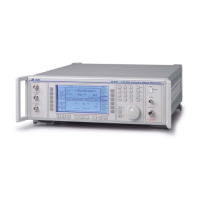
Press 0 on the numeric keypad to see the remote configuration screen (Fig. 3-94).
From this screen you can:
• Select the type of interface: GPIB, RS-232 or LAN
• Select the programming language: SCPI or 2023
• Select the instrument’s GPIB address.
Remote config. menu — <Interface> SYST:COMM:REM page 4-165
B5738
Fig. 3-94 Remote configuration — interface
Touch the appropriate soft box or press the equivalent numeric key to change the type of interface.


 To Next Page