LOCAL OPERATION GETTING STARTED
3-15
Introduction
Setting RF level
1 Touch
Lev
...
to select RF level as the current function.
2 Use the numeric keypad to enter −10 dBm, by:
pressing
keying in 10
and terminating with the
Hz
rad
dB
key.
3 The RF level displayed changes to
−
10.0 dBm.
4 Pressing
RF
ON/OFF
toggles between the RF output on and off, as shown by RF ON and RF OFF
on the screen. Select RF ON.
A 100 MHz, −10 dBm RF carrier now appears at the RF OUTPUT socket.
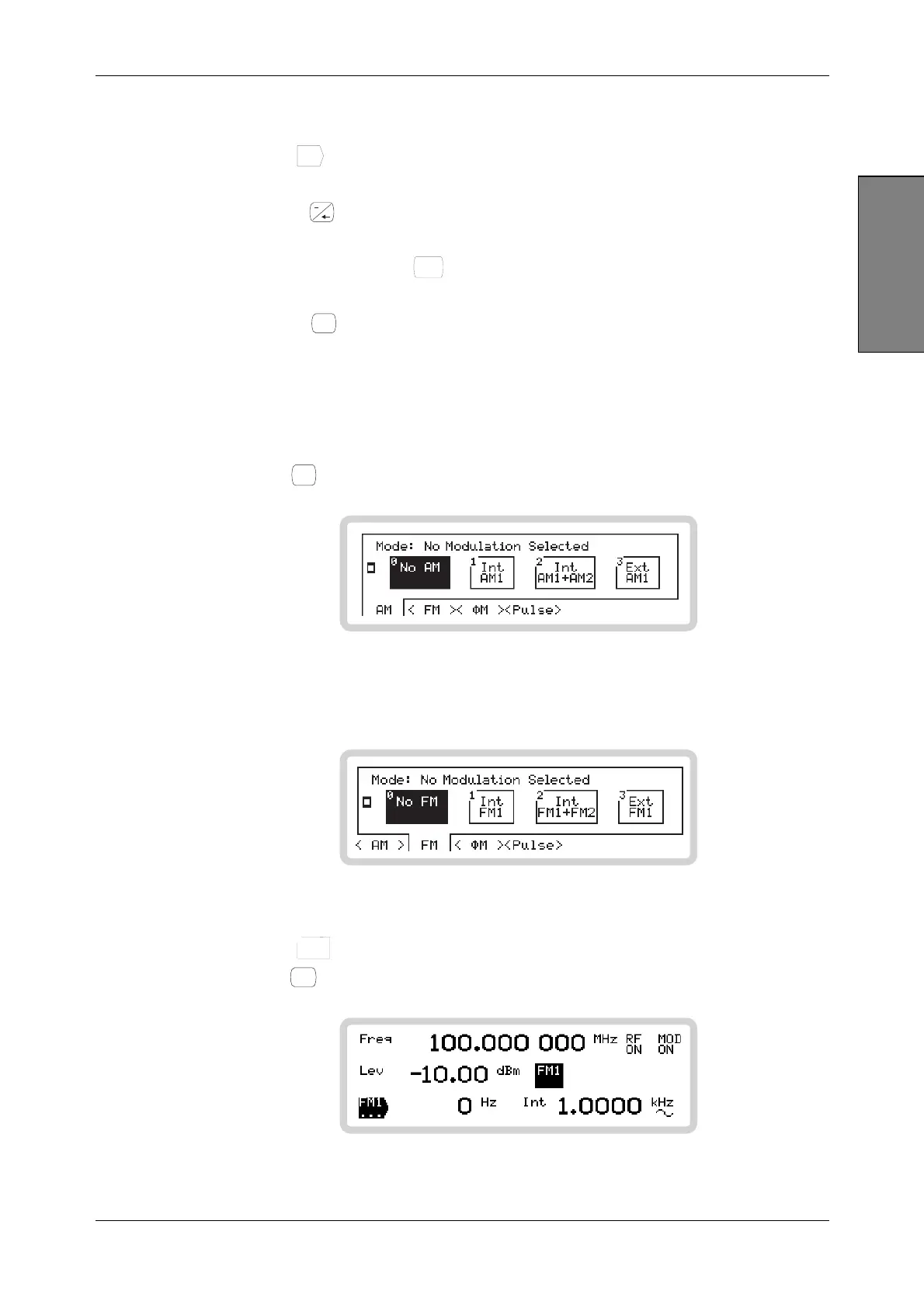
Setting analog modulation
1 Press
ANALOG
MOD
, which displays the modulation mode screen.
B5208
Fig. 3-6 AM modes
2 Touch the <FM> soft tab to display the available FM modulation modes.
B5225
Fig. 3-7 FM modes
3 Touch
Int
FM1
1
to select a single internal FM path.
4 Press
SIG
GEN
to see the selected modulation mode.
B5352
Fig. 3-8 The main screen with FM selected



 To Next Page