LOCAL OPERATION GETTING STARTED
3-14
An example
To help you quickly become familiar with the basic operation of the instrument, try the following
exercise, which demonstrates how to set up a typical signal with these parameters:
Carrier frequency: 100 MHz
Output level: −10 dBm
Frequency modulation: 100 kHz deviation at 500 Hz modulation.
Once you have done this exercise once, you are unlikely to need it again — the instrument is very
intuitive to use!
The starting point
Press
SIG
GEN
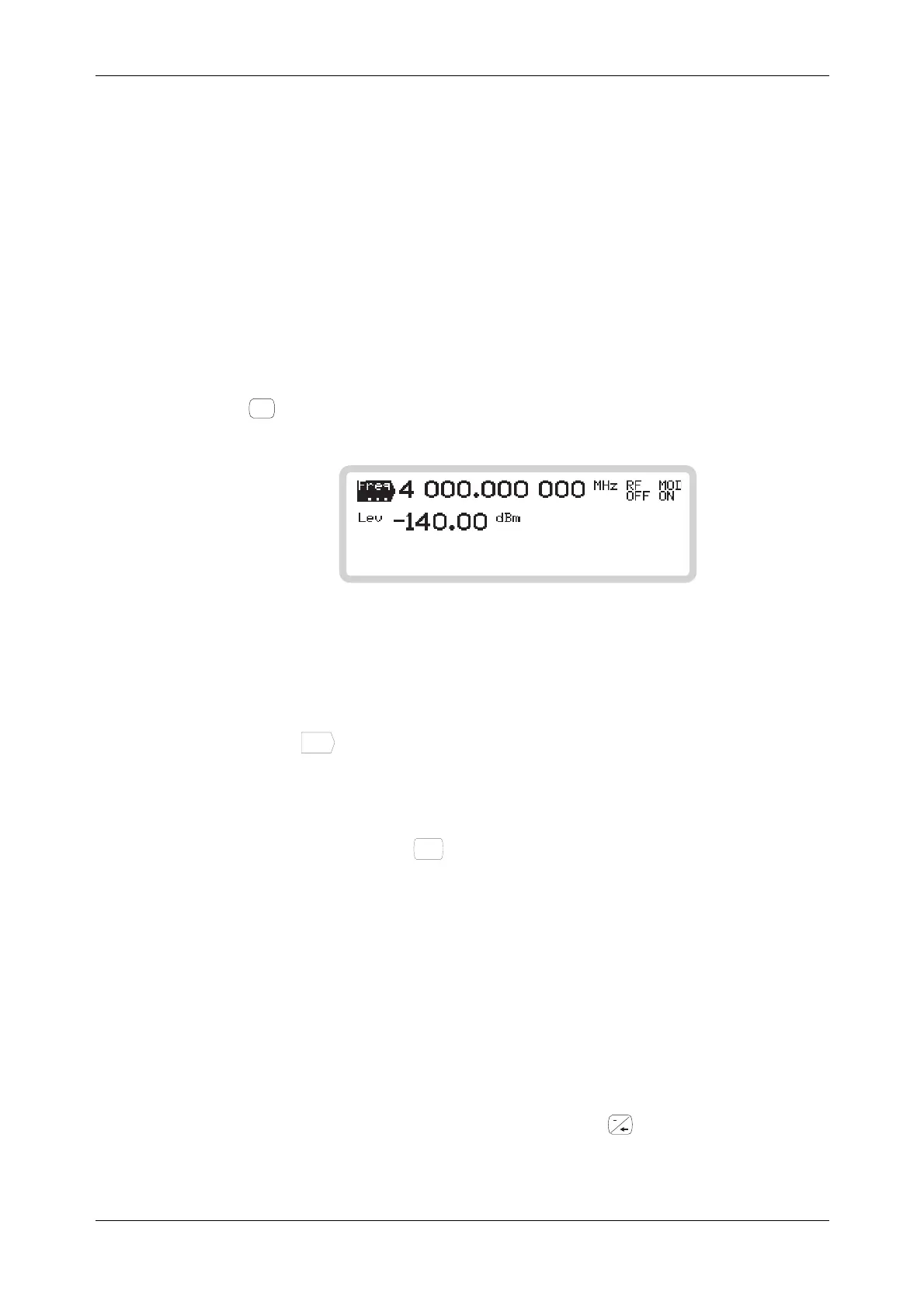
to see the main screen. Use this key at any time to view the current status of the
instrument.
B5353
Fig. 3-5 Main screen
Setting the carrier frequency
1 Touch
Freq
...
to select carrier fre
2 quency as the current function.
2 Use the numeric keypad to enter 100 MHz, by:
keying in 100
and terminating with the
MHz
ms
mV
key.
3 The frequency displayed changes to 100.000 000 MHz.
Error message
If an error number (for example, Err 100) is displayed, it can be canceled by a correct entry (for
example, by entering a value that is within limits).
A complete list of error messages starts on page 3-157.
Backspace key
If you make a mistake when keying in, press the backspace key and re-enter the correct value.
You can also clear the entire entry by reselecting the function.



 To Next Page