HEXRCHardware Manual Installation and Configuration
2.7. Ethernet Connector
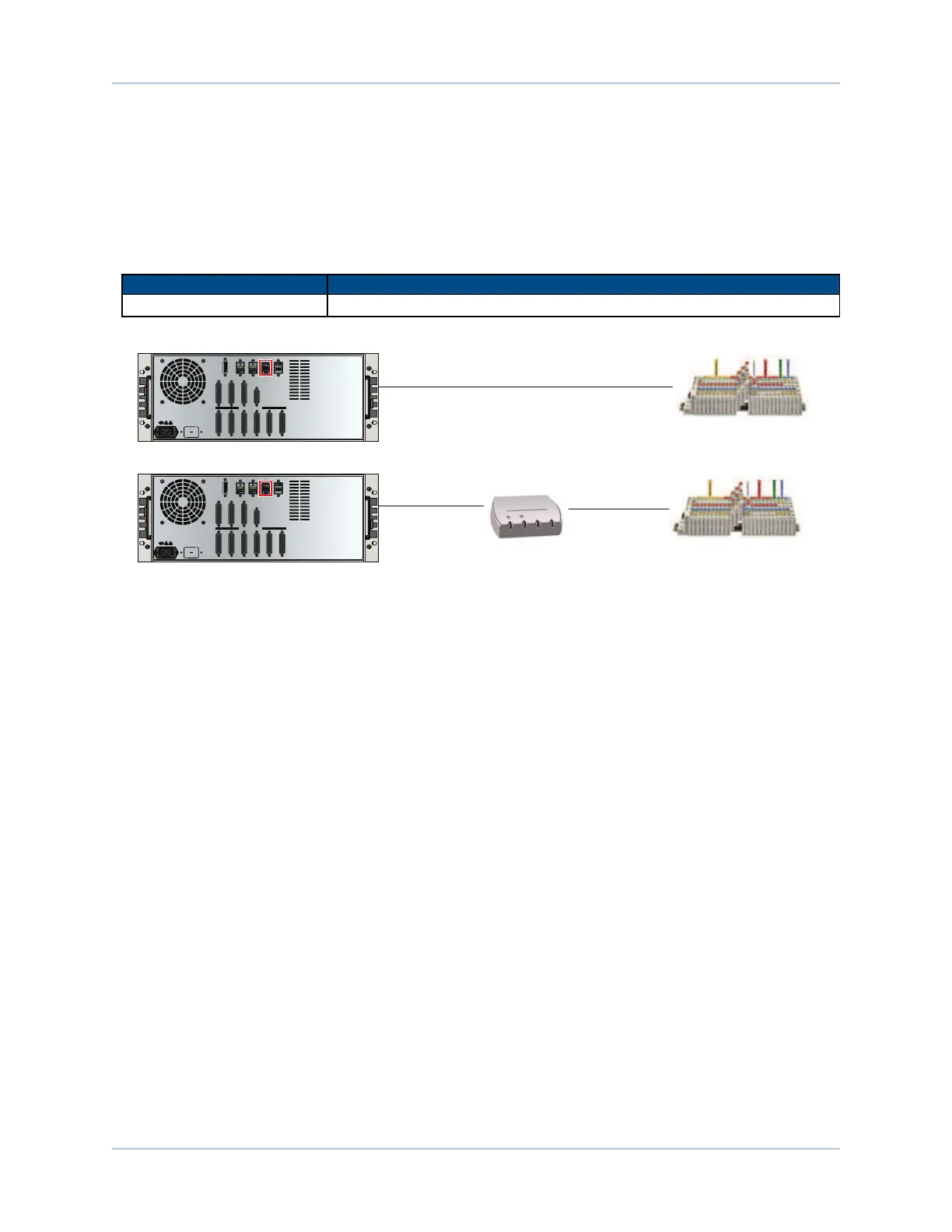
The Ethernet connector provides a 10/100 Ethernet connection to the HEXRC controller. This may be
connected directly to a hub or switch, or to a PCusing a crossover cable. This port is viewed by the supplied
software applications to communicate with the controller. It may also be configured for Modbus TCP/IP or
simple ASCII communications.
Table 2-22: Ethernet Cable Listing
Cable Name Length
ENET-XOVER-X x = 9, 15, 30, 45, 60, 75, 100 or 150 decimeters
Crossover CAT5 cable
standard
CAT5 cable
standard
CAT5 cable
Ethernet I/O Module or PC
Ethernet HUB or Switch
Ethernet I/O Module or PC
MOTOR / FEEDBACK
DIGITAL / ANALOG IO MPGA
DVI
USB2 USB3 ETHERNET FIREWIRE
ESTOP
1 2
1 2
3 4 5 6
MOTOR / FEEDBACK
DIGITAL / ANALOG IO MPGA
DVI
USB2 USB3 ETHERNET FIREWIRE
ESTOP
1 2
1 2
3 4 5 6
Figure 2-30: Ethernet Connection
40 Chapter 2 www.aerotech.com









 To Next Page