7713395 R2 97
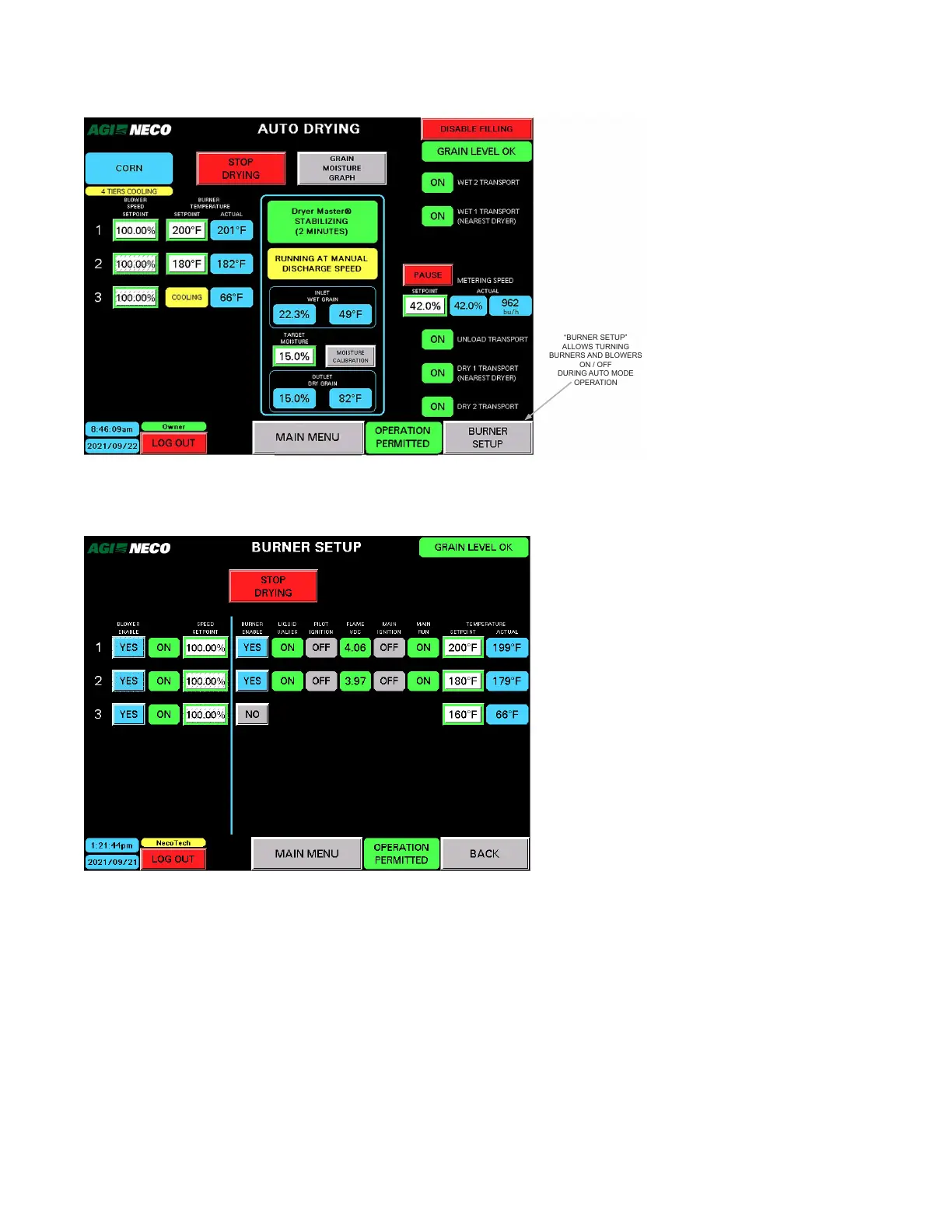
Figure 115. The BURNER SETUP button on the AUTO DRYING screen
“BURNER SETUP”
ALLOWS TURNING
BURNERS AND BLOWERS
ON / OFF
DURING AUTO MODE
OPERATION
• The BURNER SETUP screen appears. Initially it shows the current status.
Figure 116. The BURNER SETUP screen
• In the following examples the screen shows that burner number 4 has been ENABLED.
Note
The CHANGE IN PROGRESS indicator appears until changes are completed.
• As burner number 4 is going through the process of turning ON, the screen does not allow additional
changes, or return to the previous stage, until that change is completed. Note that the MAIN MENU button
is unavailable, but the STOP DRYING button is available.
CONTINUOUS MIXED-FLOW GRAIN DRYER WITH COMMANDER CONTROL SYSTEM 4. OPERATION



 To Next Page