98 7713395 R2
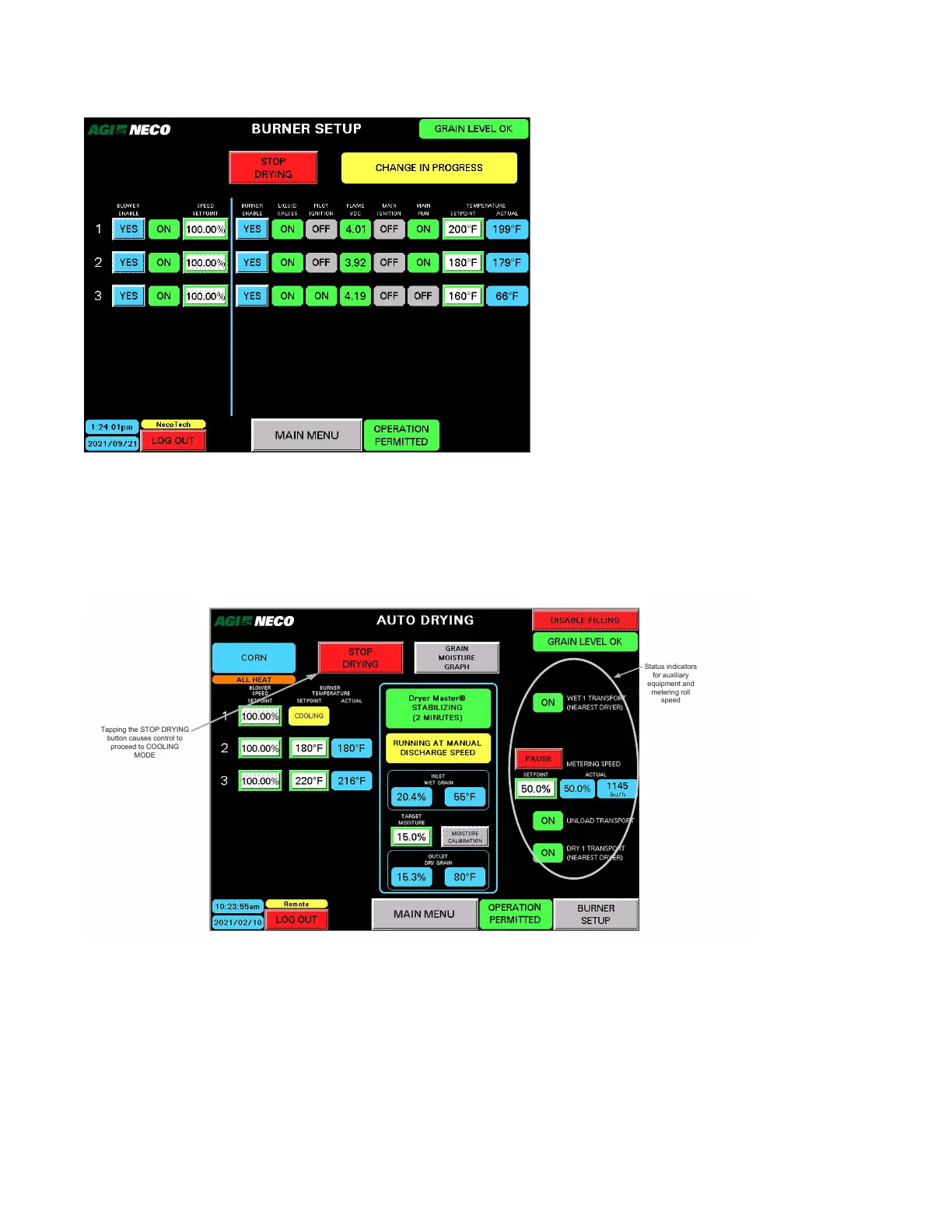
Figure 117. Example of CHANGE IN PROGRESS
• After changes are completed, the screen shows the current status.
• Options to proceed include return to MAIN MENU, BACK, or STOP DRYING.
A. Manual Speed
Figure 118. Manual speed control
Status indicators
for auxiliary
equipment and
metering roll
speed
Tapping the STOP DRYING
button causes control to
proceed to COOLING
MODE
• The dryer runs at the manual metering roll speed entered until the DryerMaster gathers sufficient data. The
manual speed can be “dialed in” and changed to come closer to target moisture.
4. OPERATION CONTINUOUS MIXED-FLOW GRAIN DRYER WITH COMMANDER CONTROL SYSTEM



 To Next Page