7713395 R2 99
Figure 119. CONTROL SETUP screen
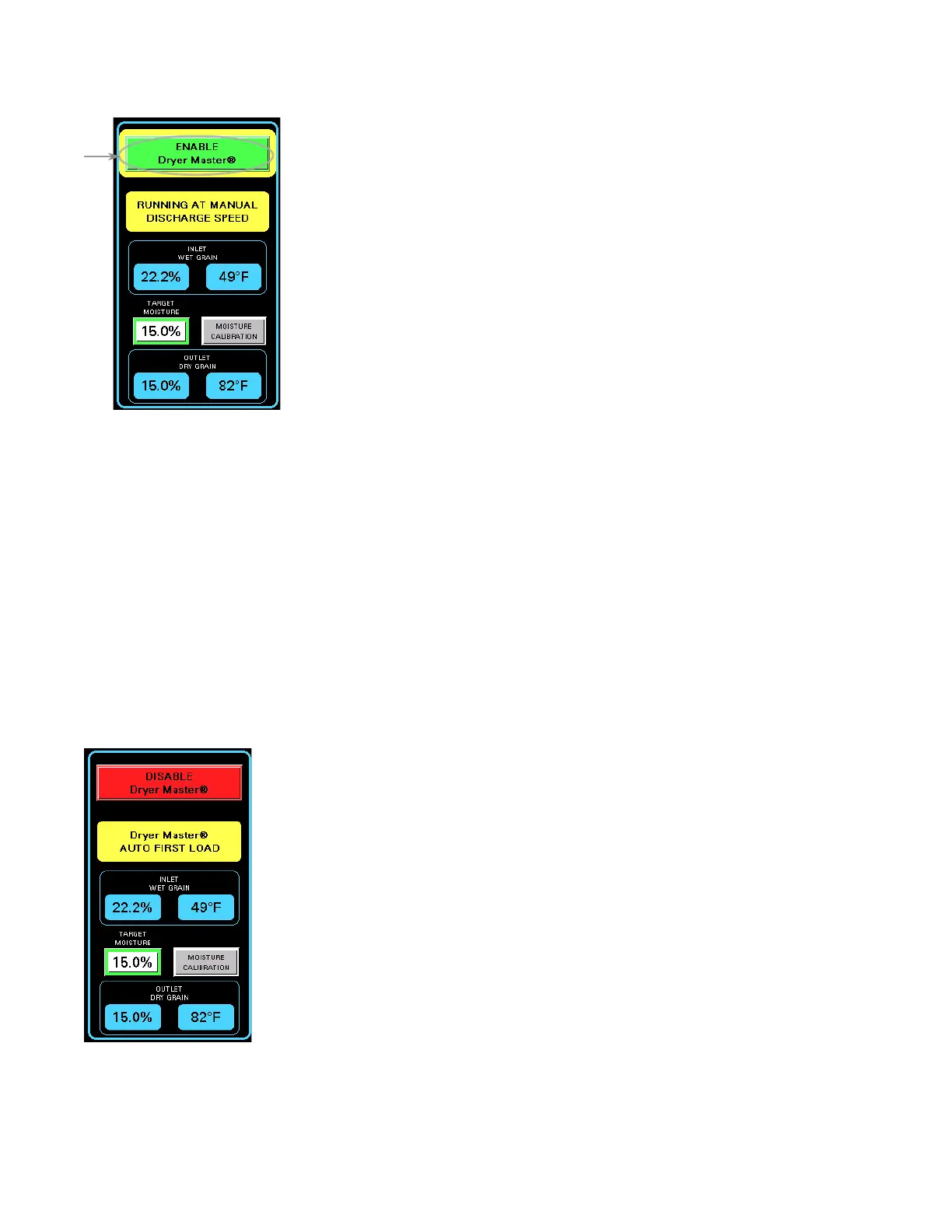
• If AUTOMATIC DRYERMASTER CONTROL ENABLING is set to OFF, as soon as the DryerMaster has gathered
enough data, the ENABLE AUTOMATIC MOISTURE CONTROL button (located with the main center panel)
appears.
• Tap ENABLE AUTOMATIC MOISTURE CONTROL to proceed to AUTO FIRST LOAD.
Note
By default, AUTOMATIC DRYERMASTER CONTROL ENABLING is set to ON, the control will proceed into
AUTO FIRST LOAD automatically.
B. Auto First Load
The DryerMaster control uses previous history to assist in building a current model, if possible. During AUTO
FIRST LOAD, grain cycles through the dryer for enough time to gather completed current data. This time period
varies, but can be up to one complete grain cycle. Once a current computer model of correct operation that will
meet the target moisture setpoint is obtained, the control proceeds to full DryerMaster automatic operation.
Figure 120. Auto First Load
CONTINUOUS MIXED-FLOW GRAIN DRYER WITH COMMANDER CONTROL SYSTEM 4. OPERATION



 To Next Page