C315 Indoor Monitor Administraor Guide
•
Alarm delay: it means when the sensor is triggered, there will be 90 seconds delay
time to announce the notification.
•
Status: to enable or disable Arming mode on the corresponding Zone.
15.3.4
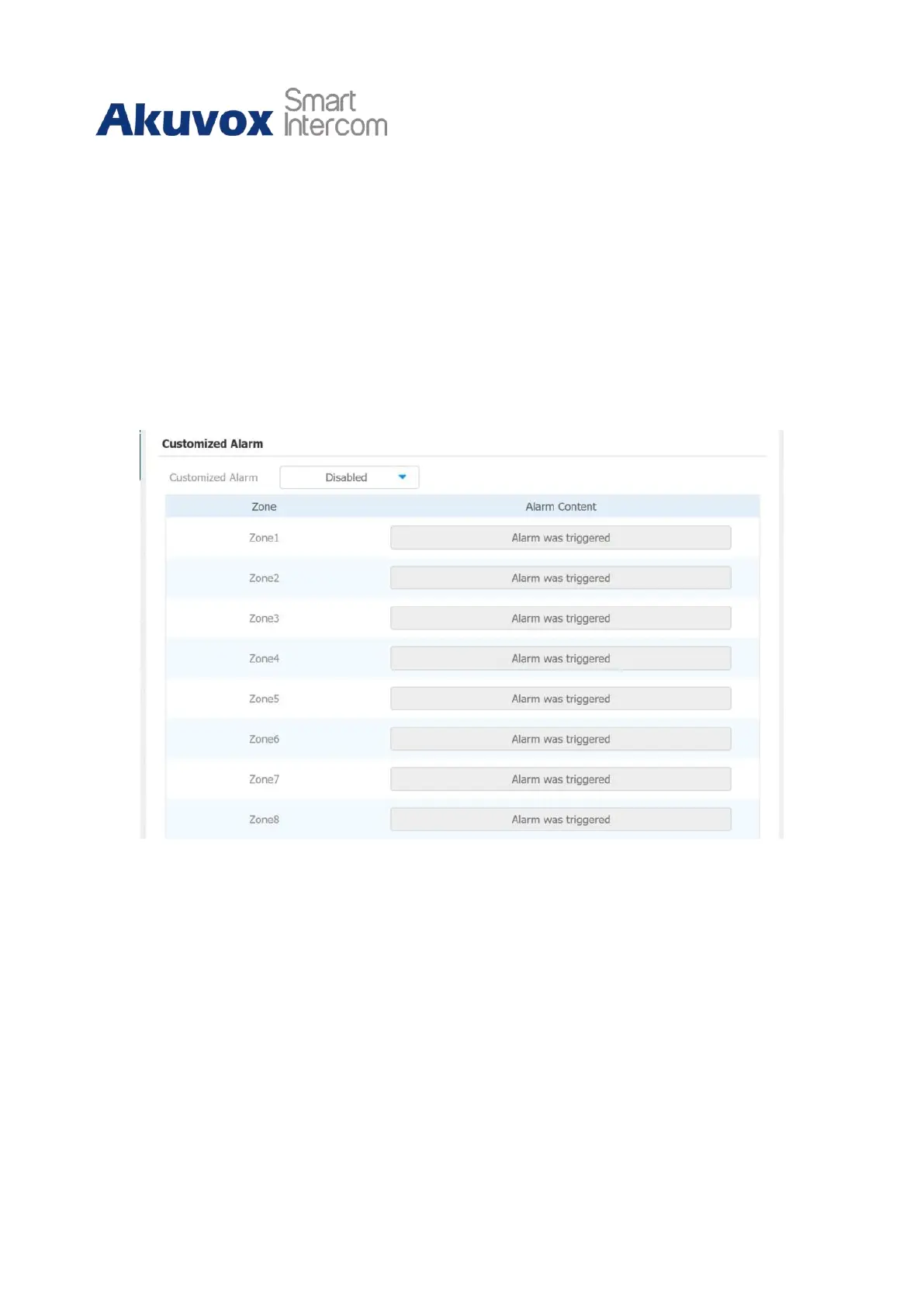
Configure Alarm Text
After the alarm sensor is set up, you are allowed to customize your alarm text shown on
the screen when an alarm is triggered on web Arming> Zone Setting > Customized Alarm
interface. Enter the alarm text for the alarm at each location according to your need.
15.3.5
Configure Arming mode
To switch arming mode, disarm the alarm on the Arming screen by pressing their
respective icons. Press Disarm icon if you want to clear the Arming Mode.


 To Next Page
 Loading...