EasyManua.ls Logo

Allen-Bradley SMC-50 - User Manual

Allen-Bradley SMC-50
292 pages
Print Icon
To Next Page IconTo Next Page
Loading...
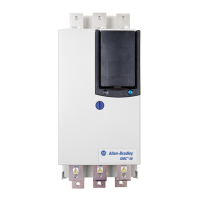
CENTERLINE Medium Voltage SMC-50 Motor Controller
Bulletin Numbers 1503E, 1560F, and 1562F
User Manual
Original Instructions

Table of Contents

Other manuals for Allen-Bradley SMC-50

Questions and Answers

  • J
    Jennifer WilkersonSep 9, 2025
    What causes Shorted SCR with Phase Indication on Allen-Bradley Controller?
    • C
      Carrie JoyceSep 9, 2025
      A shorted SCR with phase indication on your Allen-Bradley Controller is typically caused by a shorted power module. Check for a shorted SCR and replace the power module if necessary.
  • H
    hsotoAug 23, 2025
    What does No Load Fault mean on Allen-Bradley SMC-50 Controller?
    • E
      Eric McmahonAug 23, 2025
      A no-load fault on your Allen-Bradley Controller may be caused by a loss of load side power wiring with phase indication (15=A, 17=C) or a start command cycled unexpectedly with the motor rotating. Check all load side power connections and inspect the motor windings.
  • L
    Laurie BeasleyAug 25, 2025
    What causes Stall fault on Allen-Bradley Controller?
    • S
      sallyrubioAug 25, 2025
      A stall condition on your Allen-Bradley Controller can occur if the motor did not reach full speed by the end of the programmed ramp time or if there's an incorrect user setting. Check the pump system, machine drive components, and loading. Repair or replace the motor if necessary and verify the settings.
  • W
    Wesley FoxAug 27, 2025
    What to do if Allen-Bradley SMC-50 Controller shows Motor PTC fault?
    • M
      Michelle GarciaAug 27, 2025
      A Motor PTC error on your Allen-Bradley Controller can be triggered by blocked motor ventilation, an exceeded motor duty cycle, or a PTC that is either open or shorted. Check for proper ventilation and the application duty cycle. Allow the motor to cool or provide external cooling, then check the resistance of the PTC.
  • S
    Seth BarnesAug 27, 2025
    What to do if Allen-Bradley Controller shows Overload?
    • K
      Keith JohnstonAug 27, 2025
      If your Allen-Bradley Controller indicates an overload, it could be due to the motor being overloaded or the overload parameters not matching the motor. Check the motor overload condition. Also, verify the values for the overload class and motor FLC, and check the current draw of the motor.
  • S
    Stephanie SmithAug 29, 2025
    How to fix Line Fault with Phase Indication on Allen-Bradley Controller?
    • A
      agarciaAug 29, 2025
      A line fault with phase indication on your Allen-Bradley Controller can be caused by a missing supply phase, the motor not being connected properly, or incoming 3-phase voltage instability. To resolve this, check for an open line (blown fuse), inspect for an open load lead, and verify the power quality.
  • S
    slopezSep 18, 2025
    How to troubleshoot Network and Comm’s Loss on Allen-Bradley SMC-50?
    • N
      nicholas82Sep 18, 2025
      A network and communication loss on your Allen-Bradley Controller can be due to DPI network loss or a communication disconnect at the serial port. Check communication adapters and verify the connection to the SMC. Reconnect each DPI connected device.
  • R
    Ricky ReyesSep 22, 2025
    What causes Internal 24V and System Faults on Allen-Bradley Controller?
    • M
      mcdonaldashleySep 22, 2025
      Internal 24V and system faults on your Allen-Bradley Controller can stem from a low line condition or excessive load on the internal 24V supply. Check the control power and verify it is within the specification; also, check the connections and grounding to the SMC control terminals. Replace the control module if necessary.
  • A
    Allison LewisSep 7, 2025
    What does Underload mean on Allen-Bradley SMC-50?
    • A
      alyssacrawfordSep 8, 2025
      An underload situation with your Allen-Bradley Controller can be due to a broken motor shaft, belts, tool bits, pump cavitation, or an incorrect user setting. Check the pump system, machine drive components, and loading. Also, check the settings and repair or replace the motor as needed.
  • L
    Lauren GonzalezSep 4, 2025
    What causes PTC Power Pole and SCR Overtemp on Allen-Bradley Controller?
    • K
      Katelyn BakerSep 4, 2025
      If your Allen-Bradley Controller displays PTC Power Pole and SCR Overtemp errors, it could be due to blocked controller ventilation, an exceeded controller duty cycle, fan failure, exceeding the ambient temperature limit, or a failed thermistor. Check for proper ventilation and the application duty cycle. Allow the motor to cool or provide external cooling. Replace the power module or control module as needed, and replace the fan if it has failed.

Summary

Chapter 1 Product Overview

Overview

General introduction to the SMC-50 controller, its function, and compatibility.

1503 E - OEM Controller

Description of the chassis-mount medium voltage solid-state controller for OEM applications.

1560 F - Retrofit Controller

Description of the medium voltage solid-state controller for existing starter integration.

1562 F - Combination Controller

Description of the medium voltage solid-state controller for new installations with isolation and protection.

SMC-50 Control Module

Details the standard starting and stopping modes and features of the SMC-50 control module.

Starting Modes

Explains various motor starting modes like Soft Start, Torque Control, and Current Limit.

Stopping Modes

Details the available motor stopping modes such as Coast, Soft Stop, and Linear Deceleration.

Motor and Starter Protection Features

Overview of the protective features offered by the SMC-50 module for motors and starters.

Overload Protection

Configuration and function of the built-in motor overload protection device.

Hardware Description

Description of the controller's system components and their operation.

Functional Description

Provides functional descriptions and control circuits for IntelliVAC units.

Chapter 2 Installation

Receiving

Instructions for inspecting and accepting equipment shipments.

Safety and Codes

Highlights essential safety precautions and compliance with electrical codes.

Unpacking and Inspection

Procedure for checking received items against the bill of lading and for physical damage.

General Precautions

Important statements for system installation, handling, and general safety.

Transportation and Handling

Guidelines for safely transporting and handling the controller equipment.

Installation Site

Criteria for selecting an appropriate installation site, considering environmental factors.

Mounting

Details on the designed mounting orientation and cabinet requirements.

Grounding Practices

Purpose and methods for proper grounding of the controller and associated equipment.

Recommended Torque Values

Specified torque values for various fasteners during reassembly and installation.

Power Connections

Procedures for making three-phase supply and grounding conductor connections.

Interlocking

Ensuring circuit isolation through mechanically interlocked doors and panels.

Fiber-Optic Cables

Guidelines for handling and protecting fragile fiber-optic cables during installation.

Power Factor Correction Capacitors

Information on installing power factor correction capacitors to prevent damage to SCRs.

Surge Arrestor Protection Devices

Recommendations regarding the placement of motor surge capacitors and arresters.

Motor Overload Protection

Details on standard overload protection and considerations for two-speed and multi-motor setups.

EMC Compliance

Guidelines for ensuring electromagnetic compatibility during installation.

Enclosure

Instruction to install the product in a grounded metal enclosure.

Wiring

Recommendations for physical separation of wire groups (power, control, signal) for EMC compliance.

Control Power

Information on control voltage requirements and connection procedures.

Chapter 3 Commissioning Procedure

Preliminary Setup

Steps for preparing the work area and gathering necessary test equipment.

System Characteristics

Data fields for recording job information and actual motor load details.

Important Commissioning Checks

Critical checks to be performed before energizing the equipment.

Preliminary Check

A checklist of essential verification steps before proceeding with system startup.

Hi-Pot and Insulation Resistance Test

Procedures for testing insulation levels of power equipment before energizing.

Motor Tuning

Process for identifying motor parameters and detecting motor connection type for optimal control.

Power Supply Tests

Procedures for verifying power supply voltages to control circuits and gate driver boards.

Resistance Checks

Tests to ensure resistors and connections are not damaged during shipment and installation.

Chapter 4 Programming

Overview

Introduction to programming and configuration tools for modifying SMC-50 parameters.

Human Interface Module (HIM) (Cat. No. 20-HIM-A6 or 20-HIM-C6 S)

Details the capabilities and connection of the HIM for configuring the controller.

Password Modification Using the HIM

Procedure for changing the password to protect parameter modification.

Parameter Access Level Modification Using the HIM

How to set parameter access levels (Monitor, Basic, Advanced) for user control.

Parameter Management

Understanding the memory structure within the SMC-50 for programming.

Parameter Search and Configuration

Methods for searching and modifying parameters by number or file-group.

Soft Start and Stop

Parameters for programming a soft start with simple stop mode operation.

Motor Protection

Configuration of motor and starter protection functions and fault/alarm settings.

Chapter 5 Metering

Overview

Introduction to the full-function metering package provided by the SMC-50.

Viewing Metering Data

Procedure to access metering information using the 20-HIM-A6 keypad.

Resetting Metering Parameters

Instructions for clearing metering parameters like Elapsed Time and Starts to PM.

Metering Parameters

Detailed listing of measured parameters including Current, Voltage, Power, and THD.

Chapter 6 Optional HIM Operation

Overview

Introduction to unique control options for enhanced motor starting and stopping.

HIM Control Buttons

Details the functionality of control buttons on the 20-HIM-A6 LCD module.

HIM Control Screen

Describes how to use the HIM Control Screen for direct drive control.

CopyCat Function of the 20-HIM-A6

Information on the CopyCat function for parameter transfer using the 20-HIM-A6.

Chapter 7 Communications

Overview

Introduction to the advanced communication capabilities of the SMC-50 module.

Communication Ports

Details the four DPI ports supported by the SMC-50 for communication devices.

Connecting the HIM to the Control Module

Instructions on how to connect a HIM and DPI device to the SMC-50 control module.

Control Enable

Configuration of communication devices for performing motor control commands.

Logic Mask Enable;Disable using a HIM

Procedure to enable or disable motor control via DPI ports using the HIM.

Default Input;Output Communication Configuration

Default configuration for I/O communication and data link sizes.

SMC-50 Control Module-Bit Identification

Provides Product Functional (Logic) Status and details on parameter 43.

Scale Factors for PLC Communication

Guidance on applying proper scaling factors for reading/writing PLC values.

Chapter 8 Diagnostics

Overview

Description of fault diagnostics and conditions causing faults in the controller.

Diagnostic Status Indicators

Explanation of the Diagnostic LED Status Indicator and HOLD TO TEST button.

Fault Display (20-HIM-A6)

How the HIM displays fault information, including fault code and elapsed time.

Clear Fault

Methods for clearing a fault condition from the controller.

Fault and Alarm Buffer - Parameter List

Stores recent Fault and Alarm codes in parameter memory.

Accessing the Fault and Alarm Buffers

Procedure to access Fault and Alarm buffers using the 20-HIM-A6.

Fault Codes

Cross-reference of available fault codes and their corresponding descriptions.

Chapter 9 Troubleshooting

Introduction

Safety guidelines for maintenance personnel and overview of troubleshooting flowchart.

Control Module Removal

Procedure for safely removing the control module from the unit.

Real Time Clock (RTC) Battery Replacement

Instructions for replacing the RTC coin cell battery when the low battery alarm is activated.

Voltage Feedback Circuit Tests

Methods for checking feedback circuits by measuring voltages at the interface board.

Voltage Sensing Board Replacement

Procedure for replacing the voltage sensing board assembly.

Current Loop Power Supply

Information on the current loop gate driver power sources and their function.

Circuit Board Replacement

Precautions and steps for replacing printed circuit boards.

Power Circuit Troubleshooting

Troubleshooting steps for power semiconductor issues.

SCR Replacement Procedure

Detailed procedure for removing and replacing SCR stacks from the unit.

Snubber and Resistor Circuit Testing

Testing procedures for snubber components and sharing resistors.

Snubber Resistor Replacement

Guidance on handling and replacing ceramic wire-wound snubber resistors.

Chapter 10 Maintenance

Preventive Maintenance Protection

Configuration for Fault/Alarm to indicate when PM is due based on operating hours.

PM Starts Protection-Fault and Alarm

Configuration for Fault/Alarm to indicate when PM is due based on number of starts.

Safety and Preventative Maintenance

Emphasis on technician familiarity, system layout, and competent supervision.

Periodic Inspection

Guidelines for periodic inspection of industrial control equipment.

Contamination

Steps to eliminate dust, moisture, or other contamination from control equipment.

Vacuum Bottles

Visual inspection of vacuum bottle contacts and wear indicators.

Terminals

Checking tightness of terminals and bus bar connections to prevent overheating.

Solid-State Devices

Recommendations for periodic visual inspection of printed circuit boards.

Static-Sensitive Items

Precautions for handling static-sensitive components like circuit cards and SCRs.

Overload Maintenance After a Fault Condition

Guidance on maintenance procedures after an overload fault condition.

Final Check Out

Testing the control system for proper functioning under controlled conditions post-maintenance.

Keep Good Maintenance Records

Importance of good maintenance records for locating intermittent problems and reducing shutdowns.

Environmental Considerations

Precautionary information for environmental protection and handling of materials.

Printed Circuit Boards

Handling and disposal guidelines for circuit boards containing lead.

Disposal

Instructions for disassembling and separating product components for recycling.

Appendix A Parameter Information

Parameter List

Comprehensive list of SMC-50 parameters with their details.

Appendix B Controller Duty Cycle Ratings

1560 F;1562 F Medium Voltage SMC Motor Controller Starting Duty

Outline of starting duty cycles for Bulletin 1560F and 1562F controllers.

Appendix C 1560 F and 1562 F Relay Control

Functional Description

Functional descriptions and control circuits for units using electromechanical (relay) control.

Bulletin 1562 F • Standard Control

Description of controller operation when wired as shown for standard relay control.

Bulletin 1562 F • Programming Interface Control

Description of controller operation when using programming interface control.

Bulletin 1560 F • Standard Control

Operation description for Bulletin 1560F when added to an existing motor controller.

Bulletin 1560 F • Programming Interface Control

Operation description for Bulletin 1560F using programming interface control.

Appendix D ArcShield Unit Information

Overview

Introduction to ArcShield units and their robust arc resistant enclosure design.

ArcShield Design

Details on the pressure relief vent and sealed low voltage panel area for arc flash safety.

Exhaust Systems: Chimney or Plenum Option

Information on plenum systems for directing hazardous flames and gases away from the enclosure.

Plenum Exhaust Considerations

Options and requirements for locating the plenum exhaust safely.

Chimney Information

Guidelines for providing chimney systems where clean height is available.

Chimney Exhaust Considerations

Ensuring minimum clear distance and unobstructed path for chimney exhaust.

Appendix E ArcShield Plenum Installation Instructions

Recommended Torque Values

Specified torque values for 1/4-20 and 5/16-18 thread fasteners.

Plenum Bracing

Ensuring plenum bracing withstands dynamic forces from arc faults and seismic effects.

General Plenum Layout for ArcShield Line-up

Example configuration of a general plenum assembly for MV enclosures.

STEP 1 - Mounting a Single Plenum

Procedure for removing the front duct section and preparing for plenum mounting.

Plenum Placement on Structure

Instructions for placing and securing the plenum over the enclosure's relief vent.

STEP 2 - Alignment of “Side-by-Side” Plenums

Method for fastening side-by-side plenums using supplied hardware.

STEP 3 - Sequence of Final Assembly

Order of operations for mounting plenums and enclosures before re-attaching front duct sections.

STEP 4 - Closing the Front of the Plenum Sections

Procedure for closing up the plenum assemblies by replacing front duct sections.

STEP 5 - Extension and Elbow Assembly

Steps for attaching 36" Extension components and 90° Elbow Sections.

STEP 6 - Mounting Extension;Elbow to Plenum “Line-up”

Mounting extensions and elbows to the last plenum on the exhaust side.

STEP 7 - Additional Mounting Support

Requirements for additional mounting support for extension/elbow assemblies.

Appendix F ArcShield Chimney Installation Instructions

Recommended Torque Values

Specified torque values for 1/4-20 and 5/16-18 thread fasteners for chimney installation.

General Plenum Layout for ArcShield Line-up

Example configuration of a general chimney assembly over MV enclosures.

Cabinet Preparation

Steps to prepare the MV enclosure by removing fasteners for chimney mounting.

Chimney Placement on Structure

Instructions for lifting and attaching the chimney over the relief vent.

Appendix G Using DeviceLogix

Introduction

Overview of DeviceLogix as a standard feature for controller control and monitoring.

Parameters

Reference to DeviceLogix parameters for configuration and control.

Function Block Elements

Available function block elements including Bit/Analog I/O and Process blocks.

Macro Blocks

Information on creating and using custom Macro Blocks within DeviceLogix.

Bit and Analog I;O Points

Details on the bit and analog I/O points utilized by the DeviceLogix controller.

Bit Inputs

Description of available bit inputs for DeviceLogix programming.

Bit Outputs

Description of available bit outputs for connecting to real-world devices.

Analog Inputs

List of available analog inputs and their data points for DeviceLogix.

Analog Outputs

Available analog outputs for DeviceLogix program are all 32-bit integers.

DeviceLogix Scratchpad Registers

Information on the SMC-50 control module's scratchpad registers for DeviceLogix.

Program Examples

Demonstrates how to use basic control logic for motor control applications.

Appendix H Spare Parts

Power Stacks

Part numbers for replacement SCRs and complete power stacks.

Common Parts

List of common spare parts including resistors, cables, and power supplies.

Interface Board

Part numbers for various interface board configurations.

Accessories

Part numbers for various spare parts and accessories.

Appendix I Accessories

Accessories

Catalog numbers for HIM and various communication modules.

Allen-Bradley SMC-50 Specifications

General IconGeneral
BrandAllen-Bradley
ModelSMC-50
CategoryController
LanguageEnglish

Related product manuals