Clicking the Apply button will enter the combination of transmitting port and allowed receiving ports into the Switch's Traffic Segmentation Table.
6-19 System Log Server
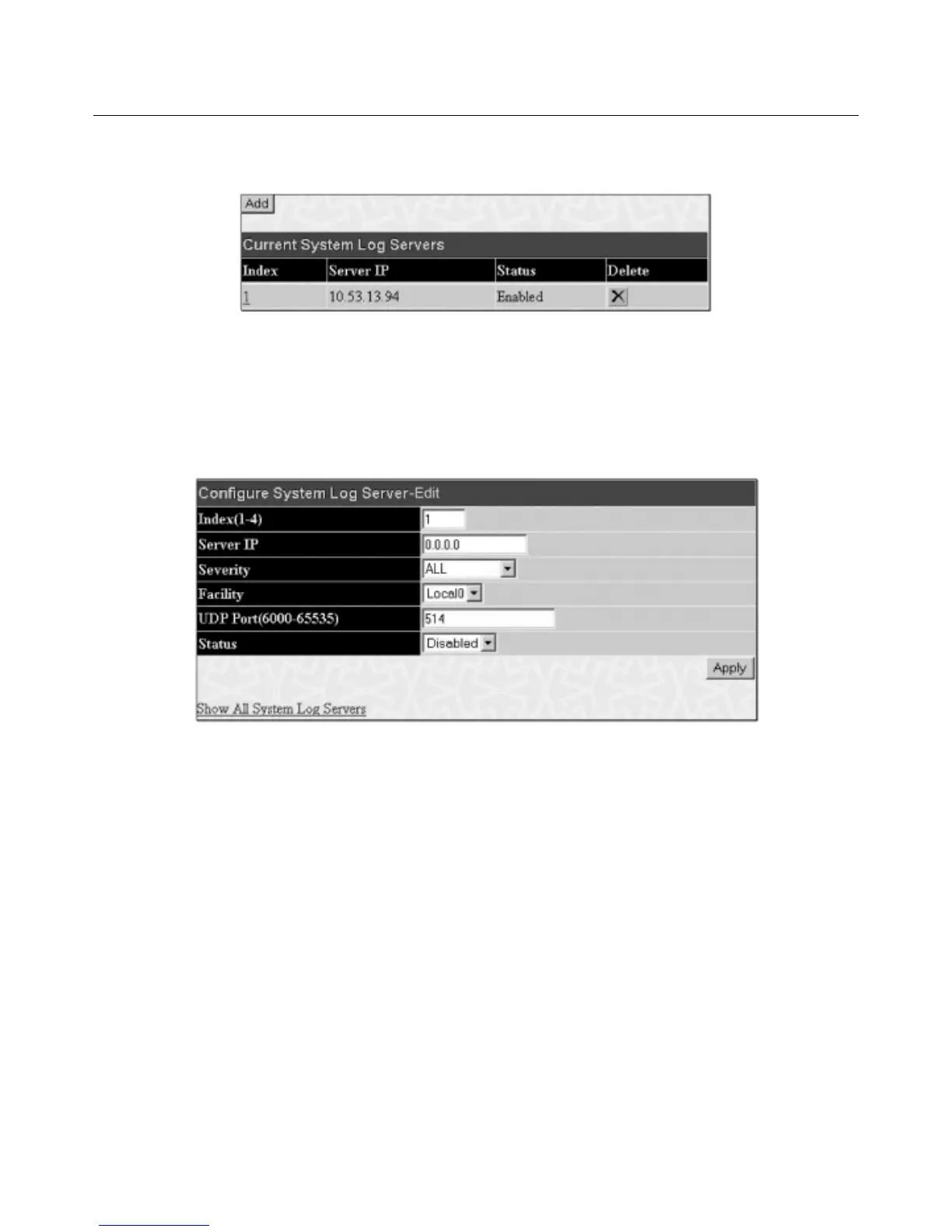
The Switch can send Syslog messages to up to four designated servers using the System Log Server. In the Configuration folder, click System Log
Server
, to view the screen shown below.
Figur
e 6- 56. System Log Servers window
The parameters configured for adding and editing
System Log Server settings are the same.To add a new Syslog Server, click the Add button.To modify a
current entry, click the hyperlinked number of the server in the
Index field. Both actions will result in the same screen to configure. See the table below for a
description of the parameters in the following window.
Figure 6- 57. System Log Servers – Add
The f
ollo
wing parameters can be set:
72
Allied Telesyn AT-9724TS High-Density Layer 3 Stackable Gigabit Ethernet Switch



 To Next Page
 Loading...









