EasyManua.ls Logo

Amada HFA-400 - Page 106

Default Icon
174 pages
Print Icon
To Next Page IconTo Next Page
To Previous Page IconTo Previous Page
Loading...
IV-28
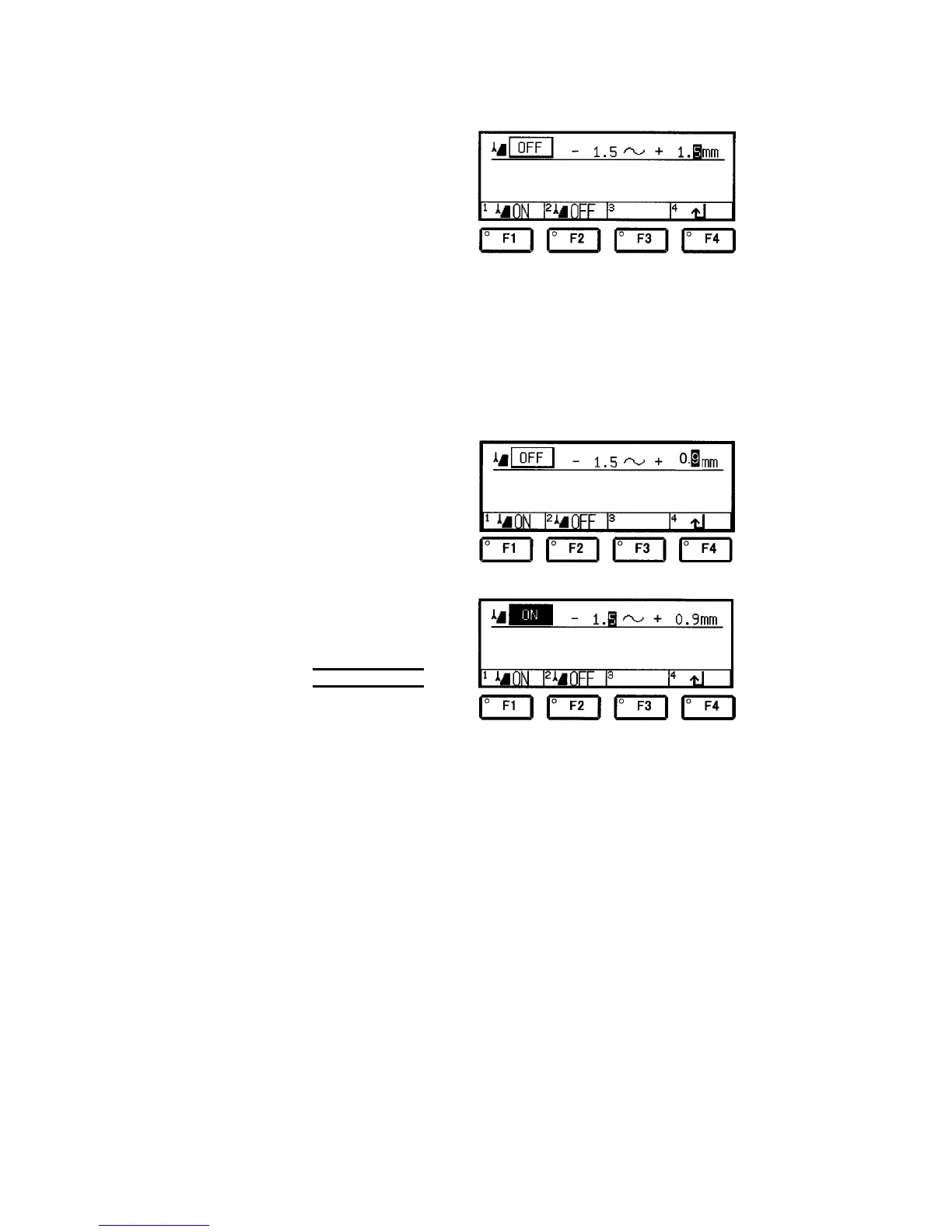
4 Enter “1”, “.” and “5”
with the numeric keys,
and press the ENT
key to move the
cursor to the “+” side.
5 Set the plus runout tolerance.
Example: Change the plus runout tolerance from 1.5 mm to 0.9
mm.
Check that the cursor is positioned on the “+” side.
If the cursor is positioned on the “–” side, move the cursor to the “+”
side with the cursor keys.
6 Enter “0”, “.” and “9”
with the numeric keys,
and press the ENT
key.
7 Press the F1 (ON) key
to change the runout
setup ON/OFF field to
ON.
NOTE
O The runout detector
cannot work if the
runout tolerances are
set but the runout
setup ON/OFF field is
set to OFF.

Table of Contents

Related product manuals