III-26
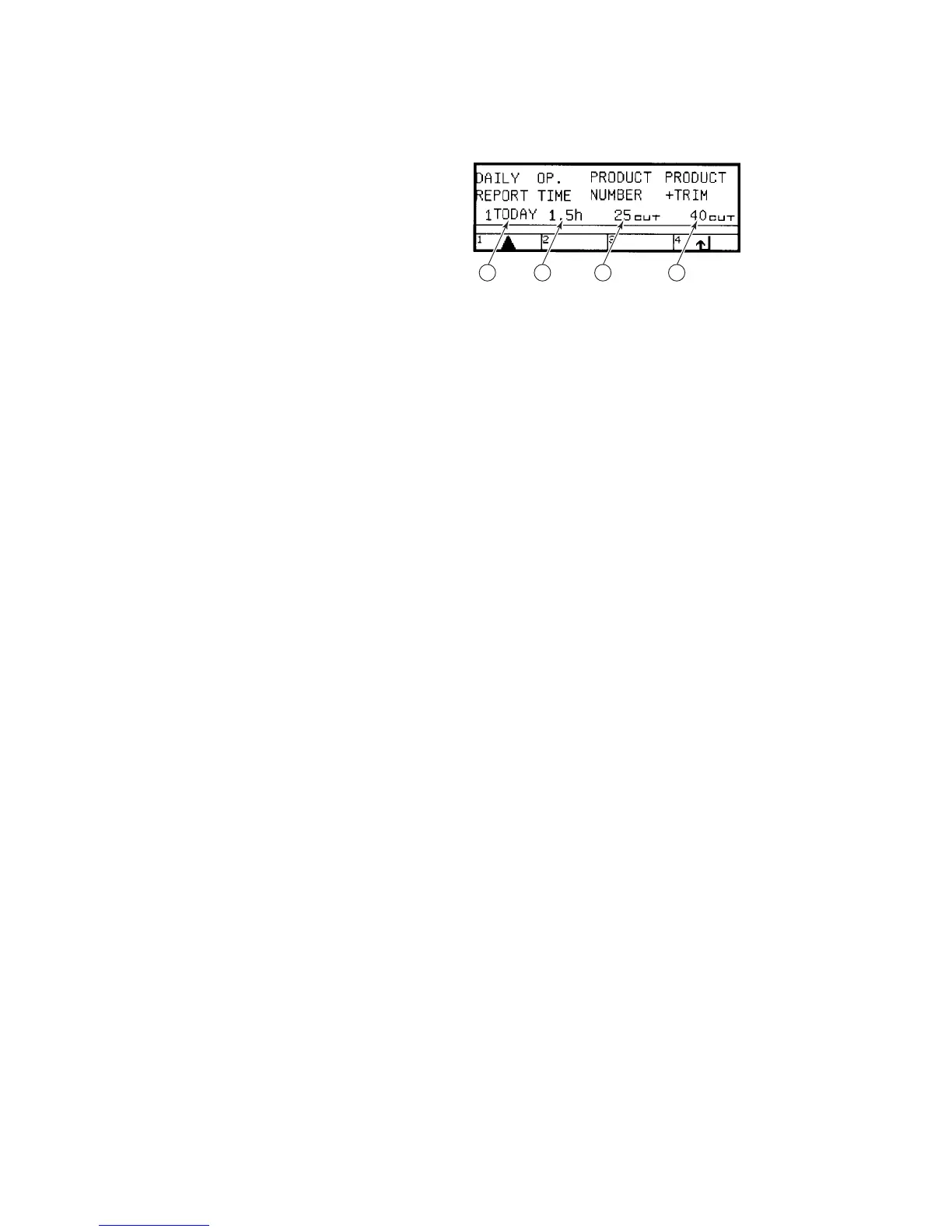
DAILY REPORT DISPLAY
This display appears when
you press the F1 (DAILY)
key on the result display.
The contents of the item
fields and the functions of
the function keys on the
display are as described
below.
1 2 3 4
Displayed contents of item fields
◯
1
DAILY REPORT field
Indicates the date of the daily report recorded. The daily reports over
the past 11 days are left as records. Each time the F1 (V) key is
pressed, the field sequentially changes from today to 10 days before.
Note that the daily reports can be recorded only when the power of the
machine is turned on.
◯
2
OP. TIME field
Indicates the operating time of the saw blade for the date shown in the
DAILY REPORT field.
◯
3
PRODUCT NUMBER field
Indicates the cumulative number of pieces cut in the AUTO mode on the
date shown in the DAILY REPORT field.
◯
4
PRODUCT + TRIM field
Indicates the sum of the number of pieces cut in the AUTO mode and of
the number of pieces and trimmings cut in the MANUAL mode on the
date shown in the DAILY REPORT field.
Functions of function keys
F1 (V) key: Pressed to change the date whose daily report is to be
indicated.
F4 (↵) key: Pressed to return to the result display.



 To Next Page