III-25
Functions of function keys
F1 ( backward limit standby) key: Pressed to set the standby
position of the rear vise to the backward limit. The rear vise clamps the
work at the backward limit during cutting.
F2 (
forward limit standby) key: Pressed to set the standby
position of the rear vise to the forward limit. The rear vise clamps the
work at the forward limit during cutting.
F4 (↵) key: Pressed to return to the station data setup display.
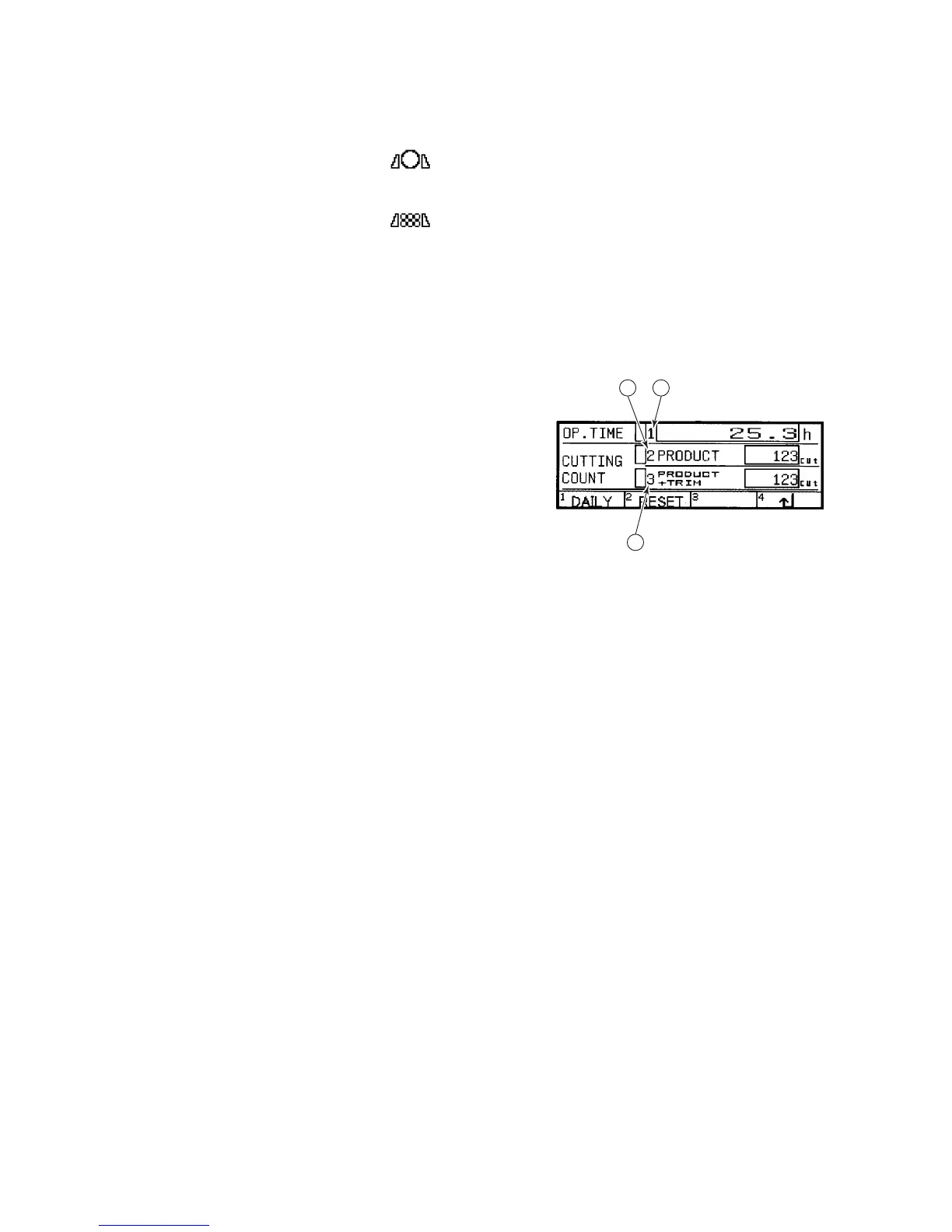
RESULT DISPLAY
This display appears when
you press the F1
(RESULT) key on the
station data setup display
(menu 3). The contents of
the item fields and the
functions of the function
keys on the display are as
described below.
1
3
2
Displayed contents of item fields
◯
1
OP. TIME field
Indicates the cumulative time the saw blade has run. Move the cursor
to the field, and press the F2 (RESET) key to reset the field to zero.
◯
2
CUTTING COUNT PRODUCT field
Indicates the cumulative number of pieces cut in the AUTO mode.
Move the cursor to the field, and press the F2 (RESET) key to reset the
field to zero.
◯
3
CUTTING COUNT PRODUCT + TRIM field
Indicates the sum of the number of pieces cut in the AUTO mode and of
the number of pieces and trimmings cut in the MANUAL mode. Move
the cursor to the field, and press the F2 (RESET) key to reset the field to
zero.
Functions of function keys
F1 (DAILY) key: Pressed to open the daily report display.
F2 (RESET) key: Pressed to reset the OP. TIME, CUTTING COUNT
PRODUCT, and CUTTING COUNT PRODUCT + TRIM fields to zero.
F4 (↵) key: Pressed to return to the station data setup display.



 To Next Page