III-24
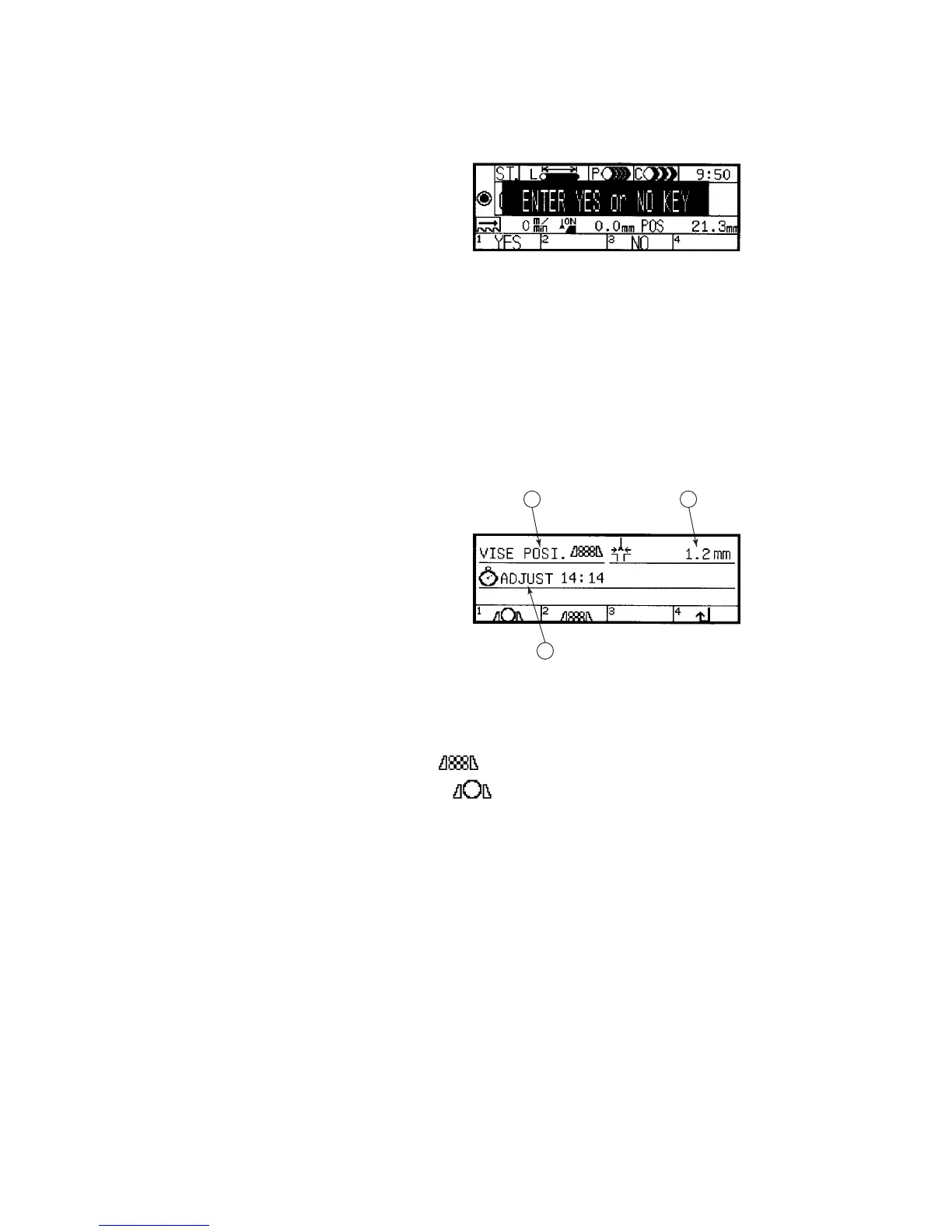
STATION DELETE CONFIRMATION DISPLAY
This display appears when
you press the F2 (ST
delete) key on the station
data setup display (menu
2). The functions of the
function keys on the
display are as described
below.
Functions of function keys
F1 (YES) key: Pressed to delete all of the cutting data of the station
number shown in the ST. field.
F3 (NO) key: Pressed to abort the delete processing of the cutting data
of the station number shown in the ST. field.
SETUP DISPLAY
This display appears when
you press the F3 (set) key
on the station data setup
display (menu 2). The
contents of the item fields
and the functions of the
function keys on the
display are as described
below.
1 2
3
Displayed contents of item fields
◯
1
VISE POSI. field
Indicates the standby position of the rear vise set with a function key.
Standby at forward limit:
Standby at backward limit:
◯
2
Set width of saw blade field
Sets the set width of the saw blade. The set width variation of the saw
blade sometimes makes the actual cutoff length different from the preset
cutoff length. In this case, the set width in the field can be adjusted to
compensate for the difference. To make the necessary compensation,
move the cursor to the field, enter the set width in the field with the
numeric keys, and press the ENT key. The setup range is 0 to 99.9
mm {0 to 9.999 in.}.
◯
3
ADJUST field
Corrects the current time shown on the station data setup display.
Move the cursor to the field, enter the correct current time in the field
with the numeric keys, and press the ENT key. The setup range is 0 to
23 hours and 0 to 59 minutes.



 To Next Page