IV-29
HANDLING CUTTING DATA
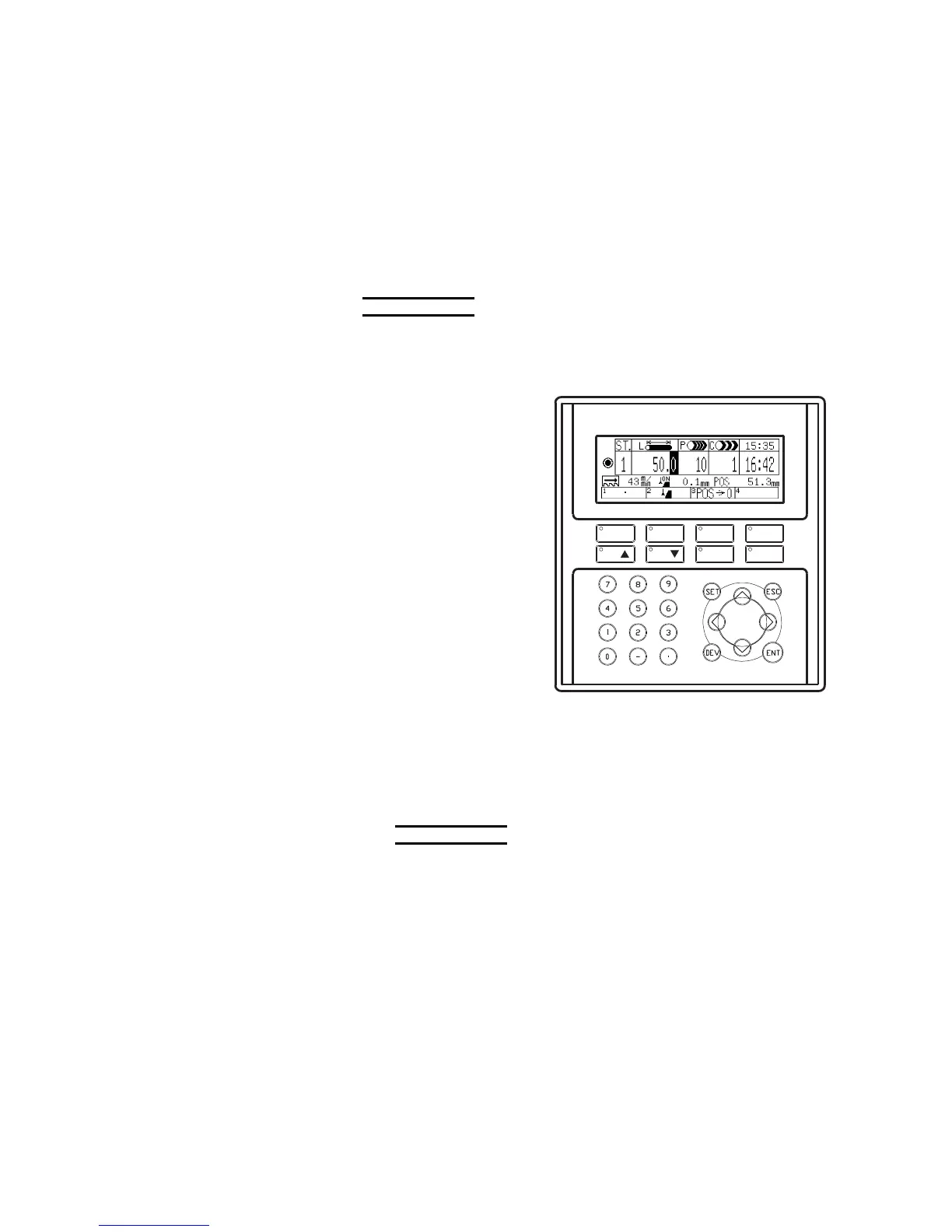
Entering and storing cutting data
When the automatic operation of the machine is to be performed, enter
cutting data at respective stations and store them in memory as
described below.
NOTE
O The cutting data are stored in memory even after the power of the machine is
turned off. When the power of the machine is turned on the next time, the
previous cutting data are all retained in memory.
1 Move the cursor to the
ST. field with the
cursor keys.
2 Press the F1 (A•C)
key to go to the all
station delete
confirmation display.
3 Press the F1 (YES)
key to delete the
cutting data stored at
all stations.
4 Enter a station
number in the ST. field
with the numeric keys.
F1 F2 F3 F4
ST
ST CLR MENU
A C
5 Press the ENT key to set the station number in the ST. field and
move the cursor to the L field.
6 Enter the cutoff length in the L field with the numeric keys. The
setup range is 5.0 to 9999.9 mm in 0.1-mm increments {0.197 to
99.999 inches in 0.001-inch increments}. The kerf of the saw
blade and the feed stroke of the rear vise need not be considered.
NOTE
O If the entered value is outside the setup range, the ENT key is not
allowed to set the entered value in the ST. field and move the cursor to
the P field. In such a case or when a wrong value is entered, press the
CLR key to delete the entered value, and enter a correct value.
O When continuously cutting the work in the AUTO mode, enter a cutoff
length of 10 mm {0.394 in.} or more. If you want to continuously cut the
work to 10 mm {0.394 in.} or less, contact AMADA.
7 Press the ENT key to set the cutoff length in the L field and move
the cursor to the P field.
8 Enter the quantity of pieces to be cut in the P field with the numeric
keys. The setup range is 1 to 9999.



 To Next Page