EasyManua.ls Logo

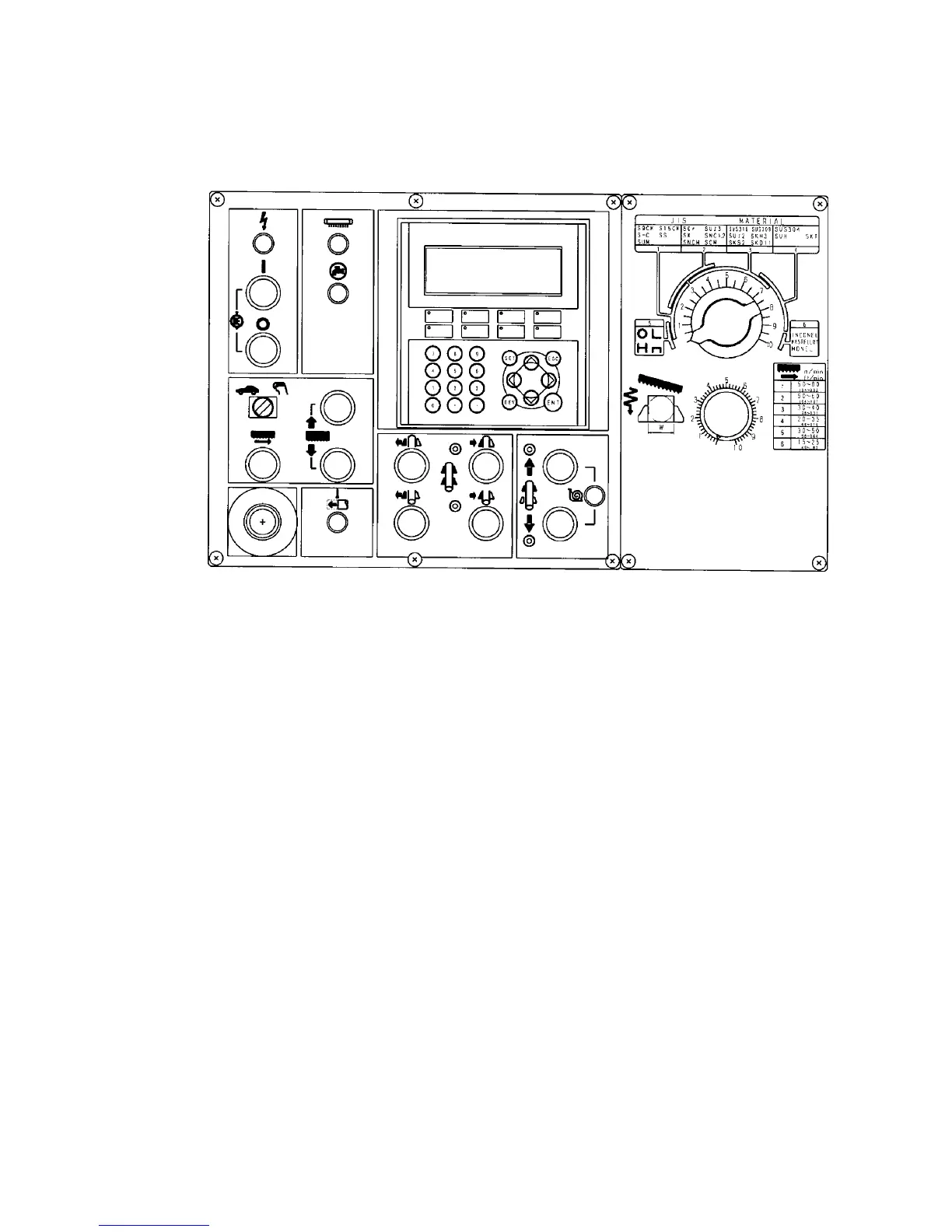
Amada HFA-400 - Control Panel

Default Icon
174 pages
Print Icon
To Next Page IconTo Next Page
To Previous Page IconTo Previous Page
Loading...
III-3
CONTROL PANEL
[1][1]
[2][2]
[3][3]
[5][5]
[6][6]
[21][21]
[24][24]
[17][17]
[4][4]
[20][20]
[18][18]
[19][19]
[7][7]
[16][16]
[15][15]
[11][11]
[10][10]
[14][14]
[13][13]
[12][12]
[22][22]
[23][23]
[8][8]
[9][9]
[25][25]
LCD SCREEN
[1] POWER light
Illuminated to indicate that the power of the machine is turned on when
the machine circuit breaker switch on the electrical enclosure is turned
to ON.
[2] HYDRAULIC ON button
Illuminates the built-in light and starts the hydraulic pump motor.
[3] HYDRAULIC OFF button
Stops the hydraulic pump motor and extinguishes the built-in light of the
HYDRAULIC ON button.

Table of Contents

Related product manuals