WLANWLAN
Allows the Network Master to connect to a network via Wireless Local Area
Network (WLAN). Note that if WLAN is enabled, the Network Master cannot
connect to the Ethernet via the Ethernet setting mentioned above.
This feature requires an option (MT1040A-003) or a Wi-Fi dongle.
Even with the option added, the built-in WLAN is not available when a Wi-Fi dongle is
connected to the Network Master's USB port.
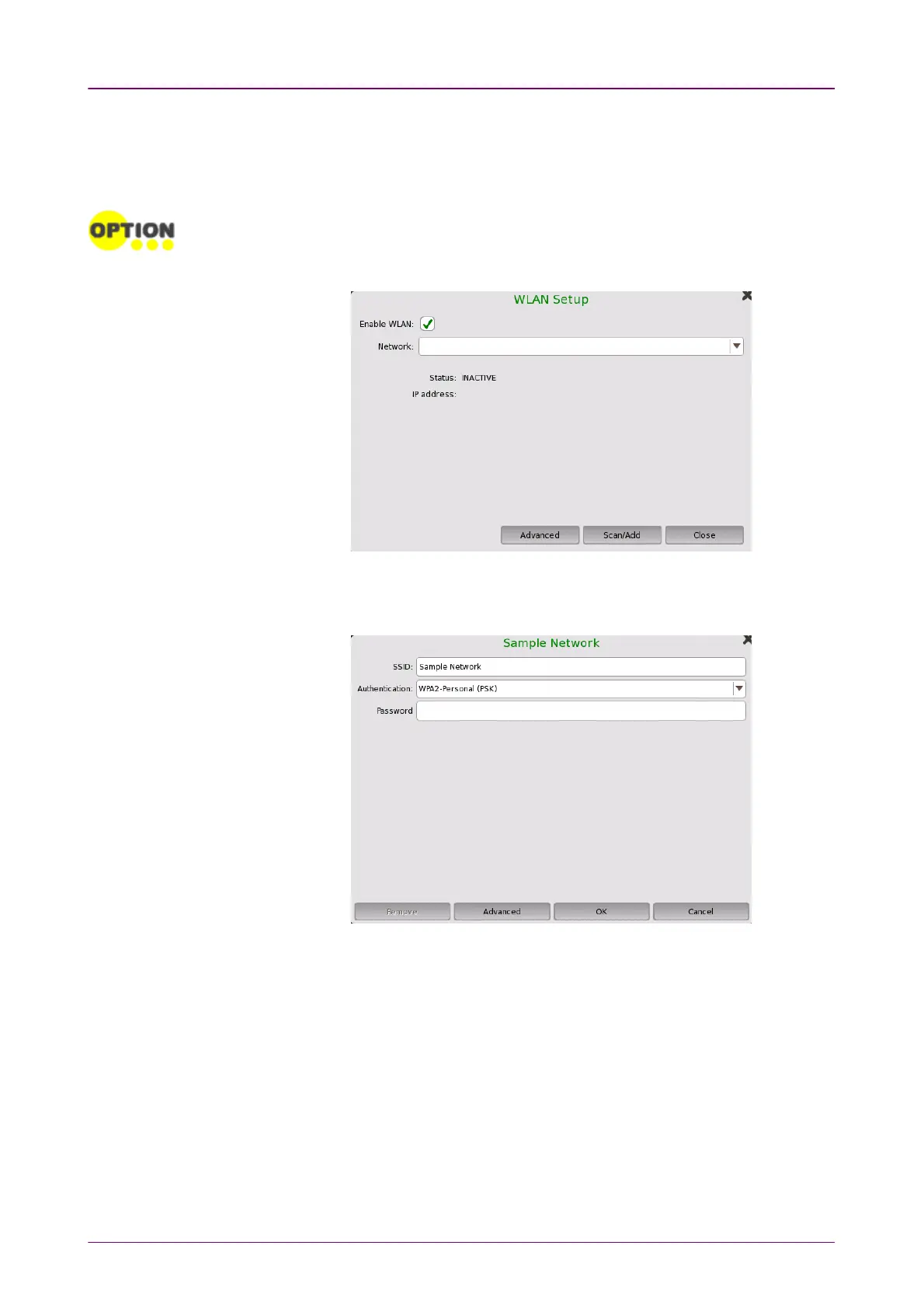
1. Touch the WLANWLAN. WLAN SetupWLAN Setup dialog box appears.
2. Touch the Scan/AddScan/Add. Scan results are displayed.
3. Select the network from scan results and touch the Add NetworkAdd Network.
4. Enter the password and touch the OKOK button. Use only ASCII characters in the
SSID field.
If backslashes (\) and double quotes (") are used in the SSID name, the WLANWLAN
SetupSetup dialog box displays them with a backslash as \\ and \" respectively when
the Network Master connects to the network.



 To Next Page