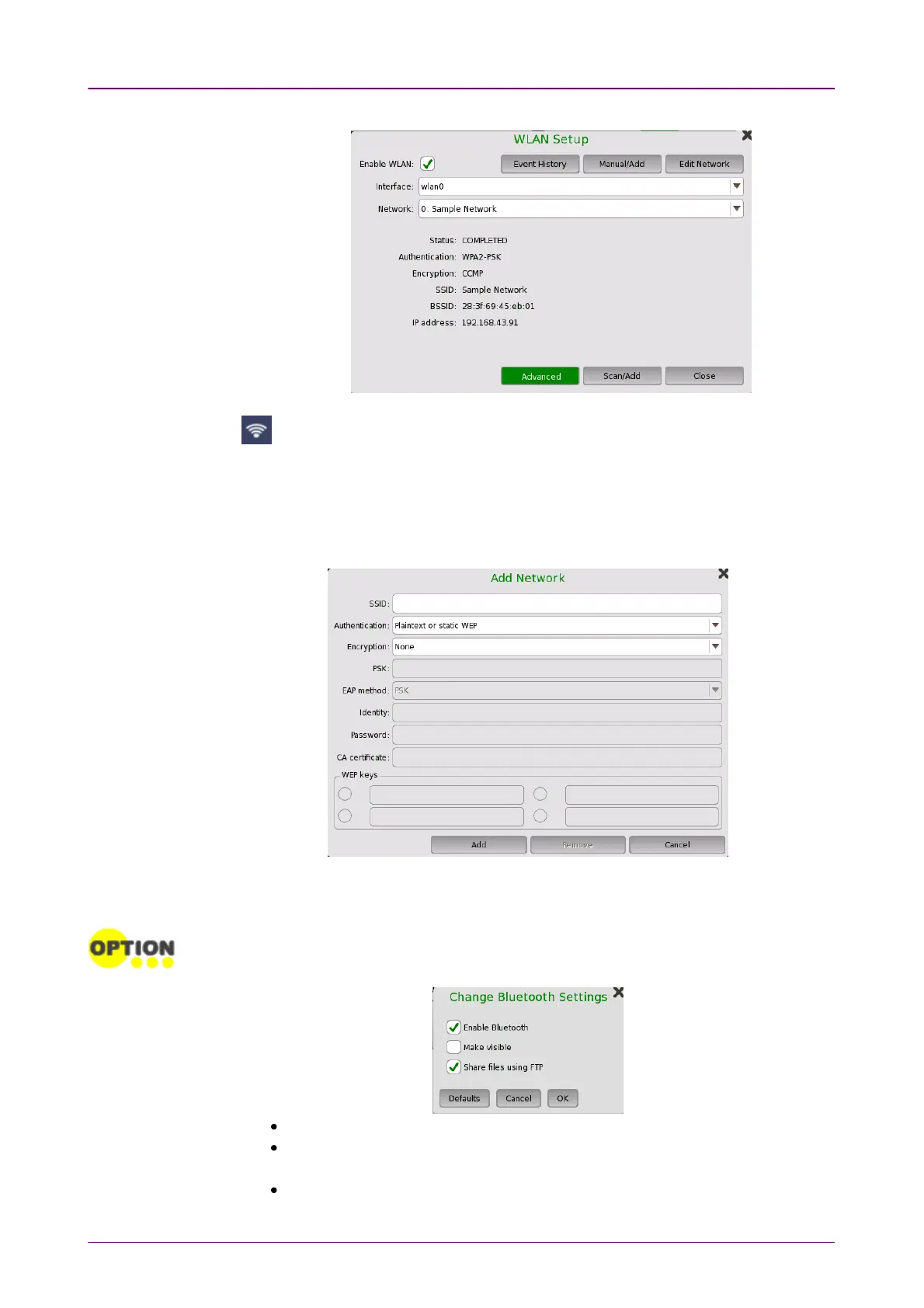
5. Confirm that Status in WLAN SetupWLAN Setup dialog box changes to COMPLETEDCOMPLETED.
When the MT1040A-003 option or a Wi-Fi dongle is added, the Status bar
displays this icon, which shows the WLAN connection status.
To edit the settings of the current network, touch the Edit NetworkEdit Network button.
Touch AdvancedAdvanced to check the parameters in details and edit the advanced
settings such as encryption method.
BluetoothBluetooth
Allows the Network Master to use a Bluetooth connection.
This feature requires an option (MT1040A-003).
Even with the option added, Bluetooth is not available when a Wi-Fi dongle is connected
to the Network Master's USB port.
Enable BluetoothEnable Bluetooth: Enables using the Bluetooth.
Make visibleMake visible: Allows to discover the Network Master from other Bluetooth
devices.
Share files using FTPShare files using FTP: Allows to share files stored in the Network Master via
Bluetooth. Login account and password are not required for the FTP



 To Next Page