connection. Shared folder in the Network Master is "/property/mnt/internal".
When the option is installed, this icon on Status bar indicates whether the
Bluetooth is enabled or disabled.
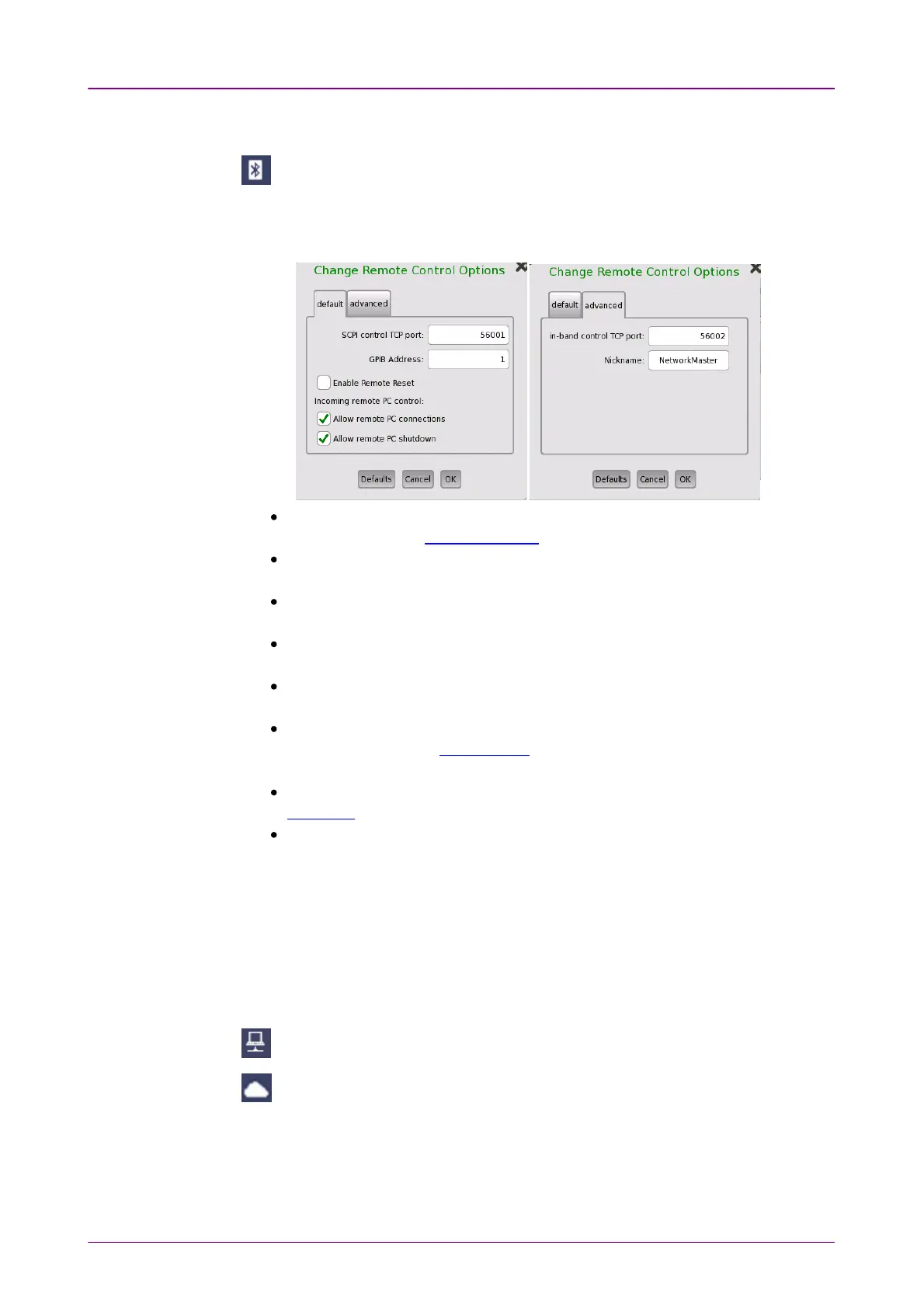
Remote ControlRemote Control
Allows you to change remote control options.
SCPI control TCP portSCPI control TCP port: Touch the field to set port number used for remote
control via Ethernet service interface.
GPIB AddressGPIB Address: Touch the field to set General Purpose Interface Bus (GPIB)
address.
Enable Remote ResetEnable Remote Reset: Selecting the check box allows users to reset the
Network Master from remote PC.
Allow remote PC connectionsAllow remote PC connections: Selecting the check box allows users to control
the Network Master via Ethernet from remote PC.
Allow remote PC shutdownAllow remote PC shutdown:Selecting the check box allows users to shut down
the Network Master via Ethernet from remote PC.
In-band control TCP portIn-band control TCP port: Touch the field to set a port number used for the
remote control via the test interface. Set a different number from the number
set at SCPI control TCP portSCPI control TCP port.
NicknameNickname: Touch the field to set a name of Network Master recognized by
Discovery that is the Ethernet application.
Enable Cloud ConnectionEnable Cloud Connection: Selecting the check box allows users to connect the
Network Master to the server service provided by Anritsu.
It also allows users to forcibly change the following settings.
VNC:
Enable VNC Server ON
Enable VNC Password OFF
File Sharing
Share File System ON
This icon on Status bar indicates whether the remote PC control is connected or
not.
This icon on Status bar indicates that the Network Master is connected to the
server service provided by Anritsu.
VNCVNC
Allows remote control of the Network Master via Virtual Network Computing
(VNC).



 To Next Page