This icon on Status bar indicates whether the VNC is enabled or disabled.
Touching this icon enables or disables the VNC alternately.
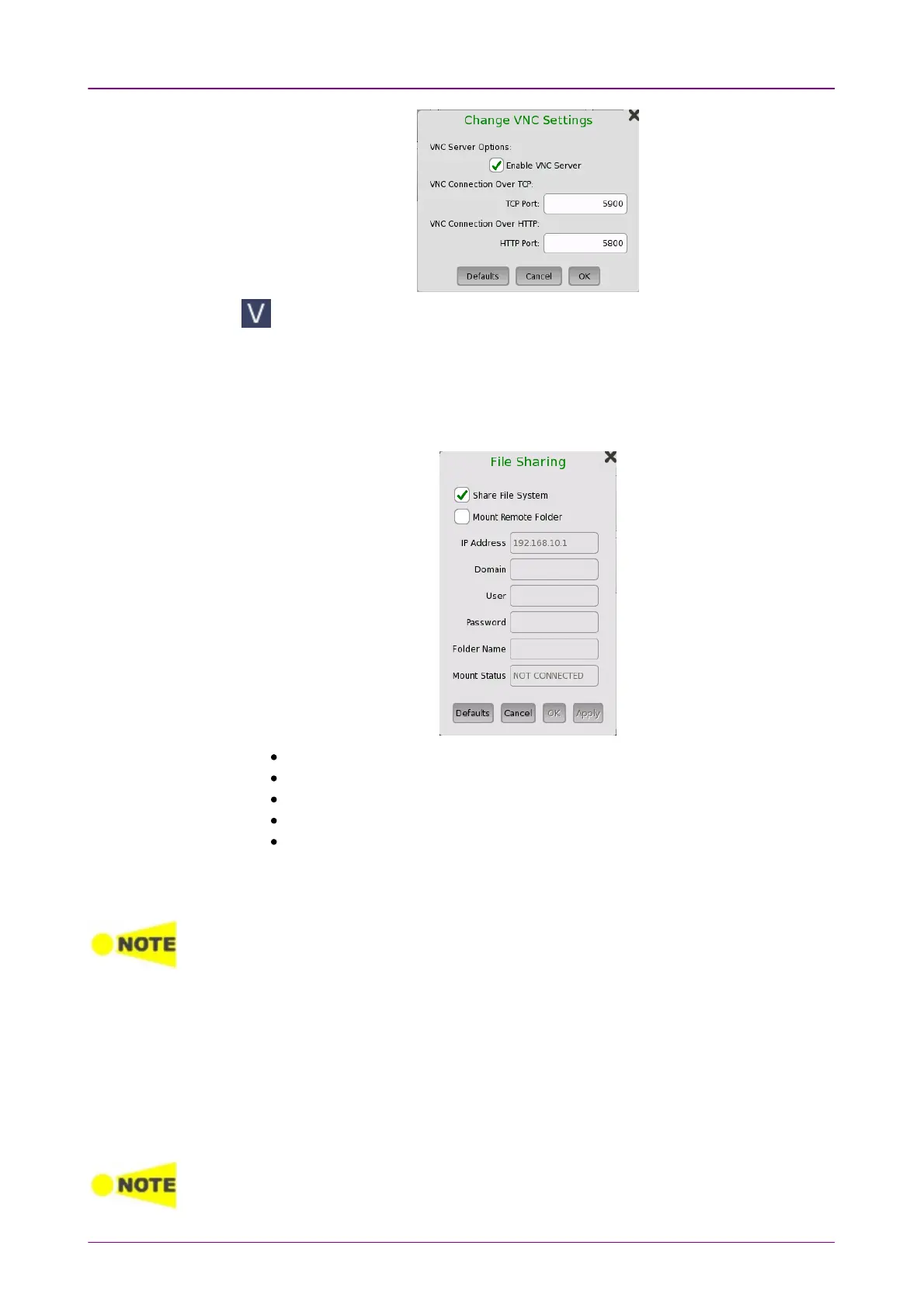
File SharingFile Sharing
Select Share File SystemShare File System to allows to share the data folder on networked PC.
Selecting Mount Remote FolderMount Remote Folder enables the parameter fields for mounting the
folder of networked PC.
IP AddressIP Address: The IP address of the networked PC
DomainDomain: The domain name of the networked PC
UserUser: The username (account) of the networked PC
PasswordPassword: The password for account
Folder NameFolder Name: The name of the shared folder on the networked PC
After entering parameters, touch ApplyApply. If mounting remote folder succeeded,
"CONNECTED" will be shown in Mount StatusMount Status field.
Only enter the name of the shared folder, not the entire path shown in Windows displays.
Procedure of creating the shared folder on the networked PC:
1. Create a folder on the PC.
2. Right-click on the folder and click PropertiesProperties.
3. On the Sharing tab, click ShareShare to share the folder.
The PC shared folder will be mounted to the Internal\remote folder of the
Network Master.
File sharing may not be available if it is limited by Windows features settings for your PC.



 To Next Page