ThroughputThroughput
Calculation LayerCalculation Layer
SelectionSelection
ThresholdThreshold
Select the layer on which the throughput calculation is done. As described in
the Throughput calculation section there are 6 different layers:
Utilization layer throughputUtilization layer throughput
Physical layer throughputPhysical layer throughput
Physical layer throughput (without preamble)Physical layer throughput (without preamble)
Link layer throughputLink layer throughput
Network layer throughputNetwork layer throughput
Data layer throughputData layer throughput
Data layer throughputData layer throughput appears when UDPUDP or TCPTCP is set to the layer 4 of the
Ethernet frame on 'Ports Setup' screen.
Throughput thresholdThroughput threshold
Set the throughput threshold. If the measured throughput is equal to or below
the threshold, the test result is Fail.
Throughput frame loss toleranceThroughput frame loss tolerance
Set the throughput frame loss tolerance. If an occurred frame loss is equal to or
below the tolerance, the test result is Pass.
66..99..22..33 Frame LossFrame Loss
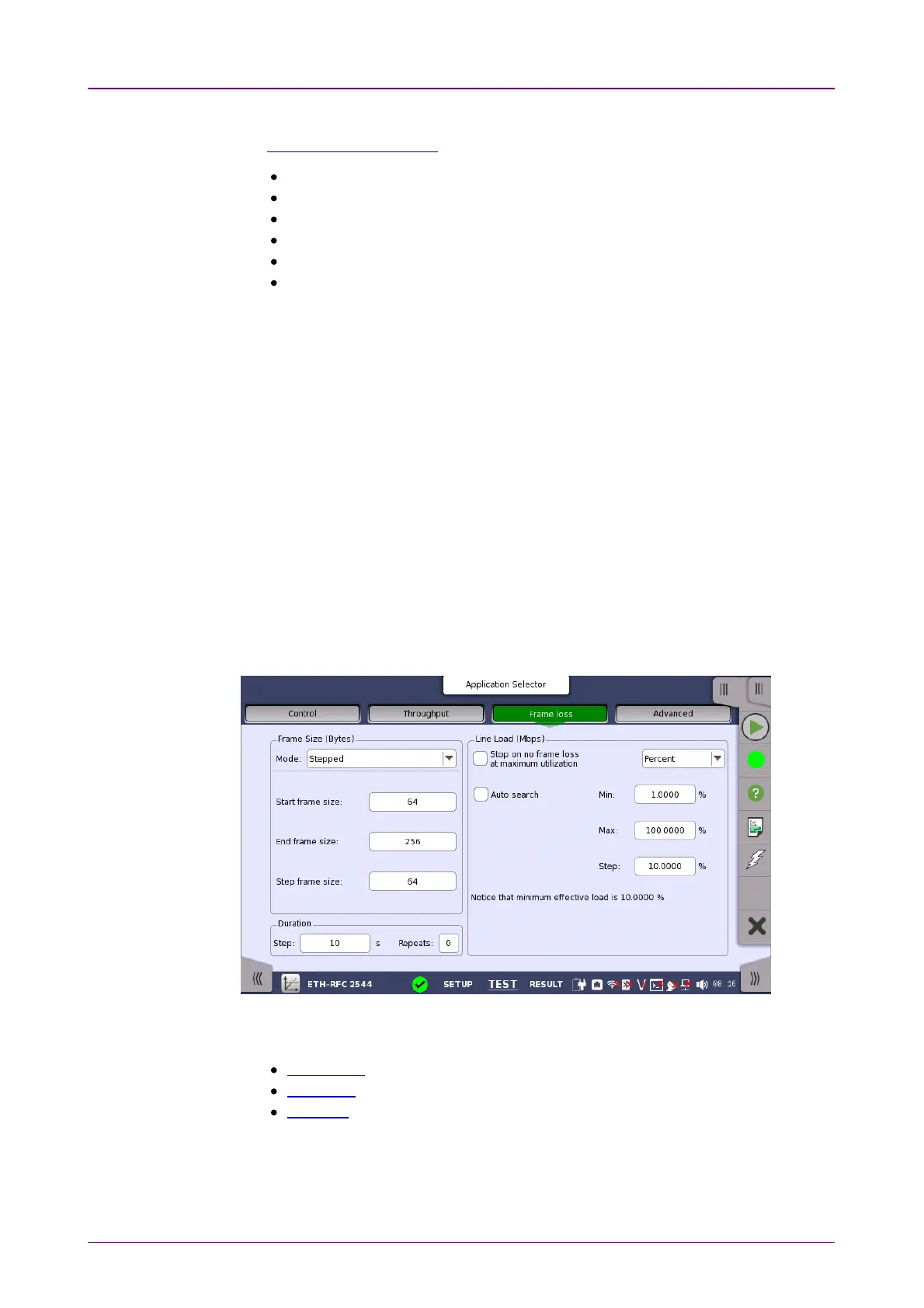
Only available if you have specified a Frame LossFrame Loss test on the ControlControl screen.
Touching the Frame lossFrame loss button in the navigation area will display the screen
shown below.
This screen allows you to configure the following parameters related to an RFC
2544 Frame Loss test:
Frame Size
Line Load
Duration
The parameters are identical to the ones described in the
Throughput
section
above.
66..99..22..44 Throughput and Frame LossThroughput and Frame Loss



 To Next Page