Test ModeTest Mode Port 1Port 1 Port 2Port 2
Switch/Router test
Port 1 Tx
Port 2 Rx
Port 2 Tx
Port 1 Rx
End to End test
Port 1 Tx
Port 1 Rx
Port 2 Tx
Port 2 Rx
Router latency test
Single ended network test
66..99..33..33 Frame lossFrame loss
Only available if you have specified a Frame loss test on the 'Control' of the Test Setup
screen.
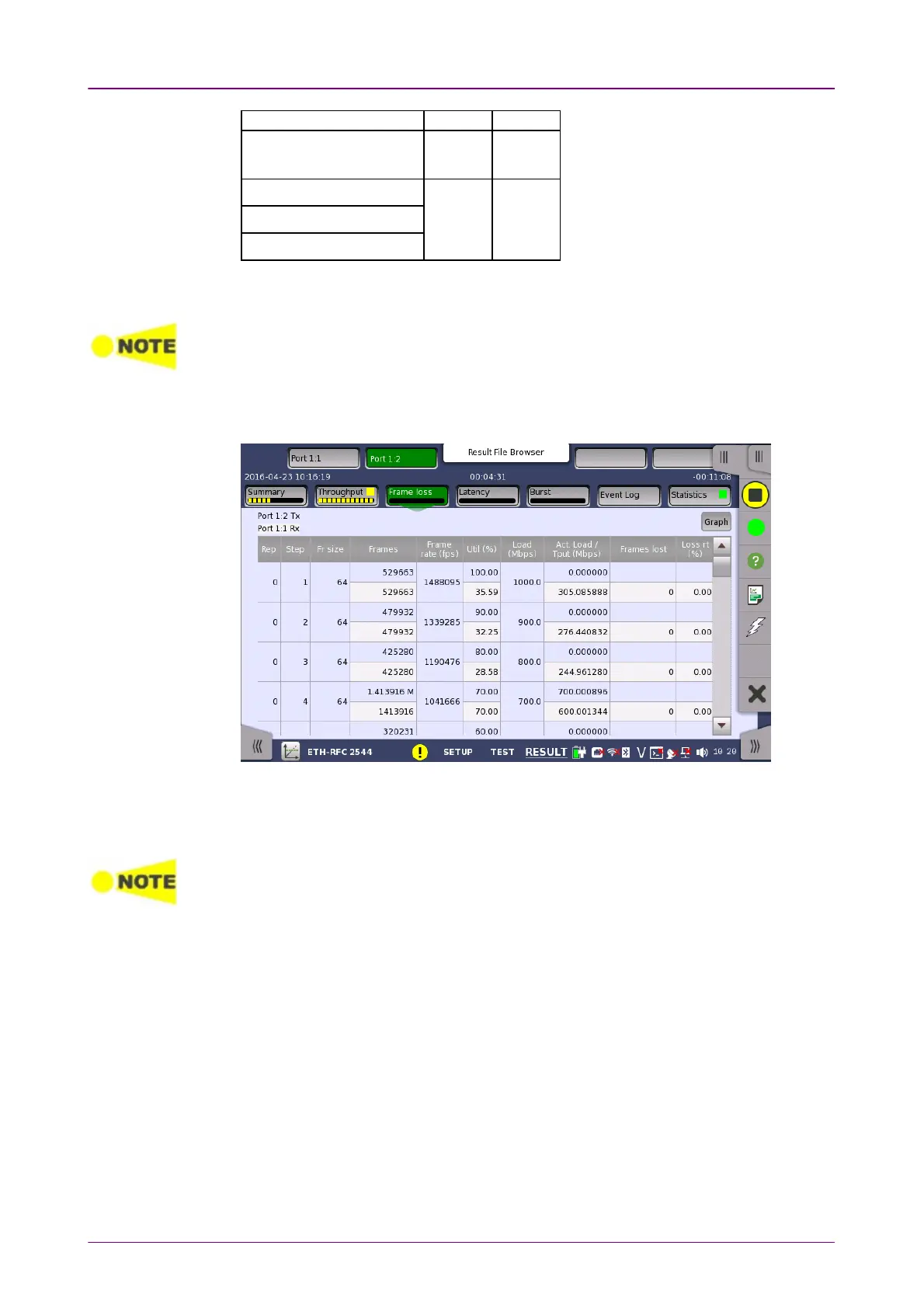
Touching the Frame lossFrame loss button in the navigation area will display the screen
shown below.
This screen presents the results from the Frame loss test.
The most important columns of the tables are the varied main parameters
Frame sizeFrame size and ThroughputThroughput and the performance parameter Loss rateLoss rate.
The order of the tables will vary depending on the test mode and the relation of the ports.
Refer to the table in "Throughput" subsection of Test Results.
66..99..33..44 Throughput and frame lossThroughput and frame loss
Touching the Throughput and frame lossThroughput and frame loss button in the navigation area will
display the screen shown below.



 To Next Page