If the software version of the opposite Network Master is 10.02 or earlier, select
the Version 10.02 or olderVersion 10.02 or older check box.
If Version 10.02 or olderVersion 10.02 or older check box is not displayed, you can measure as it is.
66..1111..33 Test ResultsTest Results
66..1111..33..11 SummarySummary
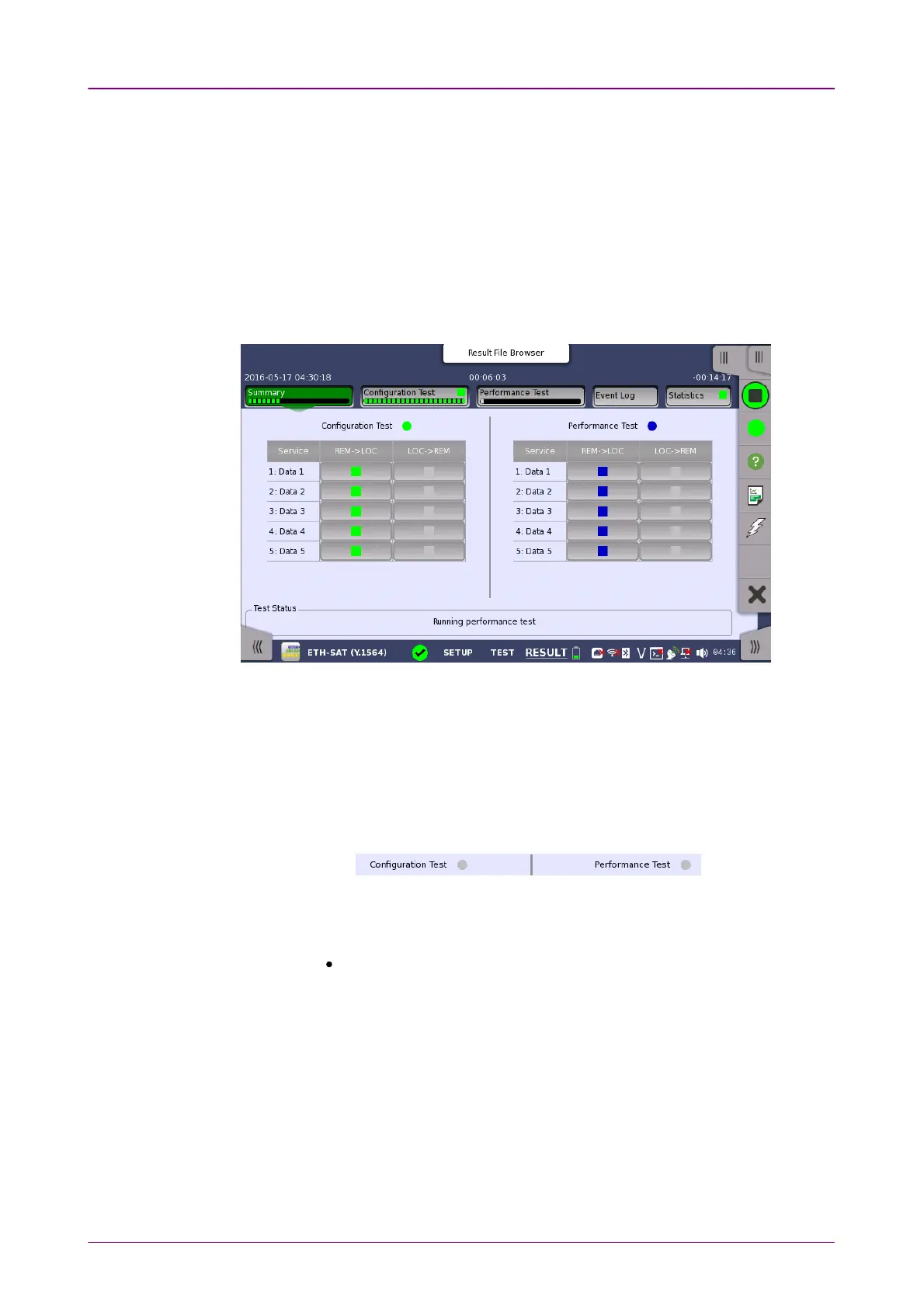
When you go to the test results of the Service Activation Test, the following
screen is displayed.
This screen presents a summary of the results of the Service Activation Test.
Touching the result button for a specific service in either the Configuration TestConfiguration Test
or Performance TestPerformance Test result panel will display the relevant screen with detailed
results information.
Item status LampItem status Lamp
Each result item has a colored Lamp indicating the status for this item and its
sub items:
Green The item and all its sub items are passing or have passed the Service
Acceptance Criteria.
Yellow The GPS synchronization has been lost for a following period or more.
G0325A: 10 seconds
FTD and FDV results could be compromised if the duration of
continuous GPS synchronization loss has been longer the this time FTD
and FDV results are compromised.
Red The items and one or more of its sub items have failed the Service
Acceptance Criteria.
Gray Results for the item are pending.
Blue The measurement is running.
GPS status LampGPS status Lamp



 To Next Page