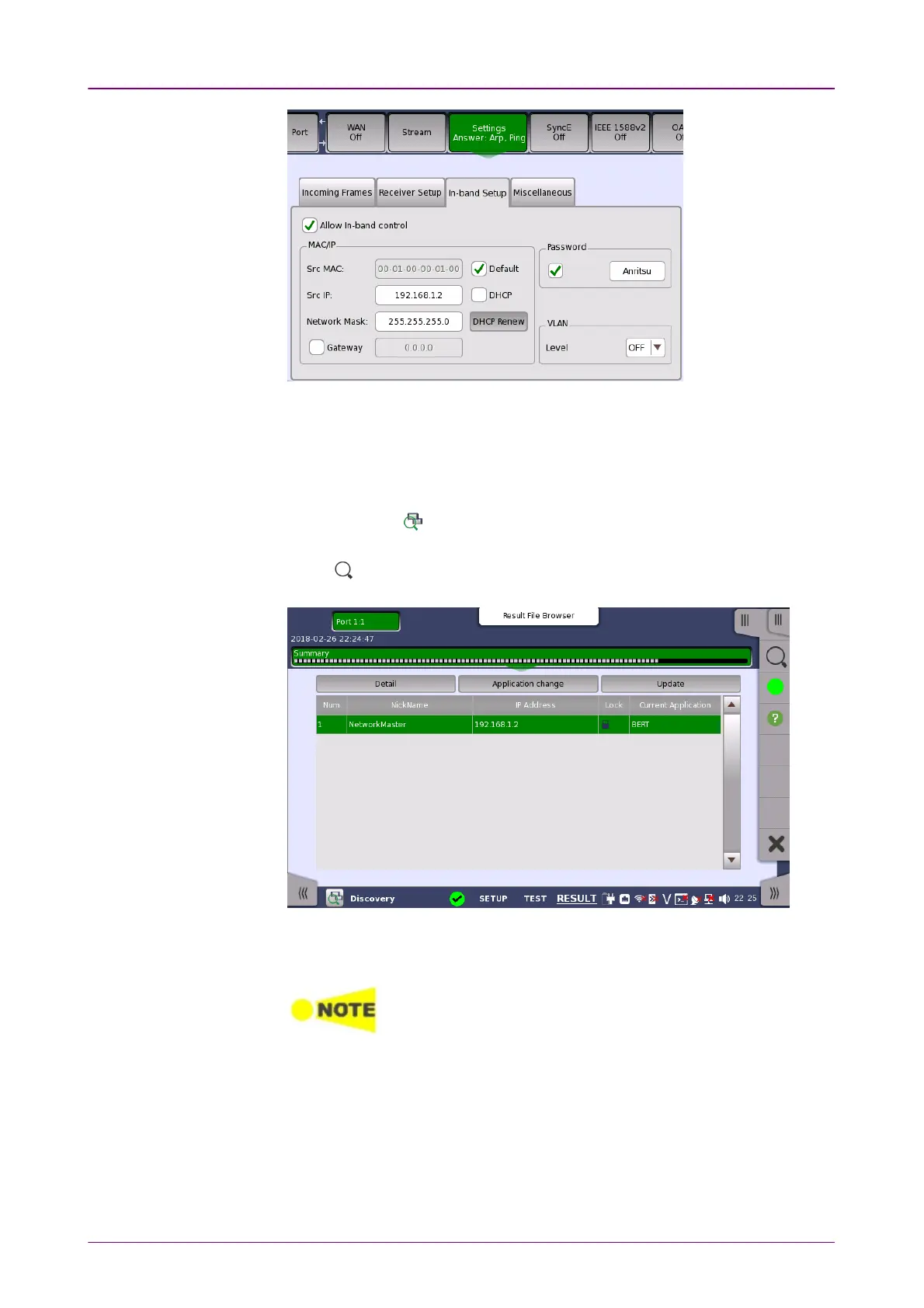
7. Set Src MAC, Src IP which is specified by DHCP or the administrator, and
Password. Set Gateway and VLAN if needed.
8. Leave Network Master A powered on.
Network Master B OperationNetwork Master B Operation
1. Turn on Network Master B.
2. Touch Discovery in Ethernet applications.
3. Set up interface on the PortPort screen and establish Ethernet link.
4. Touch on Application toolbar.
5. If Network Master A is found, touch DetailDetail.
6. Select RFC2544RFC2544 as the application to run on Network Master A.
Enter a MAC address, IP addresses, and password used for RFC 2544 test of
Network Master A.
Set an IP address to Src different from one displayed in
the figure of step 5.



 To Next Page