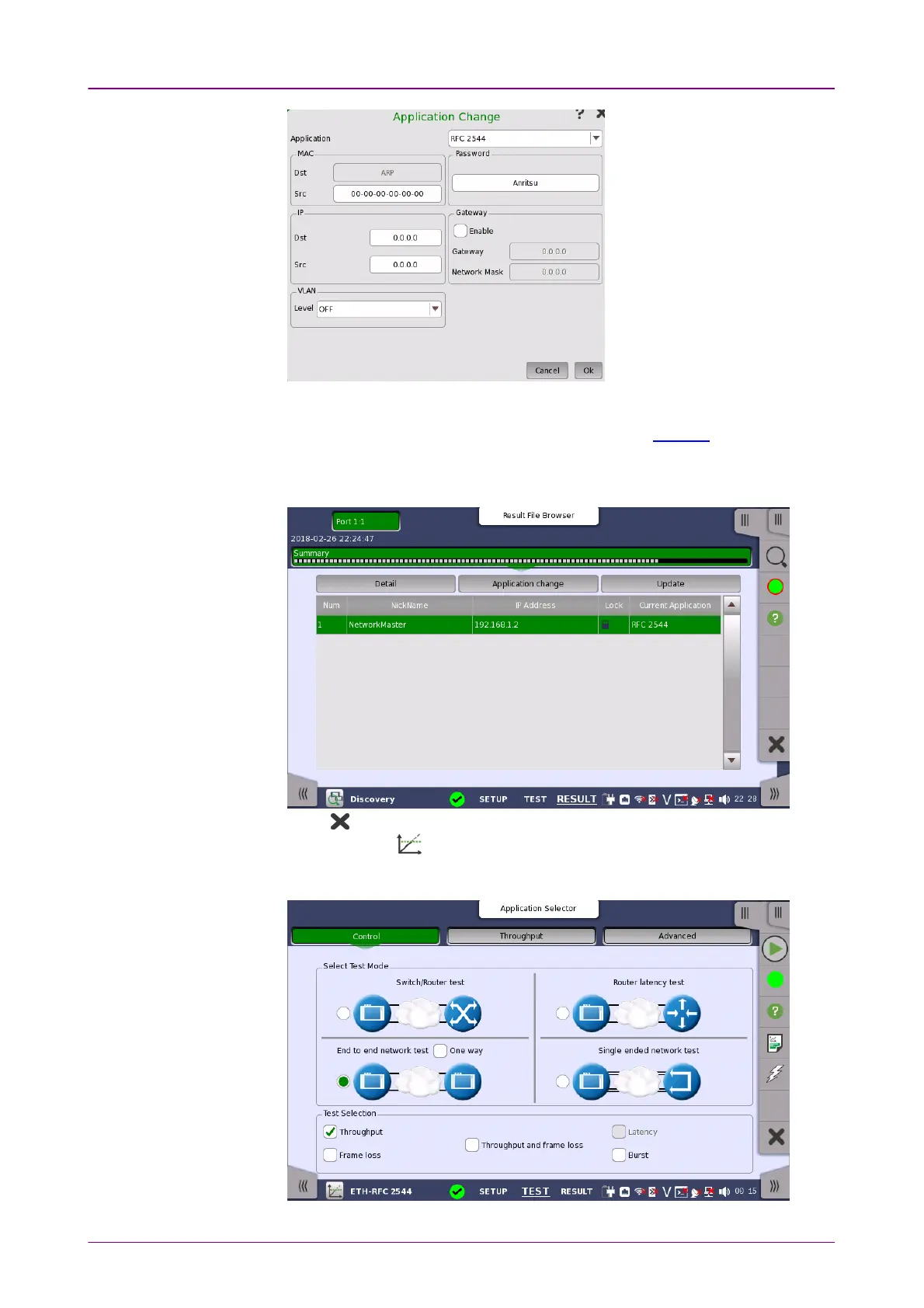
7. Touch OKOK. It takes a few minutes until the application of Network Master A is
changed. MAC address, IP addresses, VLAN settings, and Gateway settings
set in the Application Change dialog box will be set to Streams of Network
Master A.
8. Touch UpdateUpdate. Confirm that the application of Network Master A has been
changed to RFC2544.
9. Touch on Application toolbar to exit Discovery application.
10. Touch RFC2544 .
11. Set up interface on the PortPort screen and establish Ethernet link.
12. Select End to end network testEnd to end network test on the Control screen.



 To Next Page