TransmitterTransmitter
ModeMode
Clock ConfigurationClock Configuration
This screen allows you to enable the optical interface of the OTN transmitter. It
can also be used to inspect the current status of the selected port by the button
in Navigation area.
The configuration options available in the setup area of the screen are
described below. The status information is described in a separate section.
SFP/SFP+SFP/SFP+: Available bit rate is up to 2.5 Gbit/s for SFP, up to 10 Gbit/s for
SFP+.
QSFP+QSFP+: Available bit rate is up to 40 Gbit/s.
QSFP28QSFP28: Available bit rate is up to 100 Gbit/s.
Select the transmission mode.
OffOff: OTUk frame is not transmitted.
NormalNormal: Transmits OTUk frames generated in the Network Master.
ThroughThrough (pass through mode):Transmits the received data.
OH overwriteOH overwrite (pass through mode with Overhead overwrite): Overwrite the
overhead of the received data to OH data generated in Transmit side.
Use the drop-down menu to select the clock source. This is fixed to ReceivedReceived
when TransmissionTransmission is set to ThroughThrough or OH overwriteOH overwrite.
Timing SourceTiming Source
InternalInternal: Internal clock of the module
ExternalExternal: The clock input to the connector
GPSGPS: The clock provided from the external GPS sensor
ReceivedReceived: The clock generated from the received signal
When ExternalExternal, GPSGPS or ReceivedReceived is set, the right hand lamp indicates whether
clock is detected or not.
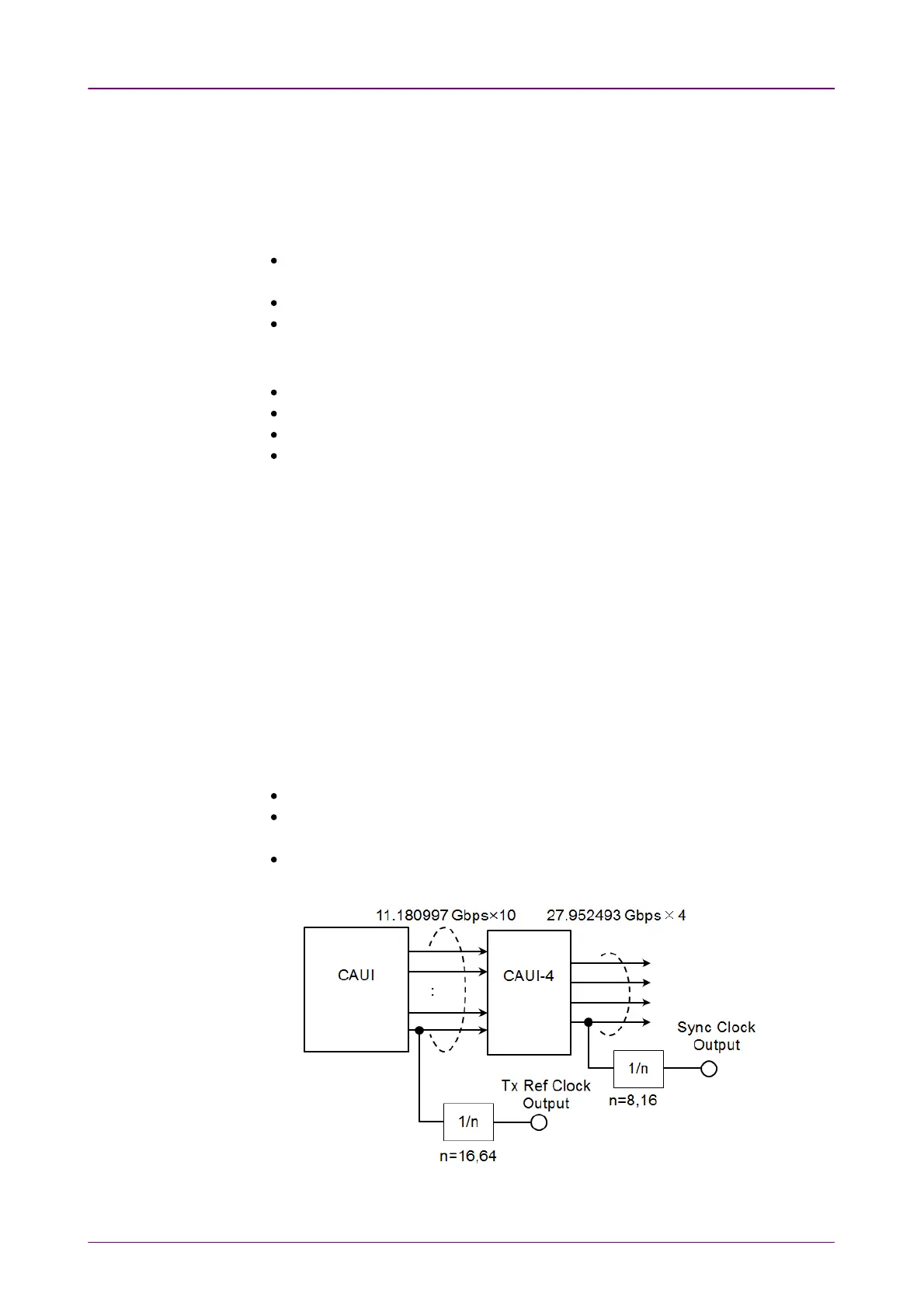
Sync PortSync Port
OffOff: does not output the clock.
1/81/8: outputs 1/8 divided clock of the data synchronized clock (approximately
3.494 GHz).
1/161/16: outputs 1/16 divided clock of the data synchronized clock (approximately
1.747 GHz).
Block Diagram of Tx Part (QSFP28)



 To Next Page