TransceiverTransceiver
Multi lane mappingMulti lane mapping
FollowsFollows
Frame SetupFrame Setup
Displays the Transceiver information when Optical Transmitter is selected.
In case of OTU3, OTU3e1, OTU3e2, or OTU4, the Lane MappingLane Mapping button
appears. Refer to Multi lane mapping in "Ethernet Setup and Status".
77..11..11..22 OTUk Frame SetupOTUk Frame Setup
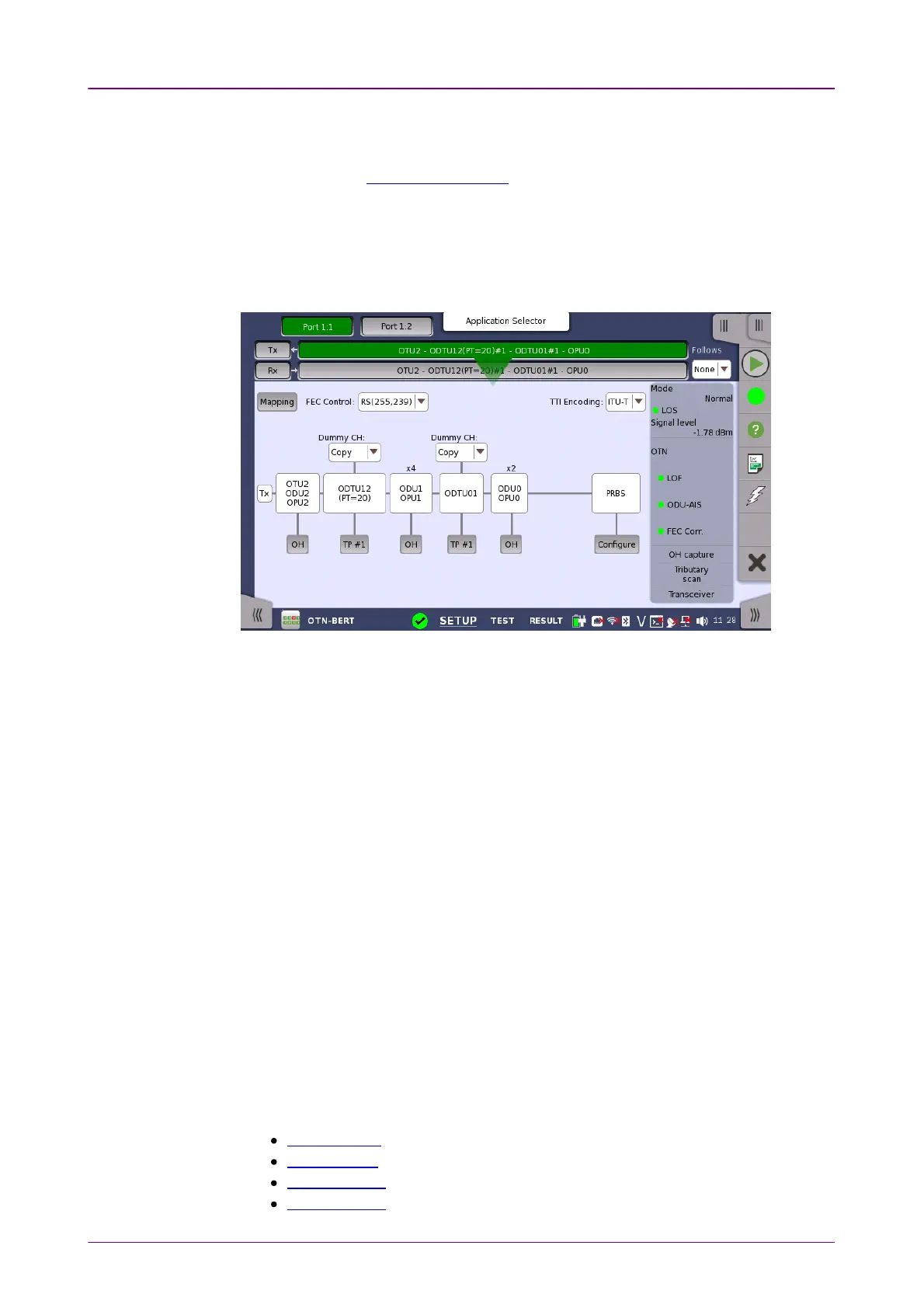
Touching the navigation area button which represents the transmitter's OTN
layer will launch the screen shown below.
This screen allows you to configure OTUk frame of the currently selected
transmitter. It can also be used to inspect the current status of the selected port
in a separated screen.
The configuration options available in the setup area of the screen are
described below. The status information is described in a separate section.
To setting up the OTU frame, touch MappingMapping button at first. Then select the
relevant values for the various containers in the structure shown in the setup
area, either by opening a drop-down menu or by touching a button to launch
an editor dialog.
Note that the changes you make will be reflected in the text displayed in the
OTUkOTUk button in the navigation area.
To make the Port 2 transmitter follow the Port 1 transmitter (i.e. copy its
settings), touch the right-most button in the navigation area and select the Tx1Tx1
in the drop-down menu. The Port 2 settings continue to follow the Port 1
transmitter change. The default setting is NoneNone. Note that the Port 1 transmitter
cannot follow the Port 2 transmitter.
MappingMapping
Touch the MappingMapping button and use the launched dialog box to define the OTUk
frame mapping. The following settings are available:
Output Signal
Client Signal
Multiplexing 1
Multiplexing 2



 To Next Page